Required shared orientation / 75 minutes
Professional Media Workflow Foundation
A reusable orientation to the habits that keep creative projects reproducible, reviewable, accessible, and safe to hand off.
Outcomes
- Create a predictable folder structure before opening the application.
- Distinguish source media, working media, project files, renders, masters, and documentation.
- Choose project settings from delivery requirements instead of software defaults.
- Use version names, backups, rights records, and QC notes that another person can understand.
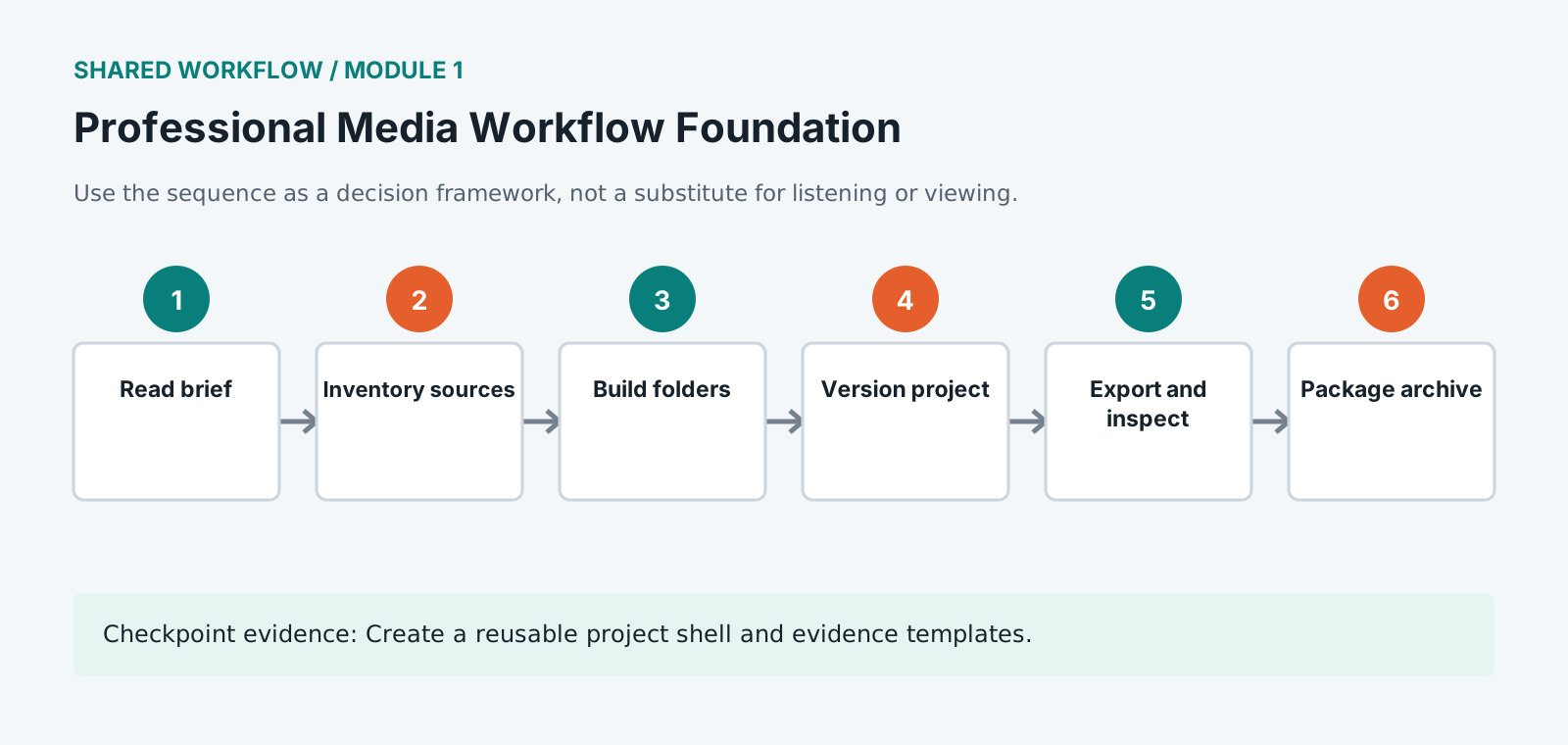
Complete the workflow
- 1
Read the brief and convert every requested deliverable into a checklist.
- 2
Inventory the source media, licenses, frame rates, sample rates, channel layouts, and missing items.
- 3
Create 01_ADMIN, 02_SOURCE, 03_PROJECT, 04_RENDER, 05_DELIVERY, and 06_ARCHIVE folders.
- 4
Name the first project with title, stage, owner initials, and a two-digit version number.
- 5
Work from copies or linked managed media. Never alter the only source file.
- 6
Save milestones before structural changes and keep a short decision log.
- 7
Export to a written specification, then inspect the exported file from beginning to end.
- 8
Package the project, access assets, rights notes, QC report, and archive manifest together.
Completion evidence
Create the reusable project shell
Submit the empty folder structure, delivery checklist, source inventory, first versioned project name, decision-log template, QC template, and archive-manifest template. Reuse these artifacts in every application intensive.
The 100-point portfolio rubric
Every application intensive is marked against the same six criteria. They are set out here once, in full, because the standard does not change between applications: a Pro Tools portfolio and an Ableton portfolio are judged on the same qualities, demonstrated through different software. Each course page carries the weightings, and each course ships this table as a CSV you can mark against.
| Criterion | Weight | Strong evidence | Revision needed |
|---|---|---|---|
| Creative and editorial judgment | 25 | Choices support the brief, audience, structure, and intended experience. | Choices appear arbitrary, obscure meaning, or do not answer the brief. |
| Technical execution | 25 | The project is controlled, internally consistent, and free from avoidable faults. | Errors in sync, routing, media, timing, levels, or settings weaken the result. |
| Workflow organization | 15 | Files, tracks, bins, versions, and media can be understood and relinked by another editor. | The project depends on undocumented locations, names, or destructive actions. |
| Application fluency | 15 | The student uses appropriate tools efficiently and can explain why each was chosen. | The workflow is unnecessarily slow, fragile, or based on trial and error. |
| Delivery and quality control | 15 | All deliverables meet the specification and are verified after export. | Required files, checks, metadata, access assets, or technical properties are missing. |
| Documentation and reflection | 5 | The decision log identifies evidence, revisions, limitations, and transferable learning. | Documentation lists actions without explaining decisions or unresolved risks. |
Why the habits exist
Every rule in this orientation exists because somebody lost work without it. The folder structure, the naming convention and the version discipline are not tidiness for its own sake. They are the difference between reopening a project in six months and recreating it from scratch.
Separate source media from everything else, permanently and visibly. Source material is the only part you cannot regenerate: a render can be exported again, a project file can be rebuilt, and footage that was overwritten is simply gone. Keeping it in its own folder and treating that folder as read-only is the cheapest insurance in the whole workflow.
Choose project settings from what you have to deliver, not from what the software suggests. Software defaults describe what the developer assumed, and delivery requirements describe what the recipient will accept. Setting frame rate, resolution and sample rate from the delivery specification at the start avoids a conversion at the end, and conversions at the end are where quality and deadlines are lost together.
Inventory your material before building anything. Knowing which clips are at a different frame rate, which audio is at a different sample rate, and what is missing entirely takes a few minutes at the start and prevents the discovery arriving halfway through an edit. Missing material found early is a phone call, and missing material found late is a reshoot.
Name versions so their order is obvious to somebody else. A folder holding final, final2 and final-real communicates nothing, and the person who has to choose between them will pick wrong. A date written year first, a version number and a short description of what changed makes the sequence self-evident without anybody explaining it.
Record where every asset came from as you acquire it, not afterwards. Licences, terms and attribution requirements are easy to capture at the moment of download and nearly impossible to reconstruct months later, when you can no longer remember which of four similar tracks you actually used. This is the documentation that protects a project commercially.
Back up before you need to, on the principle that material exists in one place until it exists in two. The point of failure is rarely a dramatic drive failure, and is usually somebody reformatting a card that had not finished copying. Verifying a copy rather than trusting that it completed is what separates the two outcomes.
Document decisions, not only settings. A note recording that the frame rate is 25 because the client delivers to European broadcast is far more useful in six months than a note recording only that the frame rate is 25. The setting tells somebody what you did, and the reason tells them whether it still applies when something changes.
Keep the archive step in the plan rather than treating it as optional. A project is finished when it has been packaged so that somebody could return to it, which means the sources, the project file, the fonts, the licences and a short note about what was delivered. Archiving at the end of a project takes an hour, and reconstructing an unarchived project a year later takes days.
Write quality control notes as you go. A list of the problems you already know about, and the ones you decided to accept, means a reviewer spends their attention on things you missed rather than reporting things you were aware of. It also stops you fixing the same issue twice across a long project.
Vocabulary
Source media. The original recorded material, before any editing. The only part of a project that cannot be regenerated, which is why it lives in its own folder and is never edited in place.
Project file. The document your editing software saves, holding decisions and references rather than the media itself. Small, easy to back up, and useless without the source media it points at.
Delivery specification. The technical requirements set by whoever receives the finished work, covering format, resolution, frame rate and loudness. Read before the project is created, because settings chosen to match it avoid a conversion at the end.
Quality control. A structured check of finished work against its requirements, with the findings written down. Distinguishes problems you already know about from problems a reviewer has found, so attention goes to the second kind.