By the end of this module
- Explain how Session and Arrangement Views share tracks but hold different clip timelines.
- Configure audio, MIDI, folders, and recording behavior.
- Build a role-based Session View sketch with a defined project intention.
Core knowledge
Principles before controls
Session and Arrangement are complementary
Session View supports combinations, improvisation, and scene launching. Arrangement View records or edits a fixed timeline.
Clips hold behavior as well as content
Loop, launch, warp, follow, envelope, note, and start/end properties determine how material performs.
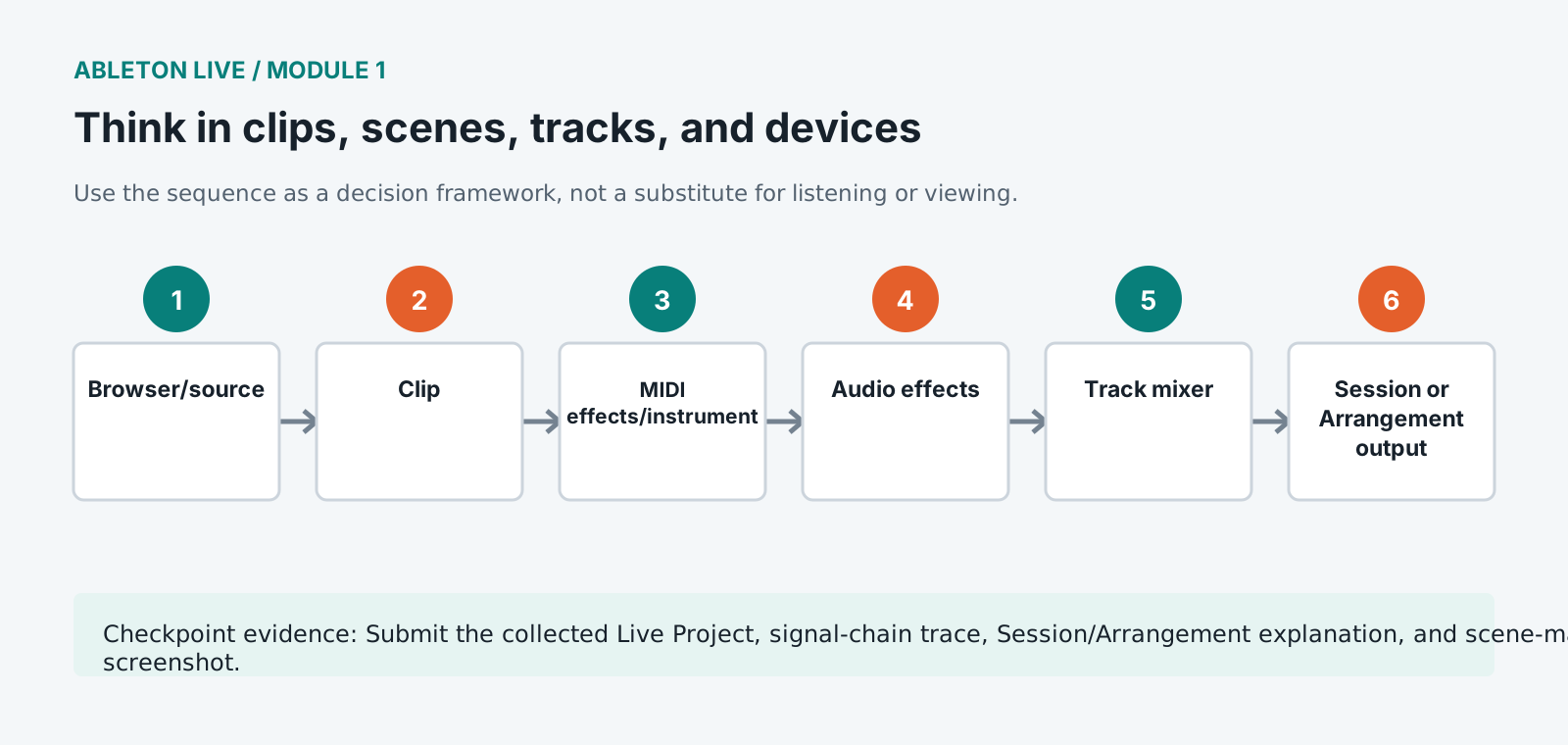
Devices form ordered signal chains
MIDI effects transform note data before instruments. Audio effects process the resulting signal after instruments or on audio tracks.
Collecting is part of authorship
A Live Set may reference samples anywhere on disk. Manage the Project folder and use Collect All and Save before handoff.
Guided build / approximately 90-120 minutes
Build it in the application
- 1
Create the shared folder structure and a new Live Project inside 03_PROJECT.
- 2
Set the approved audio device, sample rate, buffer, input/output configuration, count-in, and file recording preferences.
- 3
Tour Browser, Session View, Arrangement View, Clip View, Device View, Mixer, transport, and CPU meter using the course map.
- 4
Create named tracks for drums, bass, harmony, lead, texture, transition, and reference.
- 5
Load one MIDI instrument and trace MIDI input through clip, MIDI effects, instrument, audio effects, mixer, returns, and Main.
- 6
Create four labeled scenes representing opening, groove, contrast, and release, without filling every slot.
- 7
Set global quantization and launch simple test clips while observing clip state and Arrangement Override behavior.
- 8
Write a 100-word intention naming genre assumptions, one rule to preserve, one rule to break, and the intended formal change.
- 9
Save a routed EMPTY_SET milestone and run Collect All and Save.
Independent challenge / 45-60 minutes
Prove the principle
Build two scene maps from the same sounds: gradual development and abrupt contrast. Choose one based on the stated listener experience.
Portfolio checkpoint
Evidence to retain
Submit the collected Live Project, signal-chain trace, Session/Arrangement explanation, and scene-map screenshot.
Store this evidence in 01_ADMIN/checkpoints/module-1 and include it in the final decision log.
Failure modes
Diagnose before retrying
A clip is visible but not heard
Trace clip launch state, track activator, monitoring, device chain, mixer, routing, crossfader assignment, and Main output.
Arrangement is greyed out during playback
Session clips have taken control. Use Back to Arrangement deliberately after deciding which timeline should play.
Samples are missing on another computer
Use Manage Files and Collect All and Save, then test the project from a different path.
Working vocabulary
Terms you must be able to explain
- Live Set
- The Ableton document containing tracks, clips, devices, routing, and arrangement.
- scene
- A horizontal row of Session clips that can be launched together.
- device chain
- An ordered series of MIDI effects, instrument, and audio effects on a track.
- global quantization
- The timing interval used to align clip and scene launch actions.
Primary sources
Verify current behavior
Lesson reviewed 2026-07-13. Verify menus and shortcuts against the lab release.
Failure in practice
Where this goes wrong
The two views trip up almost everybody at first. Session view holds clips in a grid for launching and experimenting, and Arrangement view lays them along a timeline. They show the same set but behave differently, and the confusion usually starts when somebody edits in one and expects the change in the other.
Name tracks before you have eight of them. A project of MIDI 1 through MIDI 9 is unreadable within an hour, and renaming later means rediscovering what each one was. Ten seconds spent naming as you create is the cheapest organisational habit available.
Before moving on, close the set and reopen it. A project you can navigate a day later, without remembering what you were thinking, is organised. One that needs reconstruction from memory is not, and the fix is cheaper now than at module six.