By the end of this module
- Build and route a Drum Rack pattern.
- Use timing and velocity to create a controlled groove.
- Develop pattern identity across multiple scenes.
Core knowledge
Principles before controls
A beat is a system of roles
Low impact, backbeat, subdivision, texture, and transition layers interact. Adding sounds without roles increases density but not groove.
Velocity changes timbre as well as level
Many instruments and samplers map velocity to sample layers, filter, or envelope behavior.
Probability is bounded variation
Use chance for secondary events while preserving anchors required for identity and danceable timing.
Groove is shared evidence
Extract or apply groove to related parts selectively, then inspect timing and velocity changes instead of trusting a preset name.
Guided build / approximately 90-120 minutes
Build it in the application
- 1
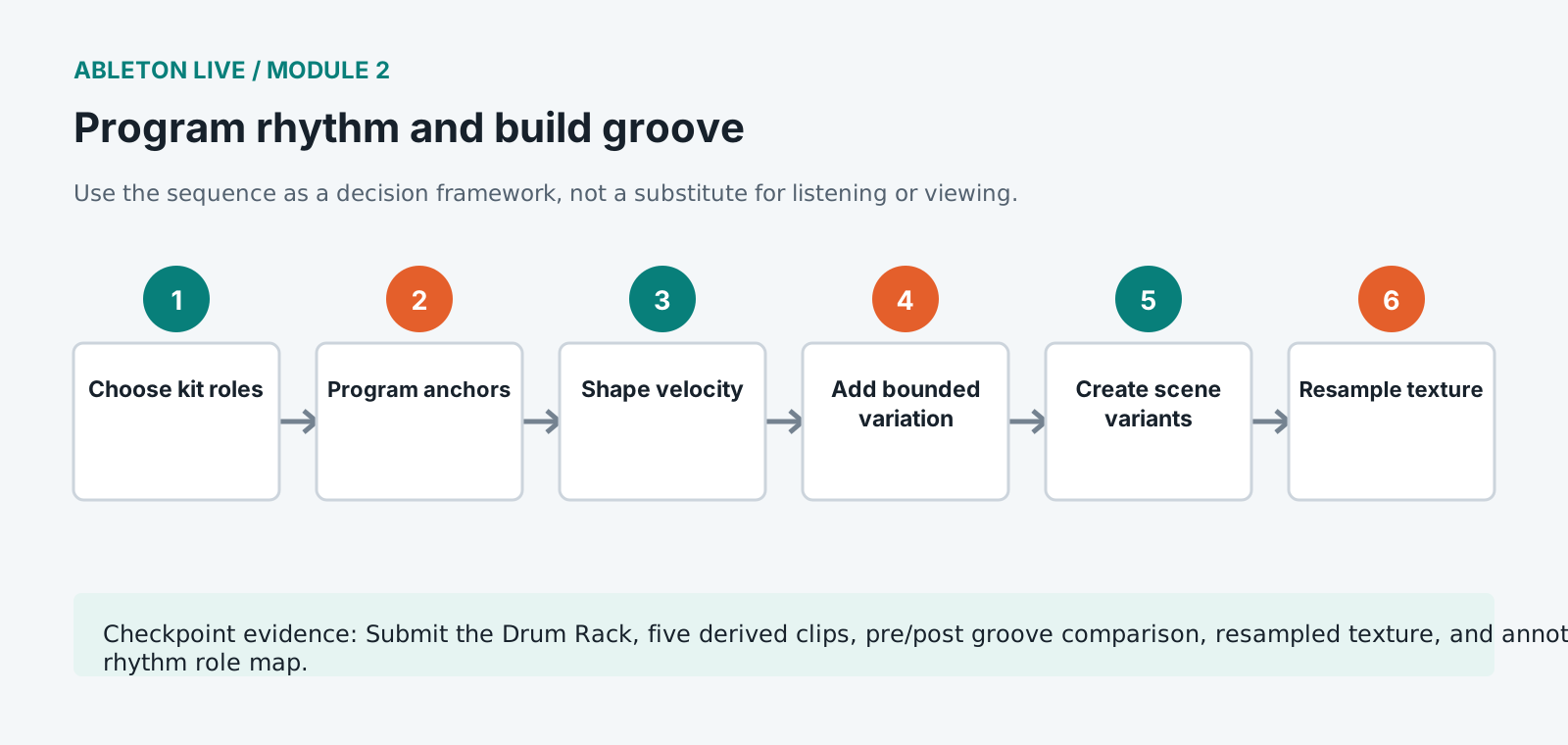
Audition the licensed one-shots at matched level and assign a limited kit to labeled Drum Rack pads.
- 2
Program a one-bar anchor pattern with kick, backbeat, and subdivision, then extend it to four bars before adding fills.
- 3
Edit note velocity to create primary, secondary, and ghost-note hierarchy.
- 4
Apply probability only to nonessential events and confirm the pattern still communicates its identity over eight passes.
- 5
Create one microtimed layer that sits ahead or behind the anchors and compare with strict quantization.
- 6
Apply a Groove Pool setting at conservative timing and velocity amounts, then commit only after comparing at matched level.
- 7
Build opening, core, variation, breakdown, and return clips derived from the same pattern.
- 8
Route selected Drum Rack chains to separate mixer paths only when independent processing or export is needed.
- 9
Resample one processed percussion texture and document its source and transformation.
Independent challenge / 45-60 minutes
Prove the principle
Produce sixteen bars of evolving rhythm using one kit, no new samples, and no identical four-bar repetition.
Portfolio checkpoint
Evidence to retain
Submit the Drum Rack, five derived clips, pre/post groove comparison, resampled texture, and annotated rhythm role map.
Store this evidence in 01_ADMIN/checkpoints/module-2 and include it in the final decision log.
Failure modes
Diagnose before retrying
The beat feels unstable
Keep core anchors deterministic and reduce probability, microtiming, or competing syncopation on structural events.
Groove changes the wrong notes
Adjust groove timing/velocity amounts, use separate clips, or commit and edit only selected events.
Drum Rack clips overload the Main
Balance pad chains, review choke behavior, remove duplicate layers, and preserve headroom before bus processing.
Working vocabulary
Terms you must be able to explain
- Drum Rack
- A device rack mapping pads to instruments, samples, chains, and mixer controls.
- ghost note
- A low-intensity event that supports feel without becoming a primary accent.
- probability
- A per-event likelihood controlling whether a MIDI note is triggered.
- resampling
- Recording Live's output or a processed path back into a new audio clip.
Primary sources
Verify current behavior
Lesson reviewed 2026-07-13. Verify menus and shortcuts against the lab release.
Failure in practice
Where this goes wrong
Quantising everything to a hard grid is the most common way a programmed rhythm loses its life. Full correction moves every hit onto mathematical time, which reads as machine-like on anything meant to feel played. Partial quantisation, moving hits most of the way rather than all of it, keeps the intent while preserving the variation.
Velocity carries as much groove as timing does. A pattern where every hit is the same strength sounds programmed regardless of how the timing sits, because real playing varies constantly. Varying velocity across a bar does more for feel than any timing adjustment.
Check your pattern against a metronome and then against nothing at all. Grooves that only work with a click are usually leaning on it, and hearing the part alone reveals whether the feel is in the playing or in the reference.