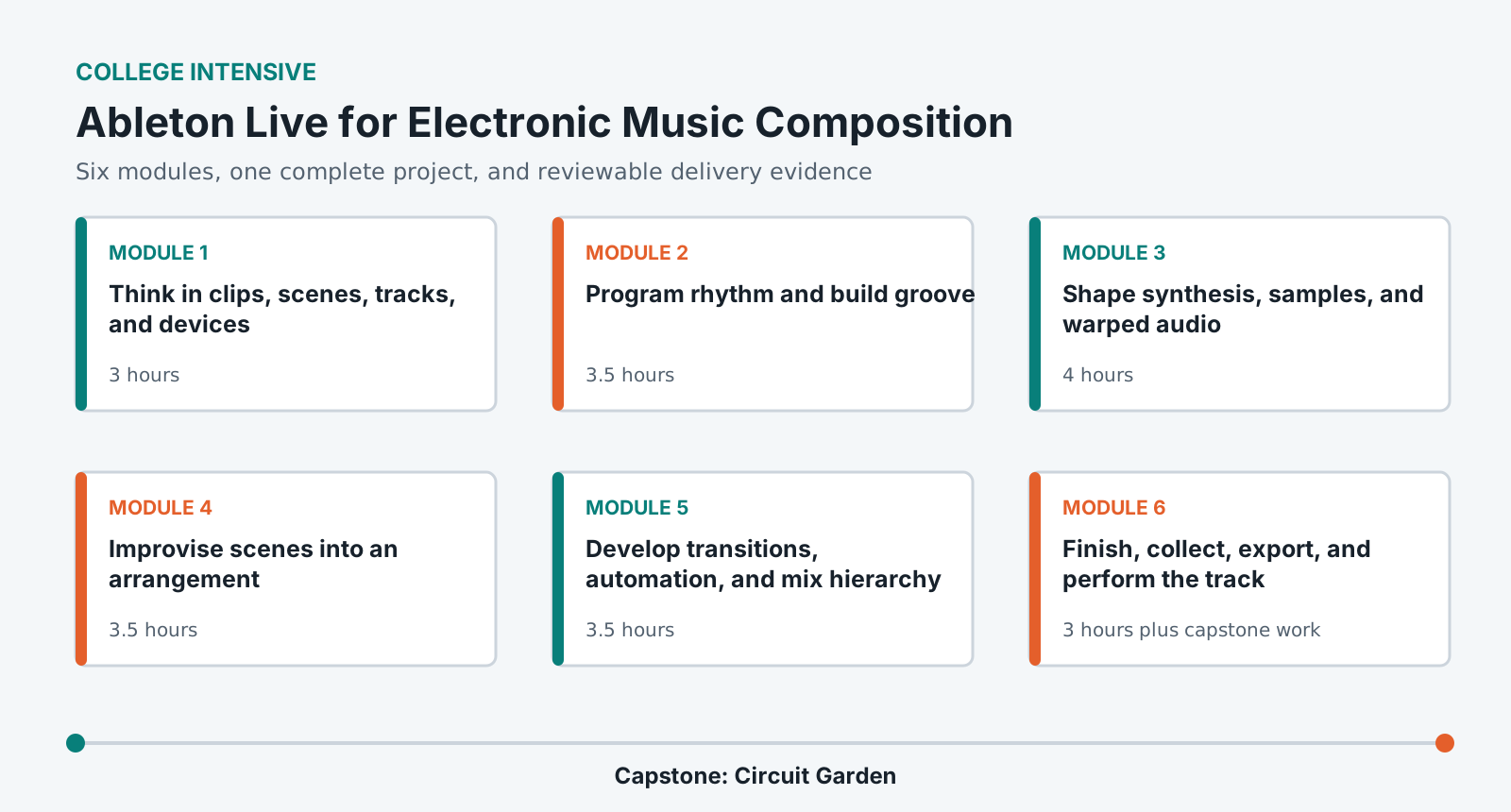
Program rhythm and MIDI with intentional groove and variation.
Shape original sounds through synthesis, sampling, warping, modulation, and racks.
Develop loops into a complete arrangement using performance and editorial methods.
Mix, collect, export, verify, and document an original electronic track.
Lab access and prerequisites
Current Ableton Live 12 Standard or Suite in the institution lab.
Headphones or lab monitors. A MIDI controller is helpful but not required.
At least 15 GB of working storage and no unauthorized sample libraries.
No previous Ableton, synthesis, or music-production experience is required.
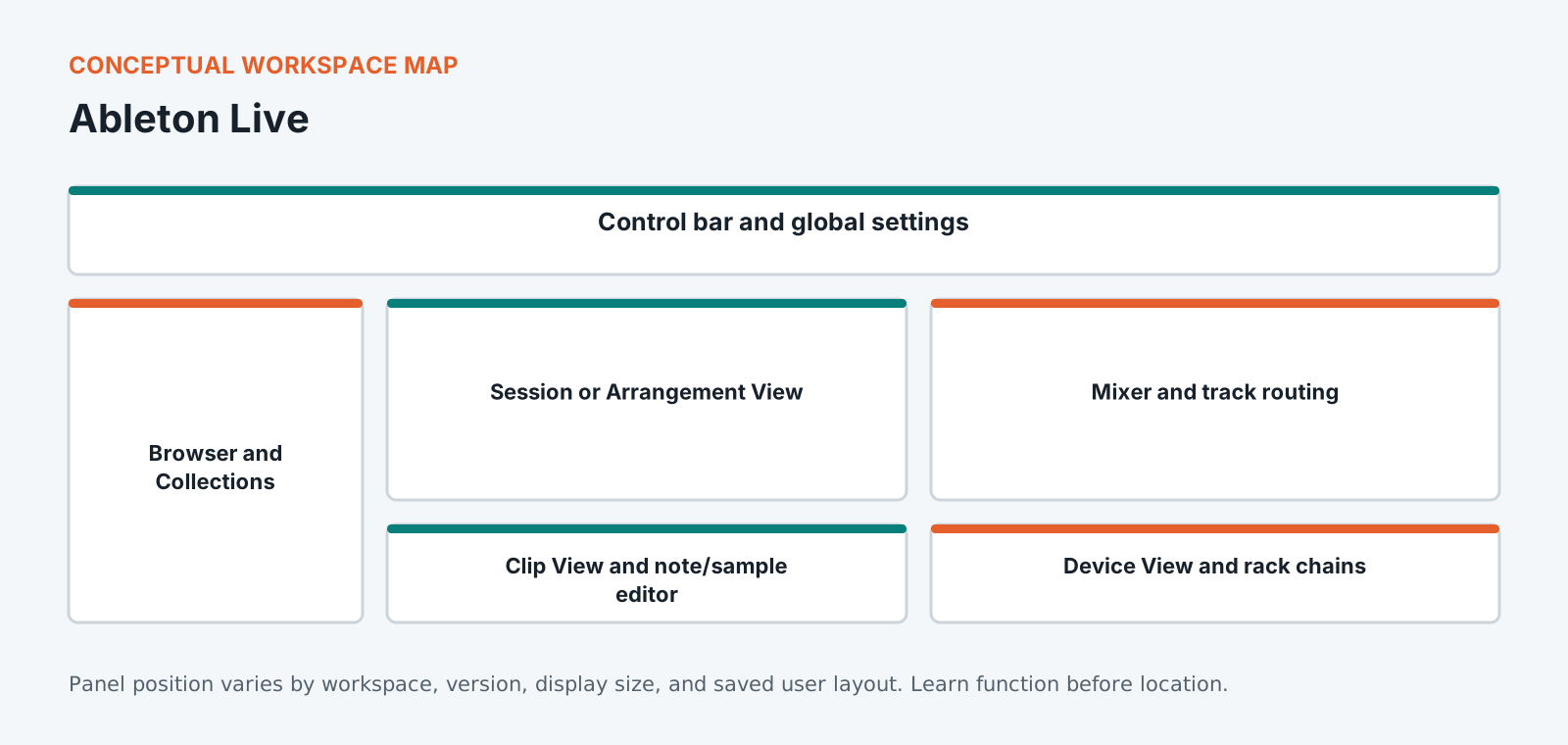
Know the workspace by function
This original diagram is intentionally version-neutral and does not imitate a proprietary application screenshot.
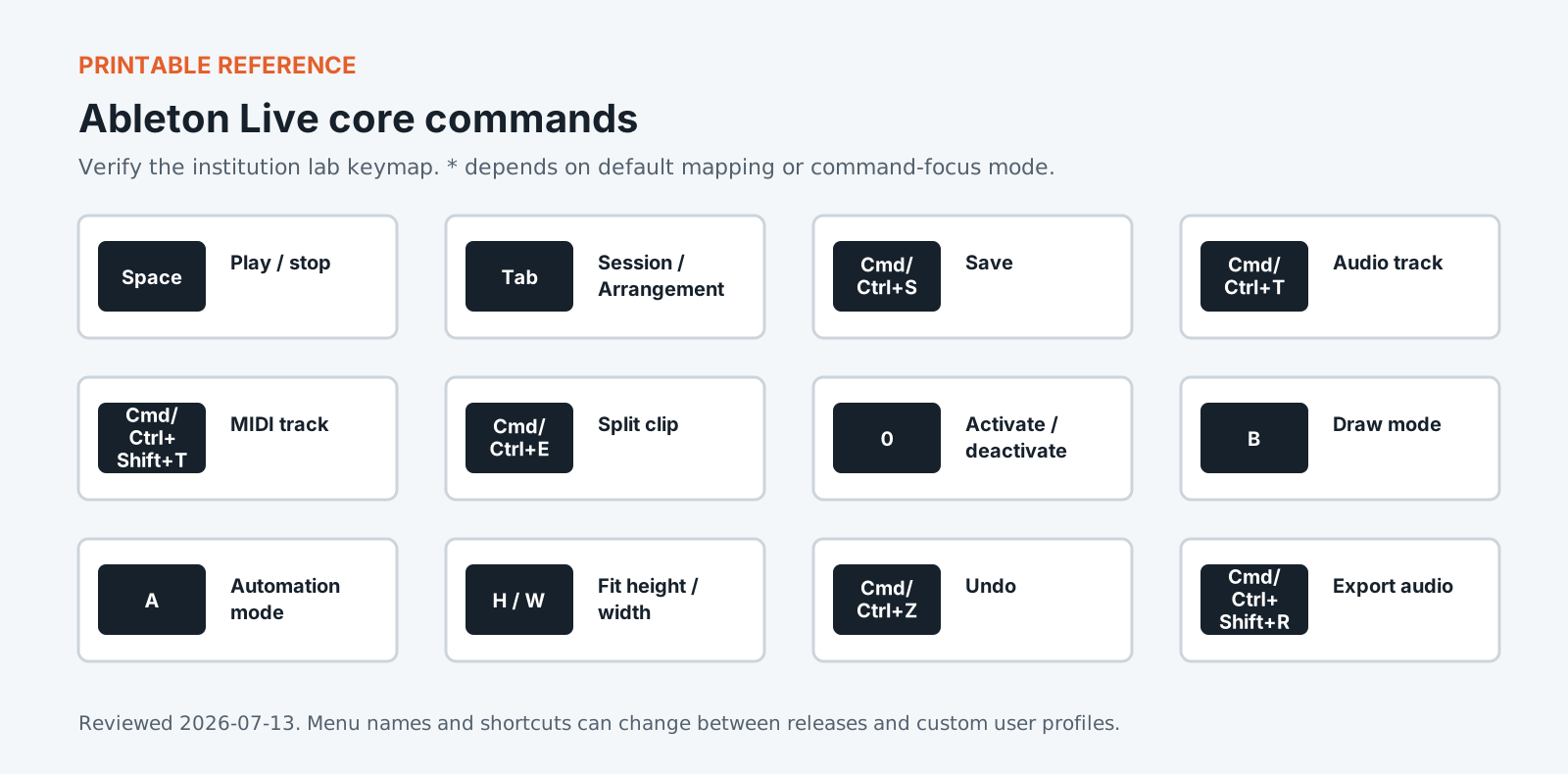
Version policy: concepts are version-neutral. Interface labels and shortcuts are verified against the institution-supported release and reviewed each academic term.
Required common orientation / 75 minutes
Professional Media Workflow Foundation
A reusable orientation to the habits that keep creative projects reproducible, reviewable, accessible, and safe to hand off.
Create a bass, harmonic voice, lead, and texture through source choice, oscillator or sample behavior, envelopes, filters, modulation, warping, and macro control.
Explain source, filter, amplifier, envelope, and modulation stages.
Choose an appropriate warp mode and correct timing without unnecessary damage.
Build a playable Instrument Rack with meaningful macros.
Use clip launching and scene design to discover formal relationships, record a performance into Arrangement View, and edit it into intentional structure.
Design scenes with compatible and contrasting clip combinations.
Perform and capture a Session sequence.
Convert performance evidence into a readable Arrangement.
Commit the final arrangement, verify sample rights and project dependencies, export master and stems, and present the work through a short controlled performance and walkthrough.
Complete a translation-aware final mix.
Collect a portable Live Project and export aligned deliverables.
Demonstrate the track's compositional system in a short performance.
Standardized coursework pack
Circuit Garden electronic music pack
Rights-cleared one-shots, field recordings, vocal fragments, MIDI motif cards, tempo and form prompts, synthesis constraints, delivery brief, and sample license manifest. Approximately 4 GB including frozen and rendered project states.
Media access: the downloadable files define the required rights-cleared pack, checks, and evidence. Large application media must be distributed by the institution through its licensed learning or storage system.
Ableton Live is built around a split no other application makes this central: Session view for finding an idea, Arrangement view for committing to one. Most people get comfortable in the first and stall at the second, ending up with folders of loops and no finished pieces. This course is organised around the crossing point. You will work through moving material from Session to Arrangement, and through the decisions only becoming visible once a piece has to last four minutes rather than eight bars: where energy drops, what changes when nothing new arrives, and how an ending gets earned. Live's warping and device chains are covered as the tools serving those decisions rather than as a feature tour.
Portfolio assessment
Capstone: Circuit Garden
Create a 3-5 minute electronic composition that grows from a constrained rhythmic and timbral system into a contrasting, resolved arrangement.
Submit
Collected Ableton Live Project
Full-resolution stereo master and listening copy
Aligned role-based stems
Three-minute performance capture
Sample rights and device dependency manifest
QC report, decision log, and five-minute walkthrough
Constraints
Use only supplied, self-recorded, or clearly licensed samples.
Create at least three principal sounds through documented synthesis or transformation.
Begin with Session View evidence and finish with an intentional Arrangement.
Preserve a stable project that opens on a second lab system.
100-point portfolio rubric for Ableton Live for Electronic Music Composition
Criterion
Weight
Creative and editorial judgment
25
Technical execution
25
Workflow organization
15
Application fluency
15
Delivery and quality control
15
Documentation and reflection
5
What counts as strong evidence under each criterion, and what sends it back for revision, is set out in full on the shared foundation. The same wording ships with this course as rubric.csv.
Read 21 September 2026
Sources
The vendor documents below were read. The course teaches menus and shortcuts, and software changes them between versions, so confirm a menu path against the vendor's current documentation before you rely on it. For the software documents only the title, version and date were read.
Ableton Live Concepts. The chapter titled Live Concepts in the Version 12 reference manual.
Arrangement View. The chapter titled Arrangement View in the Version 12 reference manual.
Routing and I/O. The chapter titled Routing and I/O in the Version 12 reference manual.
Machine translation provided by Google Translate, on Google’s servers. We do not check these translations and they will get technical terms wrong. The English page is the authoritative one. Following a link sends this page’s address to Google. Your browser may also offer to translate this page itself, which keeps the request on your device.