By the end of this module
- Use automation to create phrase and section direction.
- Build transitions from existing material.
- Establish a controlled mix with useful groups and returns.
Core knowledge
Principles before controls
Energy is not only loudness
Density, register, brightness, subdivision, distortion, width, repetition, and expectation all influence perceived intensity.
Automation should return to known states
Every build, filter sweep, send throw, and mute needs a deliberate arrival and release value.
Resampling can unify a transition
Printing a processed gesture allows reversal, slicing, stretching, and placement while preserving the source chain.
Groups describe musical control
Group tracks and return tracks should correspond to roles and shared processing, not simply reduce visual clutter.
Guided build / approximately 90-120 minutes
Build it in the application
- 1
Draw an energy curve over the full arrangement and mark where the heard result diverges from the intended arc.
- 2
Group drums, bass, music, lead, and texture only where shared control or processing is justified.
- 3
Build shared short and long space returns, auditioning sends in context and checking mono compatibility.
- 4
Create one transition by resampling existing material and one by subtraction, silence, or anticipation.
- 5
Automate no more than three coordinated parameters for each major build and explicitly set post-transition values.
- 6
Use clip and track automation consciously, confirming which envelope owns each change.
- 7
Set static balance and panorama at a fixed monitor level before adding corrective EQ or bus dynamics.
- 8
Freeze resource-heavy devices where needed and record CPU behavior before and after.
- 9
Conduct low-level, mono, and headphones checks and remove layers that do not contribute to hierarchy.
Independent challenge / 45-60 minutes
Prove the principle
Make the final chorus feel larger without increasing its integrated section level by more than the supplied tolerance.
Portfolio checkpoint
Evidence to retain
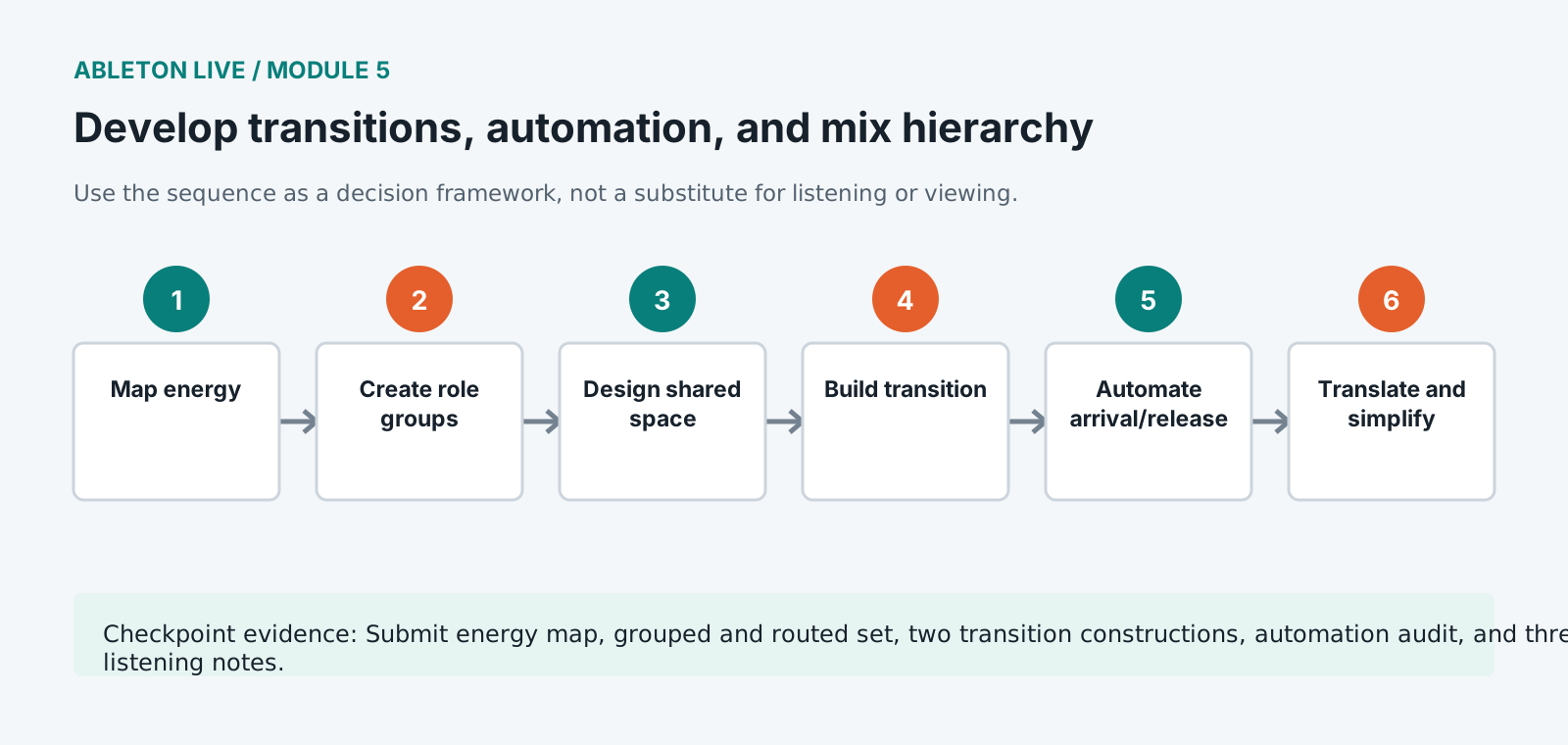
Submit energy map, grouped and routed set, two transition constructions, automation audit, and three-system listening notes.
Store this evidence in 01_ADMIN/checkpoints/module-5 and include it in the final decision log.
Failure modes
Diagnose before retrying
Automation appears but does not play
Check automation mode, Re-Enable Automation, clip versus track envelopes, device state, and Arrangement Override.
The drop lacks impact despite being louder
Create contrast before the arrival through subtraction, register, tension, and spectral space rather than only gain.
CPU overload causes clicks
Freeze tracks, increase buffer for mixing, remove redundant devices, inspect oversampling, and avoid printing glitches into resamples.
Working vocabulary
Terms you must be able to explain
- return track
- A shared effects path fed by sends from multiple tracks.
- clip envelope
- Automation or modulation stored within a clip.
- energy curve
- A planned account of perceived intensity over the arrangement.
- freeze
- A reversible render used to reduce real-time processor demand.
Primary sources
Verify current behavior
Lesson reviewed 2026-07-13. Verify menus and shortcuts against the lab release.
Failure in practice
Where this goes wrong
Automation lives in two places and the difference matters. Clip envelopes belong to the clip and travel with it wherever it is used. Track automation belongs to the timeline position. Putting a change in the wrong one produces automation that either repeats where it should not or vanishes when a clip moves.
Transitions fail more often from addition than from subtraction. Reaching a section change by piling on more elements gives the listener nothing to notice, while removing everything except one part for a bar makes the return feel like an arrival. Silence and reduction are the strongest transition tools available.
Bypass every automation lane and listen to the static mix underneath. If the track only works with the moves, the balance beneath them needs attention first, because automation should shape a mix that already stands up rather than rescue one that does not.
Automation drawn with a mouse and automation recorded by moving a control sound different, because a recorded move carries hesitation and acceleration a drawn line does not. For anything meant to feel performed, record the pass and tidy it afterwards rather than drawing it from scratch.