By the end of this module
- Complete a translation-aware final mix.
- Collect a portable Live Project and export aligned deliverables.
- Demonstrate the track's compositional system in a short performance.
Core knowledge
Principles before controls
The project must be portable
Collect external samples, preserve device requirements, freeze unsupported dependencies where allowed, and test from a new path.
Master processing cannot replace arrangement
Resolve hierarchy, low end, masking, transition, and dynamics before final peak control.
Stems document structure
Role-based stems should start together, include required returns, and reconstruct the approved arrangement.
Performance demonstrates understanding
A controlled scene or macro presentation reveals how clips, devices, and form interact without requiring a concert setup.
Guided build / approximately 90-120 minutes
Build it in the application
- 1
Duplicate the approved arrangement to FINAL_MIX and preserve the last editable milestone.
- 2
Audit every sample with Manage Files, remove unauthorized material, and complete rights and source fields in the manifest.
- 3
Set static and automated balance at a fixed monitor level, then compare low-level, headphones, speakers, and mono.
- 4
Use final-bus processing only for a documented tonal, dynamic, or peak purpose and level-match bypass.
- 5
Export the full-resolution stereo master and approved listening copy from an exact arrangement range.
- 6
Export aligned drums, bass, music, lead, texture, and effects stems with consistent tails and return treatment.
- 7
Import master and stems into a blank Set, confirm reconstruction, duration, silence, peaks, and file names.
- 8
Run Collect All and Save, freeze any approved compatibility tracks, and test the copied Project on a second lab machine.
- 9
Prepare a three-minute Session View or macro demonstration showing the core groove, designed sound, transition, and final section logic.
Independent challenge / 45-60 minutes
Prove the principle
Give the collected project to another student, who must open it without missing media and reproduce the final master from the marked Arrangement.
Portfolio checkpoint
Evidence to retain
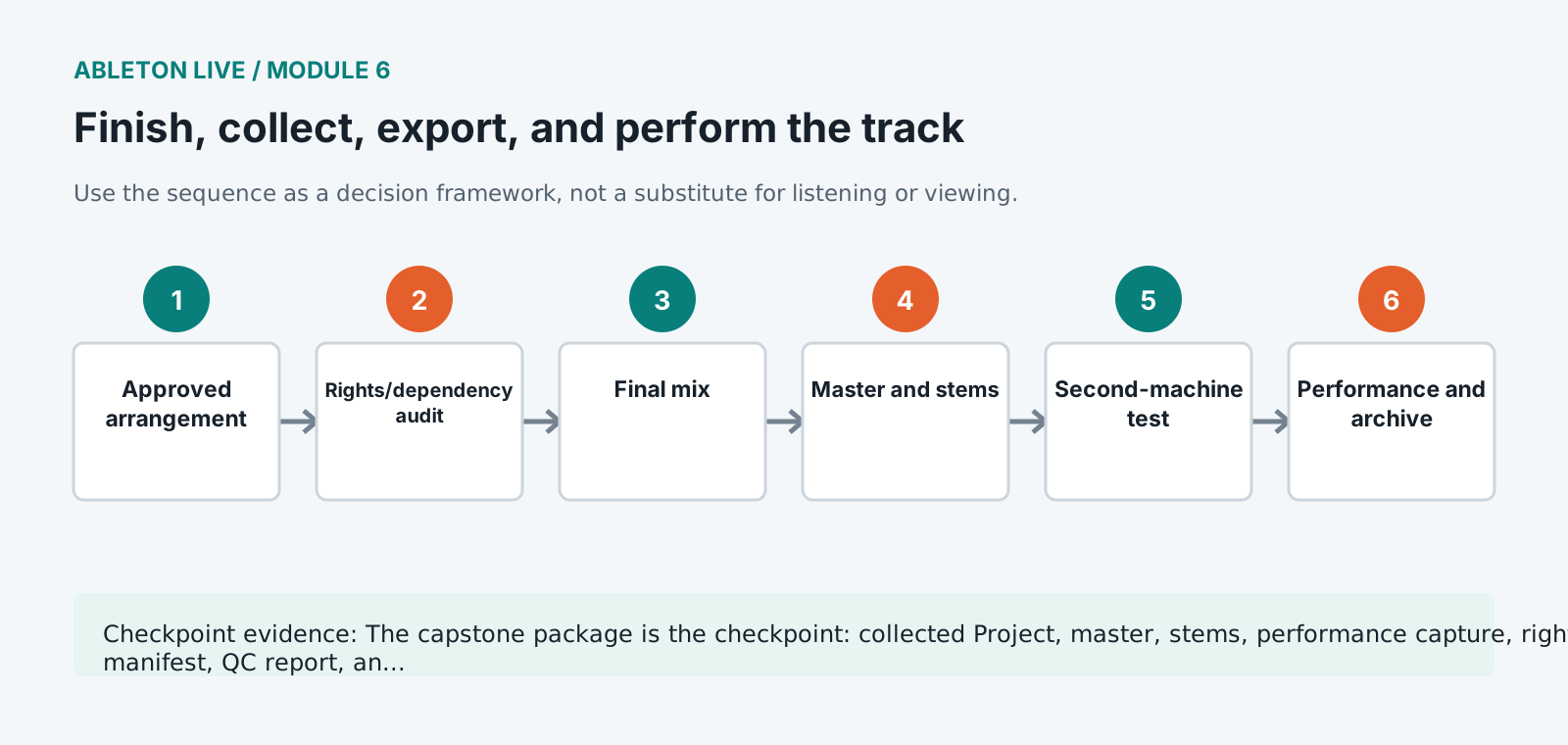
The capstone package is the checkpoint: collected Project, master, stems, performance capture, rights manifest, QC report, and walkthrough.
Store this evidence in 01_ADMIN/checkpoints/module-6 and include it in the final decision log.
Failure modes
Diagnose before retrying
Collected project still misses plugins
Differentiate samples from devices. Freeze or bounce approved compatibility tracks and document required third-party versions.
Stem sum differs from the master
Review Main processing, return routing, sidechains, group processing, normalization, and stem export method.
Export contains silence or wrong range
Set Arrangement start/end explicitly and check locator, loop, selection, and render settings before every version.
Working vocabulary
Terms you must be able to explain
- Collect All and Save
- Live's process for copying referenced media into the Project.
- render
- Export audio from the Live Set over a defined range.
- compatibility track
- A frozen or bounced path included so a recipient can hear material without the original device.
- rights manifest
- A record of source, creator, license, permitted use, and transformation for every sample.
Primary sources
Verify current behavior
Lesson reviewed 2026-07-13. Verify menus and shortcuts against the lab release.
Failure in practice
Where this goes wrong
Collect All and Save is the step people skip and regret. A project referencing samples scattered across your drive works perfectly until it moves to another machine, at which point half the sounds are missing. Collecting gathers everything into the project folder and turns it into something you can hand over or archive.
Freezing and flattening are not the same decision. Freezing renders a track to audio while keeping the option to return to the original devices. Flattening discards that option permanently. Flatten only when you are certain, because the settings that produced the sound are gone once you do.
Open the collected project from a different folder before calling it finished. A set that loads with no missing media from a location it has never been in is genuinely portable, and that is the only proof that matters.