By the end of this module
- Inventory mixed camera and audio formats.
- Create a project and proxy workflow that preserves relink paths.
- Organize media using bins, labels, metadata, and sequence conventions.
Core knowledge
Principles before controls
Sequence settings follow delivery and editorial intent
Frame size, frame rate, fields, working color space, audio configuration, and timebase should not be inherited accidentally from the first clip.
Proxies are editorial representations
They improve performance but must retain source identity, timecode, audio mapping, and reliable attachment to camera originals.
Metadata is production memory
Camera, reel, card, date, scene, subject, rights, transcript, and status fields support search, turnover, and legal review.
Cache is not project media
Preview, peak, and cache files can be rebuilt. Sources, proxies, project files, graphics, and exports need controlled storage.
Guided build / approximately 90-120 minutes
Build it in the application
- 1
Read the delivery brief and record programme duration, sequence format, color space, audio layout, caption requirement, master format, and review format.
- 2
Inventory every source for codec, frame size, frame rate, timecode, audio channels, color metadata, duration, and rights status.
- 3
Create the folder structure and a new Premiere project with scratch disks and cache locations separated appropriately.
- 4
Create bins for admin, sequences, interviews, B-roll, multicam, audio, graphics, music, captions, exports, and archive.
- 5
Import through Media Browser or the approved workflow, preserving card structures where format support depends on them.
- 6
Create proxies with a documented preset, attach them, and verify source/proxy switching on clips with matching timecode and audio.
- 7
Set source audio channel mapping before editing and confirm isolated production channels appear as intended.
- 8
Create a manually configured sequence from the delivery brief and verify color management rather than dragging a clip to create it.
- 9
Save a CLEAN_INGEST milestone and export a media inventory.
Independent challenge / 45-60 minutes
Prove the principle
Repair a project containing a sequence created at the wrong frame rate, proxies with mismatched audio, media imported from a temporary card folder, and cache stored inside the delivery directory.
Portfolio checkpoint
Evidence to retain
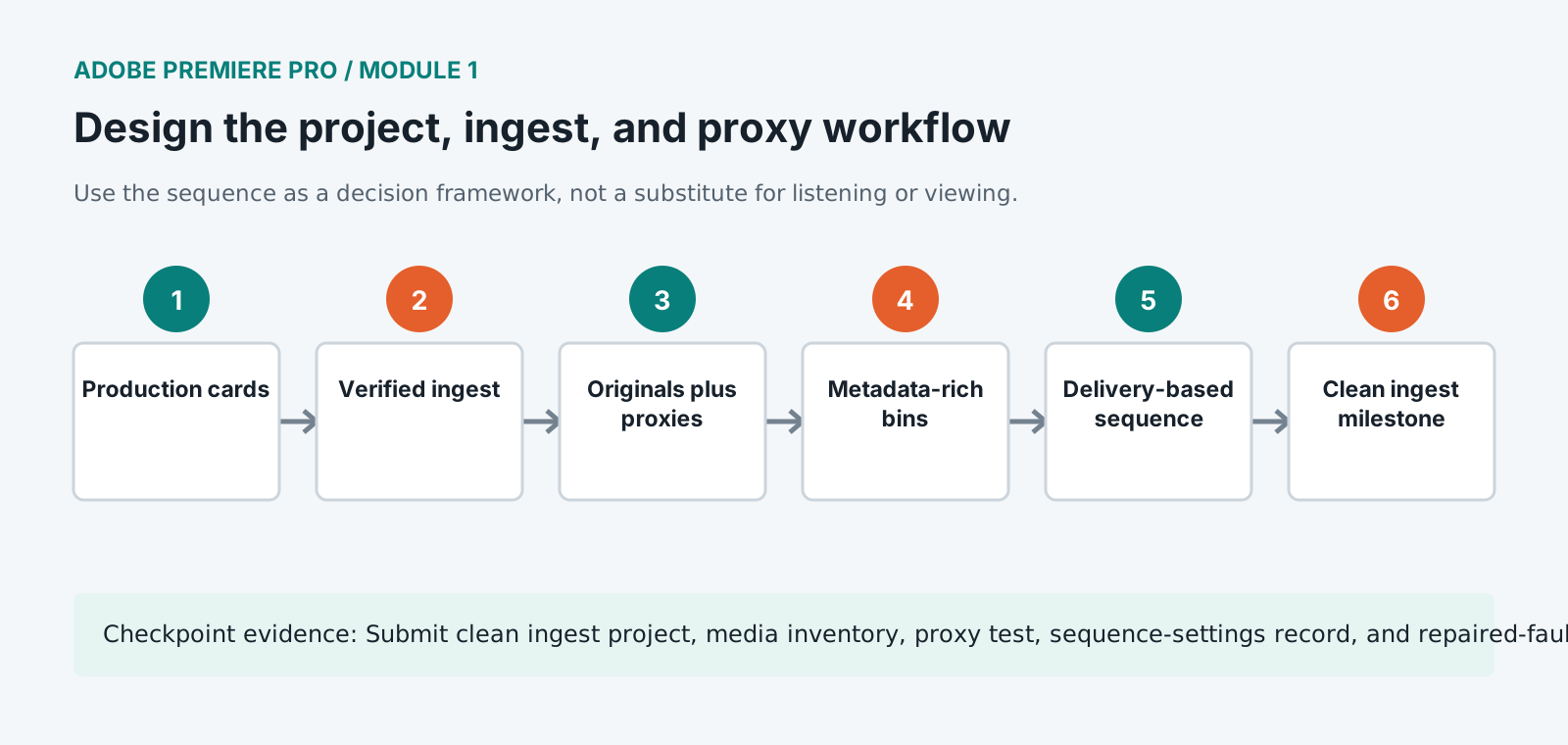
Submit clean ingest project, media inventory, proxy test, sequence-settings record, and repaired-fault log.
Store this evidence in 01_ADMIN/checkpoints/module-1 and include it in the final decision log.
Failure modes
Diagnose before retrying
Proxy and source frame differently
Check aspect ratio, frame size, rotation, interpret-footage settings, proxy preset, and source metadata.
Audio channels are missing or duplicated
Correct source channel mapping before sequence use and replace or remap affected clips consistently.
Log footage appears wrong
Confirm source color space, input interpretation, sequence working color space, display management, and output transform.
Working vocabulary
Terms you must be able to explain
- proxy
- A lower-resource editorial representation linked to a camera original.
- scratch disk
- A configured location for generated previews, captures, and related working files.
- working color space
- The color representation in which timeline processing and compositing occur.
- source channel mapping
- The interpretation of recorded audio channels as mono, stereo, adaptive, or multichannel sources.
Primary sources
Verify current behavior
- Premiere Pro desktop help
- Create multi-camera source sequences
- Premiere export settings reference
Lesson reviewed 2026-07-13. Verify menus and shortcuts against the lab release.
Failure in practice
Where this goes wrong
Media management decisions made on day one determine whether the project is portable on day forty. Footage scattered across desktops and external drives works while nothing moves and collapses the moment somebody else opens the project. One media root, decided before ingest, prevents the entire category.
Proxies are only useful when the relink is trustworthy. Generating them with a naming scheme that matches the originals, and testing that toggling back to full resolution works before editing hundreds of clips, is what stops a proxy workflow becoming a liability at export.
Move the project to a different drive and reopen it. A programme that relinks cleanly is portable, and one that does not will fail at exactly the moment somebody else has to finish it.