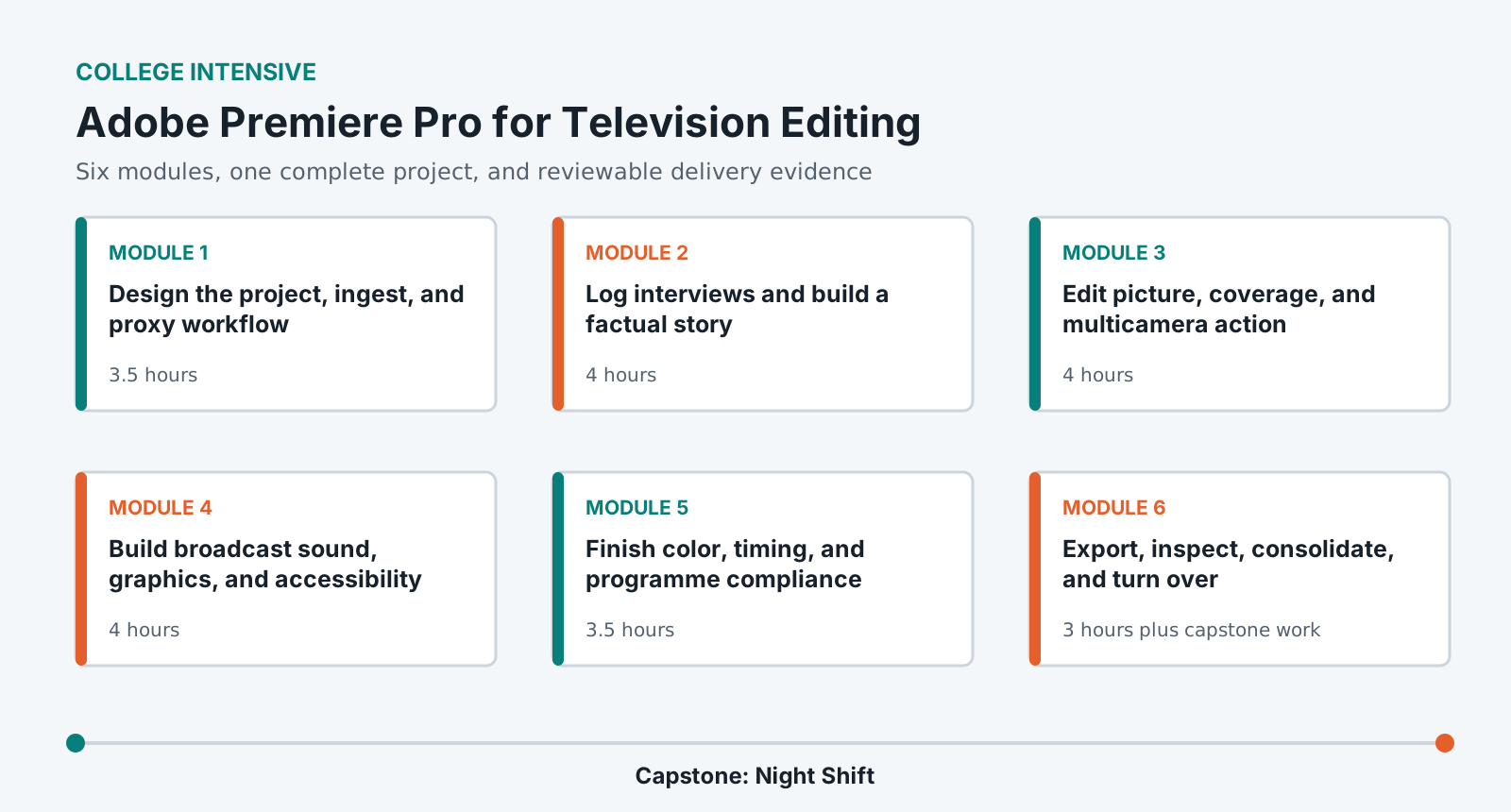
Learn Premiere as a fast-turn television editorial system: ingest mixed media, build a factual story, trim interviews and coverage, manage multicamera and sound, finish graphics, color and captions, and deliver a broadcast-ready package.
LevelBeginner
Time26-30 hours
Structure6 modules + capstone
AssessmentPortfolio rubric
Completed outcome
Edit and deliver a 4-6 minute factual television segment using interviews, B-roll, multicamera material, graphics, and captions.
What you will be able to do
Create a project from a television delivery and editorial brief.
Ingest, organize, proxy, transcribe, and verify mixed production media.
Construct a factual story from interviews and evidence without changing meaning.
Use three-point, trim, multicamera, audio, graphics, color, and caption workflows.
Export, inspect, consolidate, and turn over a documented television package.
Lab access and prerequisites
Current institution-supported Premiere Pro and Adobe Media Encoder.
A calibrated or institution-approved Rec. 709 viewing path and closed-back headphones.
At least 80 GB of fast working storage for source and proxy media.
No prior nonlinear editing experience is required.
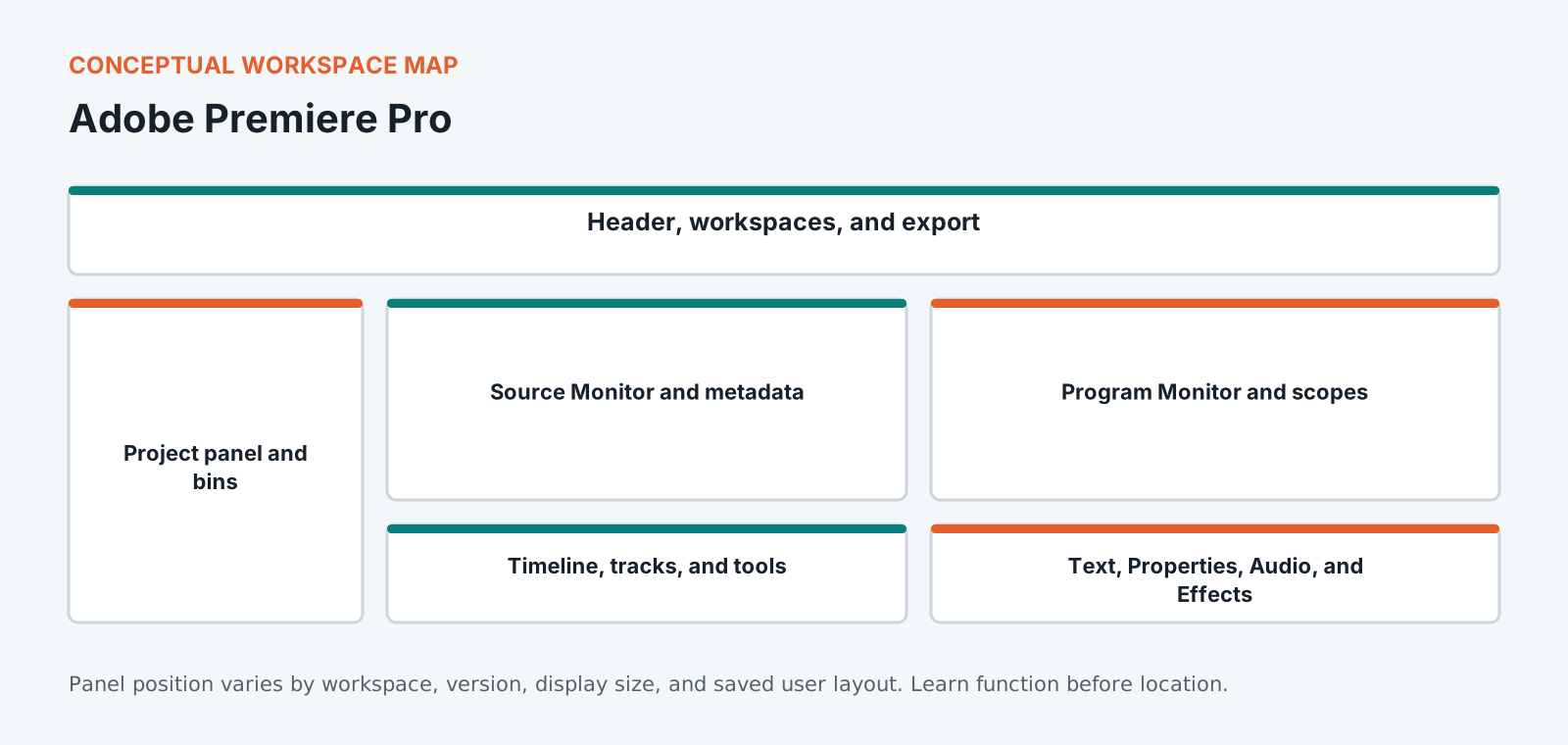
Know the workspace by function
This original diagram is intentionally version-neutral and does not imitate a proprietary application screenshot.
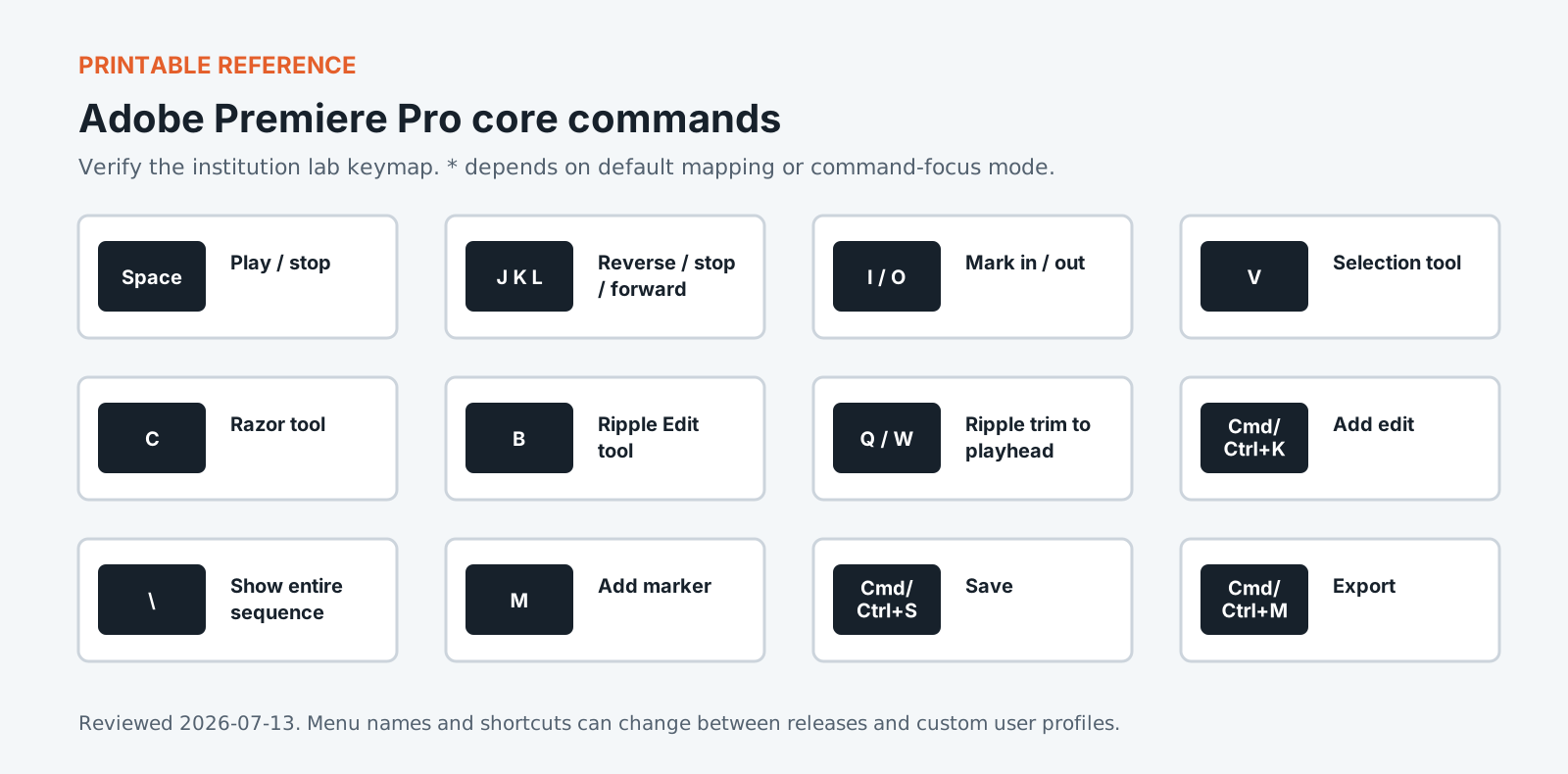
Version policy: concepts are version-neutral. Interface labels and shortcuts are verified against the institution-supported release and reviewed each academic term.
Required common orientation / 75 minutes
Professional Media Workflow Foundation
A reusable orientation to the habits that keep creative projects reproducible, reviewable, accessible, and safe to hand off.
Use source/sequence operations, track targeting, three-point editing, trim tools, JKL playback, and multicamera synchronization to create visual continuity and pace.
Perform efficient three-point and keyboard-led editing.
Choose trims based on story and continuity.
Synchronize and edit multicamera material without losing source options.
Lock the segment, manage mixed source color, correct and match shots with scopes, verify duration and legal/creative requirements, and prepare a controlled final timeline.
Distinguish input, working, display, and output color decisions.
Correct exposure and balance before applying a look.
Run a picture-lock and compliance review against the brief.
Create master, review, caption, audio, and turnover files from the locked sequence, then inspect the actual outputs and package the project for continuation.
Configure exports from a written broadcast specification.
Perform technical and content QC on delivered files.
Consolidate a project with handles, documentation, and relink evidence.
Standardized coursework pack
Night Shift television segment pack
Two interviews, B-roll, observational sequences, two-camera demonstration, production audio, stills, graphics kit, music, transcripts, releases, fact sheet, caption style, and broadcast delivery brief. Approximately 65 GB source media and 18 GB proxy/media-cache allowance.
Media access: the downloadable files define the required rights-cleared pack, checks, and evidence. Large application media must be distributed by the institution through its licensed learning or storage system.
Television editing runs against a clock and a written delivery specification, and both shape the cut long before anyone argues about a shot. A broadcaster asks for an exact duration, a defined audio layout, captions in a stated format, and a slate. Missing any of them sends the programme back regardless of quality. This course works in Adobe Premiere Pro to a real specification from the first module. You will cut to a duration rather than to taste, then work through the handoff to Media Encoder and the checks catching a fault before delivery rather than after. The project management side gets equal attention, because a Premiere project growing without structure becomes slow and fragile at exactly the point a deadline arrives.
Portfolio assessment
Capstone: Night Shift
Edit a 4-6 minute factual television segment about an overnight public service, using interviews, observation, a two-camera process, graphics, captions, and verified delivery evidence.
Submit
Organized Premiere project with attached proxies
Broadcast-spec master and review file
Caption sidecar and transcript
Dialogue, music, effects, and full-mix audio deliverables
Fact, rights, graphics, color, and QC records
Consolidated turnover and five-minute walkthrough
Constraints
Do not change contributor meaning or imply unsupported causality.
Every factual graphic requires a recorded source.
Human-review all captions against picture and sound.
Inspect the exported master from beginning to end.
100-point portfolio rubric for Adobe Premiere Pro for Television Editing
Criterion
Weight
Creative and editorial judgment
25
Technical execution
25
Workflow organization
15
Application fluency
15
Delivery and quality control
15
Documentation and reflection
5
What counts as strong evidence under each criterion, and what sends it back for revision, is set out in full on the shared foundation. The same wording ships with this course as rubric.csv.
Read 21 September 2026
Sources
The vendor documents below were read. The course teaches menus and shortcuts, and software changes them between versions, so confirm a menu path against the vendor's current documentation before you rely on it. For the software documents only the title, version and date were read.
Premiere Pro desktop help. Adobe's Premiere Pro help returned an error when checked, so it is named here and not linked.
Create multi-camera source sequences. Also on helpx.adobe.com, and also returned an error when checked.
Premiere export settings reference. Also on helpx.adobe.com, and also returned an error when checked.
Machine translation provided by Google Translate, on Google’s servers. We do not check these translations and they will get technical terms wrong. The English page is the authoritative one. Following a link sends this page’s address to Google. Your browser may also offer to translate this page itself, which keeps the request on your device.