By the end of this module
- Organize and balance television audio by role.
- Create safe, readable titles and lower thirds.
- Generate, edit, style, and export accurate captions.
Core knowledge
Principles before controls
Television sound carries continuity
Dialogue, room tone, natural sound, music, and effects connect picture edits and establish place, action, and pace.
Graphics are editorial claims
Names, roles, dates, locations, statistics, and labels require fact checking, hierarchy, safe placement, and sufficient display time.
Captions are edited language and time
Accuracy, speaker identity, sound cues, segmentation, line breaks, reading speed, and synchronization require human review.
Automation needs verification
Speech transcription, loudness matching, color, and caption generation can accelerate work but cannot approve meaning or delivery.
Guided build / approximately 90-120 minutes
Build it in the application
- 1
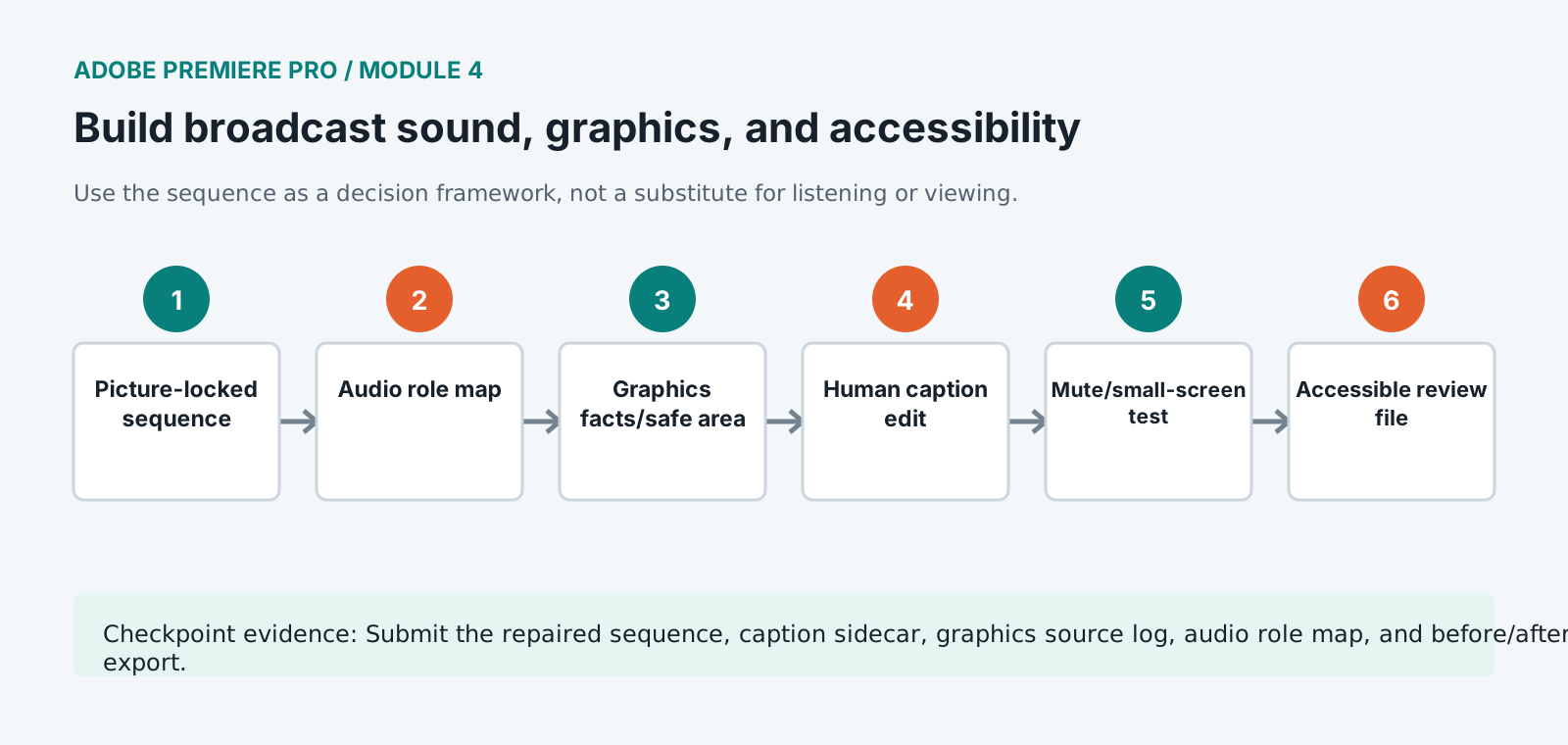
Map sequence tracks by dialogue, production sound, natural sound, music, effects, voice-over, and mix role.
- 2
Repair edit boundaries with room tone and natural sound before using broad noise reduction.
- 3
Set clip gain and Essential Sound or mixer controls to create intelligible dialogue and a controlled music relationship.
- 4
Build one lower-third master with verified name/role hierarchy, title-safe placement, contrast, and mobile-scale readability.
- 5
Create information graphics only for verified facts and record the source and approval status in metadata or notes.
- 6
Generate a transcript and captions near picture lock, then correct words, names, punctuation, speakers, sound cues, timing, and line breaks.
- 7
Test captions with sound muted, at normal playback speed, and on a small display. Revise density and placement conflicts.
- 8
Create an accessible review export and sidecar caption file using the required format and frame rate.
- 9
Run a rights and release check for every person, location, still, music cue, logo, and third-party graphic in the cut.
Independent challenge / 45-60 minutes
Prove the principle
Repair a one-minute sequence containing buried dialogue, missing natural sound, an unreadable lower third, and high-density auto-captions.
Portfolio checkpoint
Evidence to retain
Submit the repaired sequence, caption sidecar, graphics source log, audio role map, and before/after review export.
Store this evidence in 01_ADMIN/checkpoints/module-4 and include it in the final decision log.
Failure modes
Diagnose before retrying
Captions drift after editorial changes
Regenerate or retime from the near-locked sequence and inspect every edit after the change point.
Lower thirds collide with captions
Use coordinated safe zones, alternate vertical positions, display timing, and an approved caption/graphics layout policy.
Dialogue noise changes at every cut
Rebuild ambience and phrase continuity first, then apply conservative clip- or track-specific restoration.
Working vocabulary
Terms you must be able to explain
- natural sound
- Location sound that communicates action, place, and continuity.
- lower third
- An on-screen identification or information graphic commonly placed in the lower image area.
- caption segmentation
- Division of speech into timed readable caption units.
- title safe
- A conservative region intended to keep critical text visible across display conditions.
Primary sources
Verify current behavior
- Premiere Pro desktop help
- Create multi-camera source sequences
- Premiere export settings reference
Lesson reviewed 2026-07-13. Verify menus and shortcuts against the lab release.
Failure in practice
Where this goes wrong
Graphics and captions compete for the same part of the frame, and captions usually lose. A lower third occupying the space automatic captions will fill means one of them is unreadable for the viewers who need the other. Deciding the caption zone before designing graphics prevents the collision entirely.
Broadcast sound is judged as a whole programme rather than shot by shot. Levels balanced within each scene can still drift across an hour, and the compliance measurement is taken across the full duration. Checking loudness on the assembled programme, not on sections, is the only measurement that matches how it will be assessed.
View the programme with captions enabled and graphics on. The two are designed separately and appear together, and this is the only pass where a collision between them is visible.