By the end of this module
- Verify picture frame rate and session timecode.
- Import picture and guide audio without offset errors.
- Build repeatable record, comp, production, and print tracks.
Core knowledge
Principles before controls
Sync begins with shared references
Picture frame rate, session rate, start timecode, guide audio, and any pull-up or pull-down state must agree before cues are created.
Picture is a reference, not decoration
Window burn, first frame of action, guide track, and sync events provide independent evidence when offsets are disputed.
Record structure protects takes
Separate record, alternate, comp, production, and print tracks keep every performance available while preserving a clear approved path.
Latency is part of performance
Performer monitoring, plugin delay, video delay, and buffer settings can change timing decisions and confidence.
Guided build / approximately 90-120 minutes
Build it in the application
- 1
Copy the picture, guide, script, and cue list into the standard folder structure and compare filenames against the manifest.
- 2
Create a 48 kHz/24-bit session at the specified frame rate and start timecode.
- 3
Import picture and guide audio at timestamp, then compare window burn, main counter, two-pop, and first frame of action.
- 4
Create production-dialogue, guide, record, alternate, comp, room-tone, reverb, and print tracks.
- 5
Build a performer headphone send and a separate control-room monitor path; keep talkback out of recorded material.
- 6
Create marker locations for reel start, two-pop, first frame, scene boundaries, and every provisional cue.
- 7
Measure round-trip record and video-monitor latency using a slate or click reference and record the result in session notes.
- 8
Save a locked template copy before cue-specific editing begins.
Independent challenge / 45-60 minutes
Prove the principle
Diagnose a supplied session with a one-frame picture offset, wrong frame-rate display, and guide track placed by eye. Repair it and document the evidence for each correction.
Portfolio checkpoint
Evidence to retain
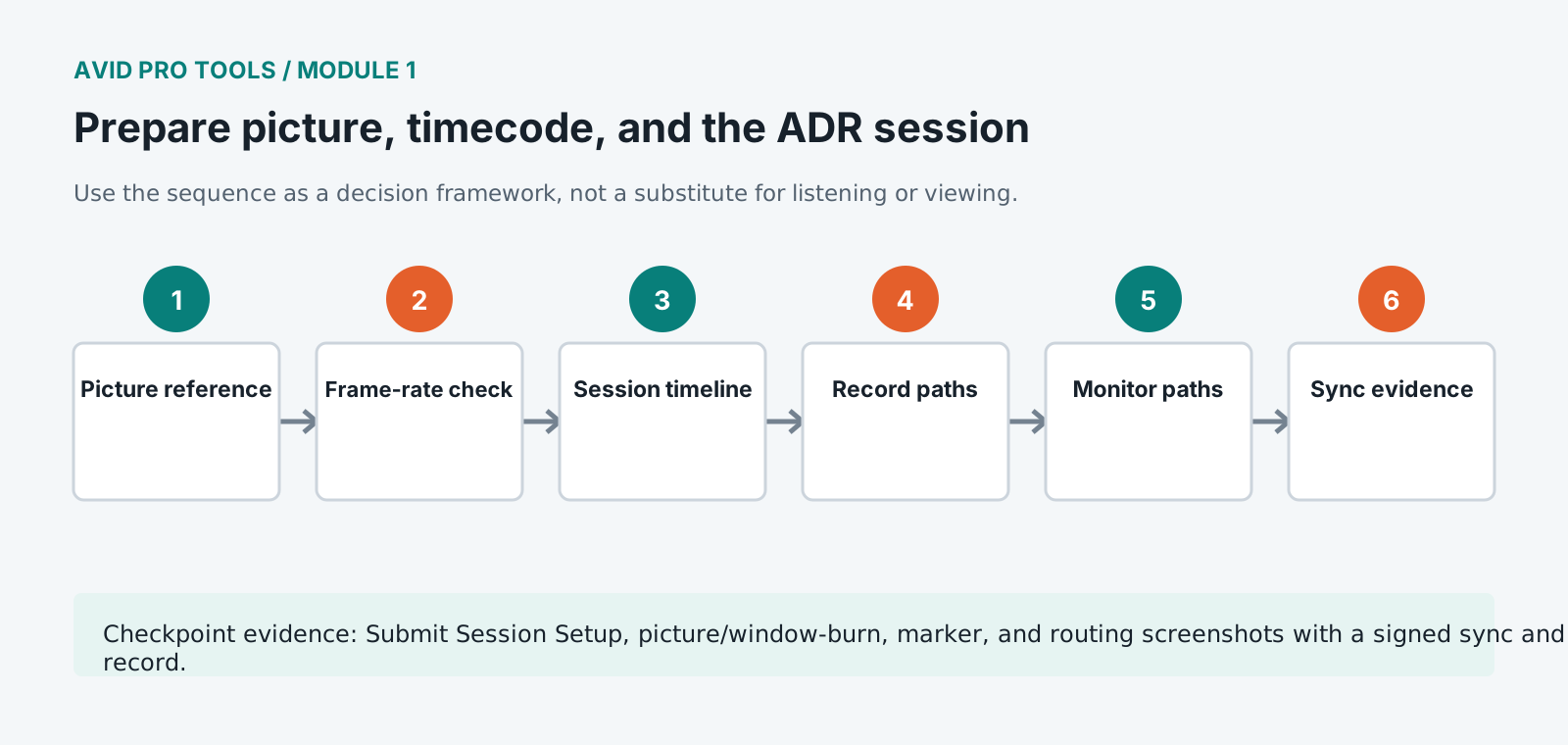
Submit Session Setup, picture/window-burn, marker, and routing screenshots with a signed sync and latency record.
Store this evidence in 01_ADMIN/checkpoints/module-1 and include it in the final decision log.
Failure modes
Diagnose before retrying
Window burn and counter drift gradually
Check frame-rate mismatch, variable-frame-rate picture, pull settings, and picture transcode properties.
Guide is consistently early or late
Verify timestamp placement, first frame of action, two-pop, and any known editorial offset before sliding clips.
Performer hears distracting delay
Reduce buffer and monitoring plugins, use low-latency or hardware monitoring where approved, and remeasure the path.
Working vocabulary
Terms you must be able to explain
- timecode
- A frame-address system used to identify locations in picture and sound.
- first frame of action
- The first intended programme frame after leader.
- two-pop
- A short sync reference commonly placed two seconds before first frame of action.
- round-trip latency
- Delay from live input through monitoring or recording and back to the listener.
Primary sources
Verify current behavior
- Pro Tools Reference Guide
- Pro Tools video and post-production resources
Lesson reviewed 2026-07-13. Verify menus and shortcuts against the lab release.
Failure in practice
Where this goes wrong
Picture and timecode have to agree before anybody records anything. A guide picture at the wrong frame rate, or starting at the wrong timecode, produces a session where every cue is offset by a consistent amount, and the error is usually discovered after the actor has left. Verify against a known reference at the start.
The guide track is a working reference and not a target to imitate. Actors matching the original performance exactly reproduce its problems along with its timing, and the aim is a usable performance that fits the picture. Say so before the session, because performers assume otherwise.
Confirm sync on a distinct action near the end of the reel, not the start. An offset introduced by a frame rate mismatch grows through the reel and is invisible at the head.
Note the frame rate and start timecode somewhere inside the session itself, not only in a document alongside it. Sessions get copied without their paperwork, and a session that states its own reference survives that.