By the end of this module
- Decide which lines require ADR and why.
- Create consistent cue identifiers and cue records.
- Prepare clear visual and audible prompting without obscuring performance.
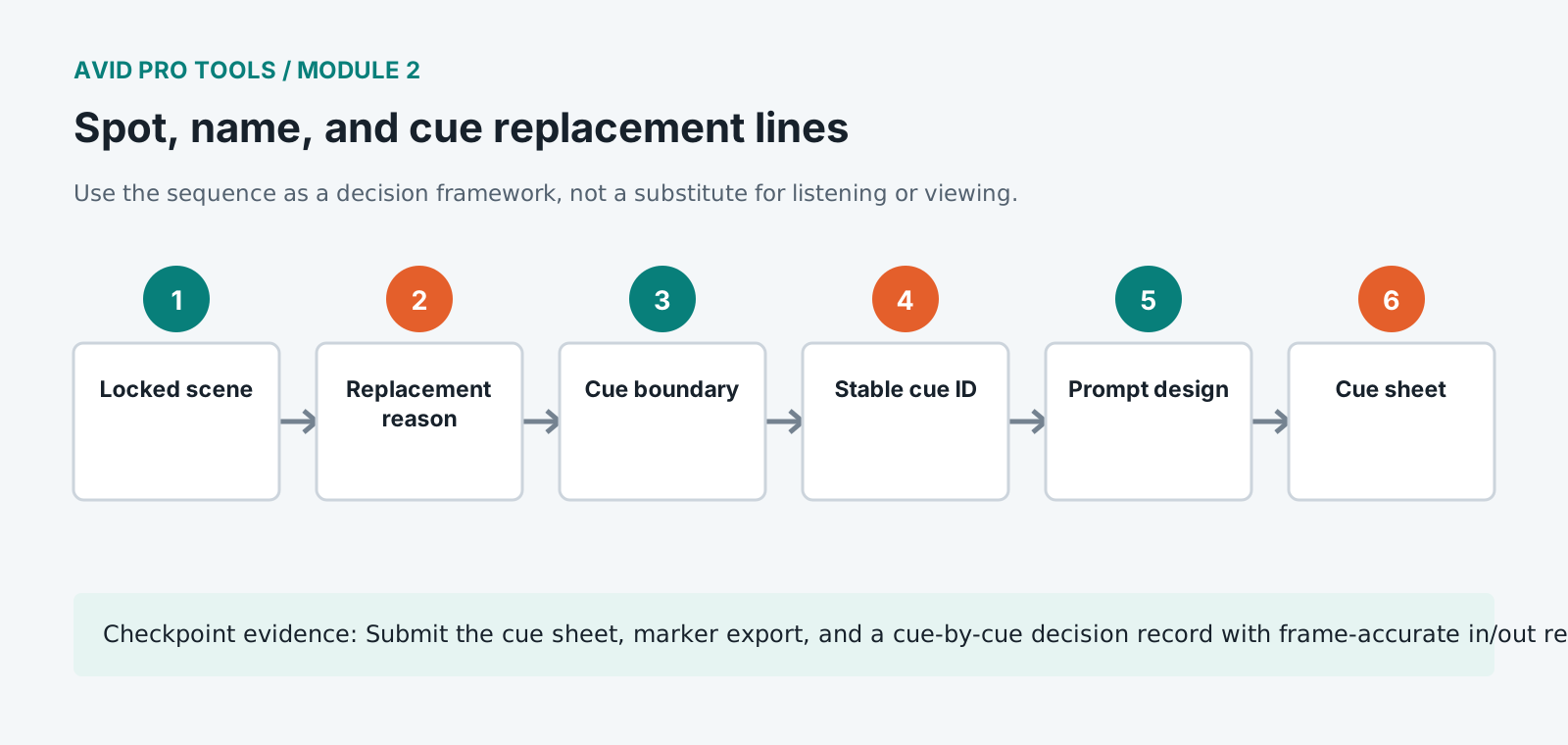
Core knowledge
Principles before controls
Every cue needs a reason
Replacement may address intelligibility, performance, continuity, language, safety, or story change. Record the purpose because it guides direction and matching.
Cue boundaries include context
Pre-roll, post-roll, preceding action, breaths, and reactions matter even when only one phrase will be replaced.
Names are workflow contracts
Reel, character, cue number, take, status, and version must remain consistent in markers, clips, files, and reports.
Prompts support rather than dictate
Beep, streamer, text, and visual wipe choices should help timing while leaving room for natural performance.
Guided build / approximately 90-120 minutes
Build it in the application
- 1
Watch the scene once for story and performance without stopping.
- 2
Review production dialogue and mark only lines with a documented replacement need.
- 3
For each cue, define character, text, in/out context, cue reason, production perspective, and emotional action.
- 4
Assign stable identifiers using reel-scene-character-sequence format and never recycle a retired ID.
- 5
Create cue markers with pre-roll and post-roll. Place line text and direction in the cue record rather than overloading marker names.
- 6
Set three-beep or streamer timing from the cue entrance and verify the performer receives an unambiguous fourth-beat entry.
- 7
Prepare alternate text and pronunciation notes separately so the approved line remains identifiable.
- 8
Export the cue sheet and compare every row against the Pro Tools marker and clip naming plan.
Independent challenge / 45-60 minutes
Prove the principle
Spot ten candidate lines, then justify which six truly require ADR and which four should remain production sound. Include story and performance consequences.
Portfolio checkpoint
Evidence to retain
Submit the cue sheet, marker export, and a cue-by-cue decision record with frame-accurate in/out references.
Store this evidence in 01_ADMIN/checkpoints/module-2 and include it in the final decision log.
Failure modes
Diagnose before retrying
Cue numbers change during revision
Keep IDs stable and mark status or version separately. Never renumber all later cues after a deletion.
Beep timing encourages clipped first words
Check pre-roll, performer latency, and the exact implied fourth beat; allow a natural lead-in where the performance requires it.
Cue text disagrees with picture edit
Confirm the current locked picture version and log the discrepancy before recording.
Working vocabulary
Terms you must be able to explain
- spotting
- Identifying and defining work required at exact programme locations.
- cue ID
- A stable identifier connecting line, recording, clip, status, and report.
- pre-roll
- Context played before a record point.
- streamer
- A moving visual timing cue that reaches a target at the performance entry.
Primary sources
Verify current behavior
- Pro Tools Reference Guide
- Pro Tools video and post-production resources
Lesson reviewed 2026-07-13. Verify menus and shortcuts against the lab release.
Failure in practice
Where this goes wrong
Cue naming is the difference between a smooth session and a search. A scheme carrying character, scene and line number sorts correctly and identifies a cue without opening it, and an ad hoc scheme costs somebody time on every single line for the rest of the project.
Spot generously at the edges. A cue tightly bounded to the line leaves an editor no material for a breath before or a tail after, and both are needed to make the replacement sit naturally. Extra seconds cost nothing at the spotting stage and cannot be added later.
Sort the cue list and read it as a document. A list that makes sense read straight through will make sense in a session, and one that does not will cost time on every line.
Group cues by performer rather than by scene order when scheduling. An actor works through their own lines in one continuous block, and a schedule ordered by the film means the same person returning repeatedly, which wastes stage time and breaks their concentration.