By the end of this module
- Choose microphone and placement for the production perspective.
- Create separate performer and control-room balances.
- Run record checks that prevent clipped, delayed, or contaminated takes.
Core knowledge
Principles before controls
Match perspective before processing
Distance, axis, room, body orientation, and performance level shape dialogue more fundamentally than EQ presets.
Monitoring changes performance
The performer needs enough guide, self, and cue information to act confidently without hearing distracting latency or excessive production noise.
Talkback is operational audio
It must be reliable, clearly labeled, and prevented from leaking into final record paths.
Safety includes people and data
Set comfortable headphone levels, manage cables and sightlines, confirm consent, and verify every take is written to controlled storage.
Guided build / approximately 90-120 minutes
Build it in the application
- 1
Inspect room noise, microphone, stand, pop protection, cables, interface, picture display, and performer position before powering the path.
- 2
Select a microphone and distance based on the production perspective rather than habit.
- 3
Set preamp gain from rehearsal peaks with conservative headroom and no final processing printed.
- 4
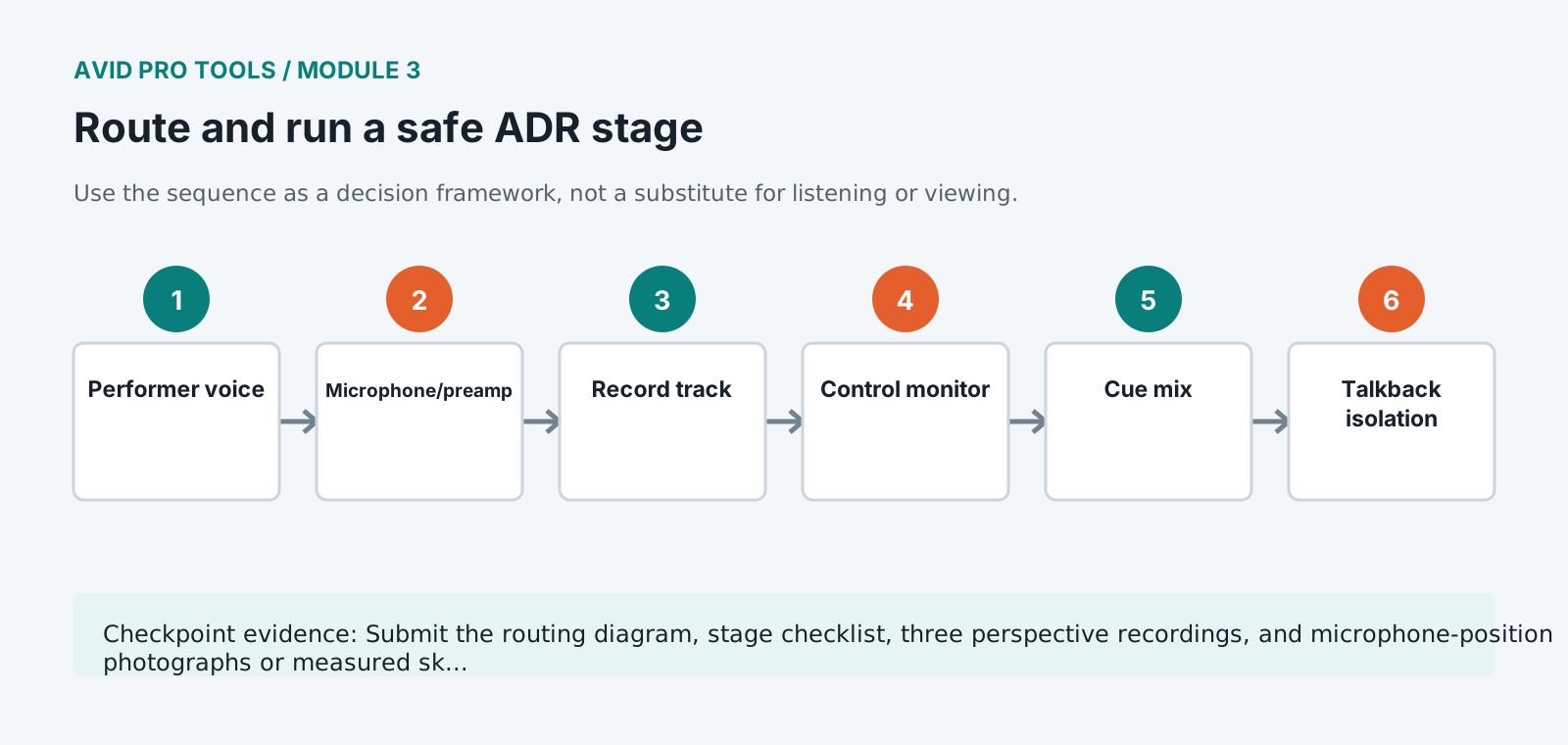
Route microphone to a named record track, guide and beeps to the performer cue, and talkback only to the cue path.
- 5
Build separate control-room and performer balances and confirm mute, dim, solo, and communication behavior.
- 6
Measure headphone level with a safe reference and ask the performer to confirm comfort before the first full-level take.
- 7
Record a slate, spoken cue ID, line, and room tail. Immediately play back from disk and inspect waveform and noise.
- 8
Create a stage checklist that must be completed after breaks, microphone moves, or session reloads.
Independent challenge / 45-60 minutes
Prove the principle
Set up near, medium, and distant perspectives for one line. Make each match a supplied production reference without using EQ, then document placement.
Portfolio checkpoint
Evidence to retain
Submit the routing diagram, stage checklist, three perspective recordings, and microphone-position photographs or measured sketches.
Store this evidence in 01_ADMIN/checkpoints/module-3 and include it in the final decision log.
Failure modes
Diagnose before retrying
Headphone mix feeds back
Check open microphones, speaker muting, talkback routing, send pre/post state, and performer headphone isolation.
Recorded level changes between takes
Check performer distance, preamp movement, clip gain accidentally printed, and any automation or plugin on the record path.
Take contains beeps or guide
Trace bus assignments and physical loopback. Solo-safe monitoring paths must not feed the record input.
Working vocabulary
Terms you must be able to explain
- perspective
- The perceived distance, orientation, and acoustic relationship of a voice to the scene.
- cue mix
- A performer-specific monitoring balance.
- talkback
- A communication path from control position to performer.
- print processing
- Processing permanently recorded into new media rather than applied only on playback.
Primary sources
Verify current behavior
- Pro Tools Reference Guide
- Pro Tools video and post-production resources
Lesson reviewed 2026-07-13. Verify menus and shortcuts against the lab release.
Failure in practice
Where this goes wrong
The headphone mix is the performance tool. An actor hearing too much guide performs an impression, hearing too little loses the timing, and hearing their own voice at the wrong level pushes or pulls their delivery. Setting it per performer, and asking rather than assuming, changes the quality of what you record.
Talkback discipline matters more in ADR than almost anywhere else. Performers work without context, repeating one line many times, and unclear direction between takes is what makes a session exhausting. Knowing what you will say before opening the microphone keeps the energy where it belongs.
Ask the performer to adjust their own headphone balance before the first take. People know what they need to hear, and the thirty seconds spent asking improves every take afterwards.
Give the performer a physical space matching the scene where you can. Somebody delivering a line meant to be shouted across a street performs differently standing still at a music stand, and small adjustments to posture and distance change the recording more than processing will afterwards.