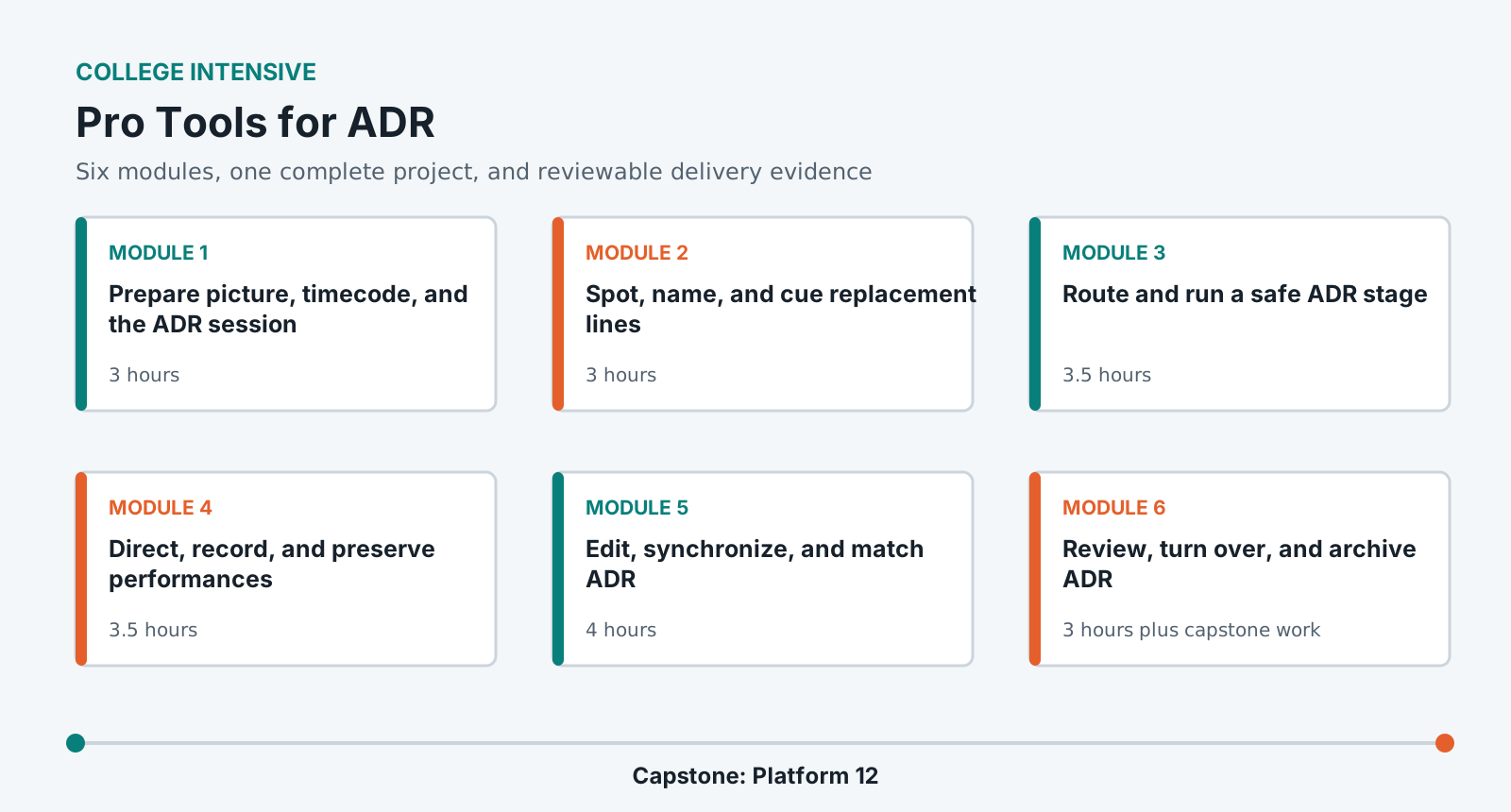
Learn the complete ADR chain from picture and cue preparation through performer direction, recording, synchronization, production-dialogue matching, review, and turnover.
LevelBeginner to intermediate
Time25-30 hours
Structure6 modules + capstone
AssessmentPortfolio rubric
Completed outcome
Cue, record, edit, match, and deliver 8-12 replacement-dialogue cues for a 2-3 minute dramatic scene.
What you will be able to do
Prepare a frame-accurate ADR session and cue record.
Run a safe, clear recording session with usable monitoring and file discipline.
Direct and capture multiple performances without losing cue status.
Edit ADR for sync, perspective, ambience, and emotional continuity.
Deliver approved takes, logs, stems, and a reproducible session package.
Lab access and prerequisites
Current Pro Tools Studio or Ultimate lab system with video playback.
Audio interface, talkback path, closed-back performer headphones, and one dialogue microphone.
A quiet recording space with a stable picture display.
Completion of the shared workflow foundation. Prior ADR experience is not required.
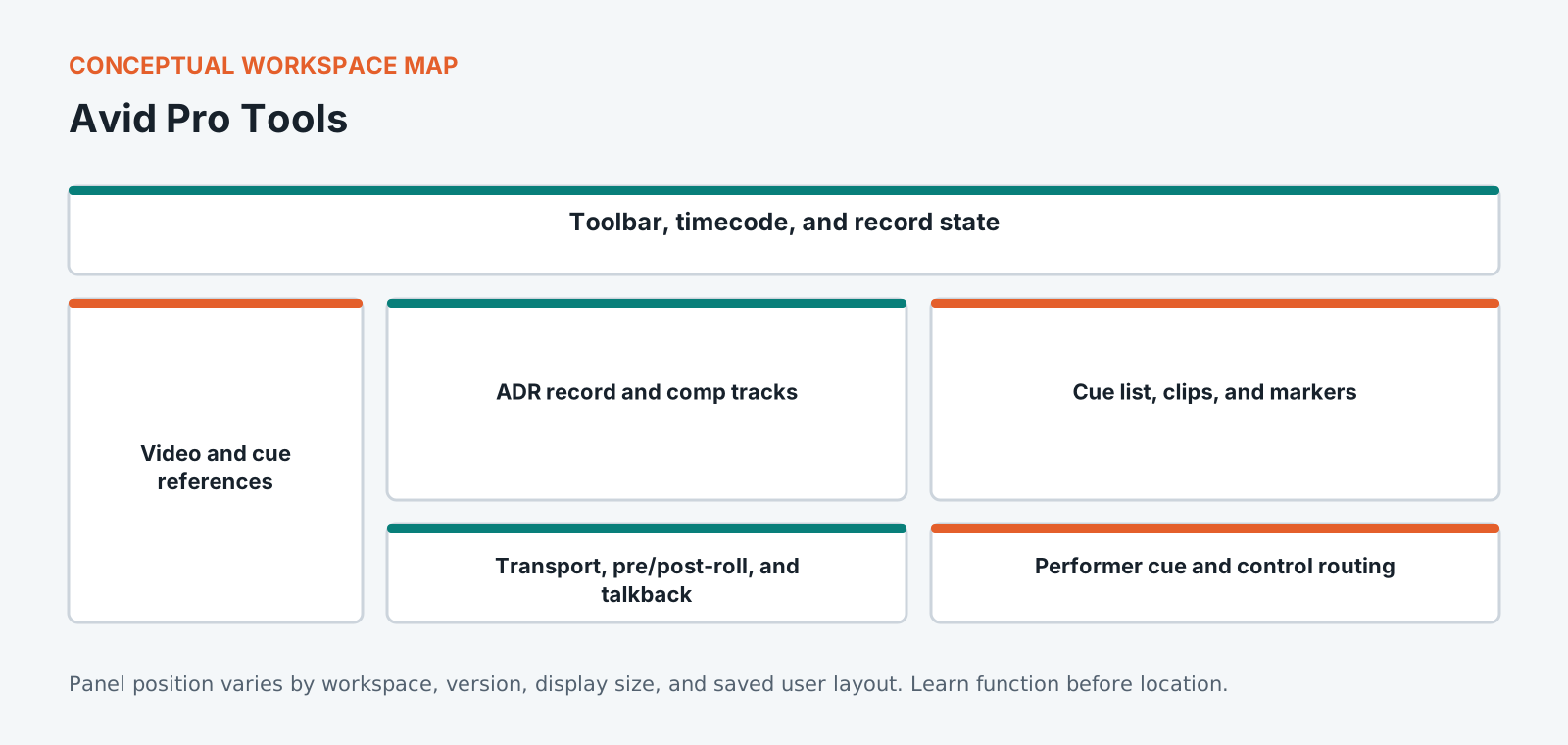
Know the workspace by function
This original diagram is intentionally version-neutral and does not imitate a proprietary application screenshot.
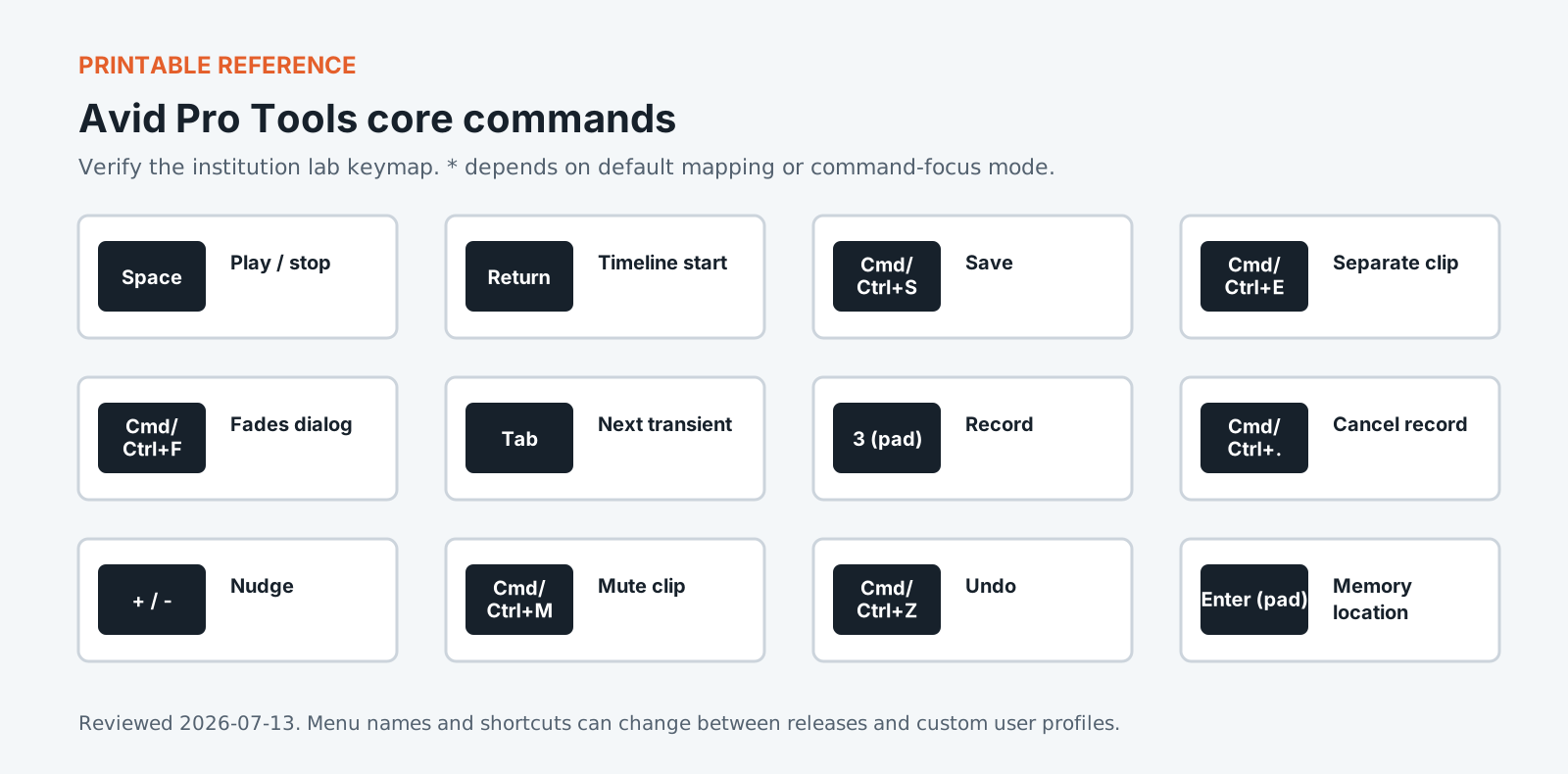
Version policy: concepts are version-neutral. Interface labels and shortcuts are verified against the institution-supported release and reviewed each academic term.
Required common orientation / 75 minutes
Professional Media Workflow Foundation
A reusable orientation to the habits that keep creative projects reproducible, reviewable, accessible, and safe to hand off.
Build an approved performance from recorded takes, align it to picture, and integrate it with production sound without making the replacement conspicuous.
Comp performances while preserving cadence and intention.
Align consonants and actions without over-tightening natural speech.
Match perspective, ambience, spectral balance, and dynamics.
Resolve cue status, print review and final material, preserve alternates, and deliver documentation that dialogue editors and mixers can trust.
Run a cue-by-cue picture review.
Deliver aligned clips and stems with stable identifiers.
Package session, reports, media, and known issues for handoff.
Standardized coursework pack
Platform 12 ADR pack
Picture reference, guide dialogue, production audio, script, line list, cue spreadsheet, room-tone options, character notes, delivery specification, and intentional sync faults. Approximately 4 GB including picture and production audio.
Media access: the downloadable files define the required rights-cleared pack, checks, and evidence. Large application media must be distributed by the institution through its licensed learning or storage system.
Automated dialogue replacement is a scheduling and performance problem before it is a technical one. An actor has minutes to match a reading they gave months ago on location, and everything the room does either helps this or gets in the way. Pro Tools carries dedicated cueing tools, and this course covers building a cue list, driving streamers and beeps, and getting a usable take inside the time an actor is booked for. The technical half is matching: perspective, room character and sync against production sound recorded somewhere you were not. Most of the difficulty sits in deciding which lines genuinely need replacing, because an ADR list twice as long as it needs to be costs money and rarely improves the film.
Portfolio assessment
Capstone: Platform 12
Complete ADR for 8-12 cues in a 2-3 minute dramatic scene while preserving performance, sync, perspective, and a traceable cue history.
Submit
Frame-accurate Pro Tools session and picture reference
Completed cue sheet with approved and alternate status
Dry aligned ADR and matched ADR stems
All recorded takes with stable cue identifiers
Sync, perspective, and technical QC report
Archive manifest and five-minute walkthrough
Constraints
Use production dialogue wherever it remains the stronger result.
Do not alter the performer's approved words without documenting authorization.
Preserve at least one complete alternate for each submitted cue.
Name the exact picture version in every turnover document.
100-point portfolio rubric for Pro Tools for ADR
Criterion
Weight
Creative and editorial judgment
25
Technical execution
25
Workflow organization
15
Application fluency
15
Delivery and quality control
15
Documentation and reflection
5
What counts as strong evidence under each criterion, and what sends it back for revision, is set out in full on the shared foundation. The same wording ships with this course as rubric.csv.
Read 21 September 2026
Sources
The vendor documents below were read. The course teaches menus and shortcuts, and software changes them between versions, so confirm a menu path against the vendor's current documentation before you rely on it. For the software documents only the title, version and date were read.
Pro Tools Reference Guide. The title page reads Pro Tools Reference Guide Version 2025.12, published by Avid Technology.
Pro Tools video and post-production resources. Avid's Pro Tools page for audio post-production returned an error when checked, so it is named here and not linked.
Machine translation provided by Google Translate, on Google’s servers. We do not check these translations and they will get technical terms wrong. The English page is the authoritative one. Following a link sends this page’s address to Google. Your browser may also offer to translate this page itself, which keeps the request on your device.