By the end of this module
- Comp performances while preserving cadence and intention.
- Align consonants and actions without over-tightening natural speech.
- Match perspective, ambience, spectral balance, and dynamics.
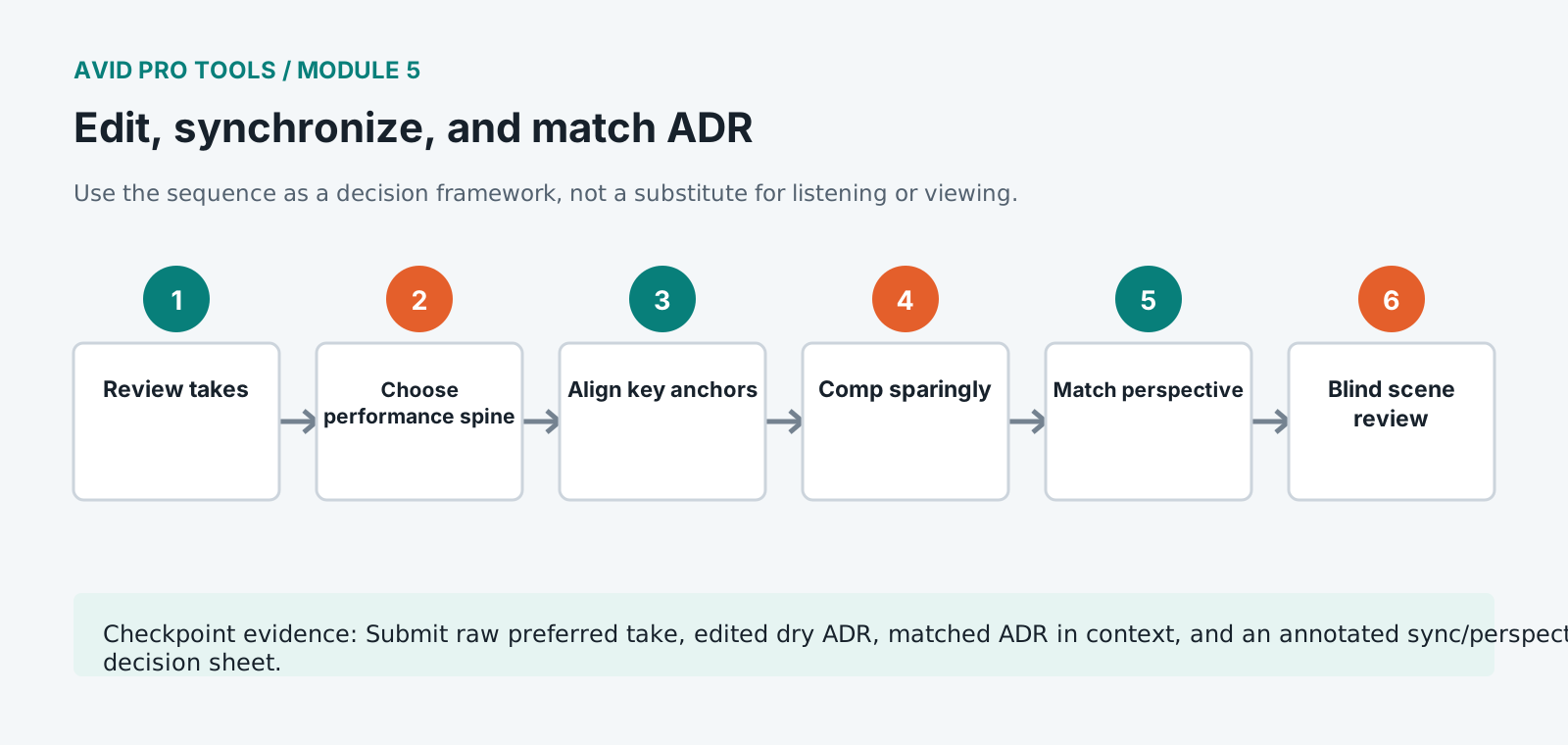
Core knowledge
Principles before controls
Sync is perceptual as well as numerical
Visible consonants, mouth closures, gestures, off-screen position, and dramatic emphasis carry different synchronization weight.
Comping must preserve a performance arc
Combining technically accurate fragments can destroy breath, pitch, energy, and sentence intention.
Production sound provides the target
Compare level, spectrum, noise, reverberation, and perspective against adjacent production lines at matched monitoring level.
Processing cannot replace the right recording
Use position and performance options first. Apply EQ, dynamics, ambience, and time processing conservatively.
Guided build / approximately 90-120 minutes
Build it in the application
- 1
Listen to all takes against picture and mark performance, sync, perspective, and technical strengths separately.
- 2
Choose a primary complete take and duplicate it to a comp playlist before making internal replacements.
- 3
Align the phrase using major visual anchors, then listen for cadence and preserve natural anticipations or delays.
- 4
Use small clip moves, elastic or time processing only where needed; avoid stretching breaths and consonant attacks indiscriminately.
- 5
Comp alternate words or phrases with fades placed in stable room tone and with complete breath logic.
- 6
Match clip gain and broad spectral balance to surrounding production dialogue before adding compression.
- 7
Create a production-like ambience path using recorded room tone and restrained early reflections or reverb.
- 8
A/B the replacement against production in context, on headphones, nearfields, and small mono playback.
- 9
Print a review stem and watch the scene without looking at the edit markers.
Independent challenge / 45-60 minutes
Prove the principle
Create two acceptable matches from different takes: one optimized for exact visible sync and one for performance continuity. Defend the final choice.
Portfolio checkpoint
Evidence to retain
Submit raw preferred take, edited dry ADR, matched ADR in context, and an annotated sync/perspective decision sheet.
Store this evidence in 01_ADMIN/checkpoints/module-5 and include it in the final decision log.
Failure modes
Diagnose before retrying
Lip sync looks correct but feels late
Inspect consonant onset, picture-monitor delay, guide offset, and whether the actor anticipates the visible mouth movement.
ADR sounds too close
Revisit microphone distance first, then reduce proximity, high-frequency detail, and direct-to-ambience ratio carefully.
Time processing creates artifacts
Return to alternate takes or smaller region-based moves. Process sustained vowels rather than consonant attacks where possible.
Working vocabulary
Terms you must be able to explain
- comp
- A composite performance assembled from selected takes.
- consonant anchor
- A distinct speech event used to judge synchronization.
- early reflections
- Initial room reflections that strongly communicate distance and space.
- dry
- A signal without added ambience or time-based effects.
Primary sources
Verify current behavior
- Pro Tools Reference Guide
- Pro Tools video and post-production resources
Lesson reviewed 2026-07-13. Verify menus and shortcuts against the lab release.
Failure in practice
Where this goes wrong
Sync is judged on consonants rather than on waveform shape. Aligning the visible blocks of energy gets close and the eye reads accuracy from the sharp sounds at the start of words, so the last few frames of adjustment are made by watching a mouth rather than a display.
Matching the room is what makes replacement invisible. A clean studio recording dropped into a location scene announces itself immediately, because the original carried the acoustics of the space. Matching reverberation, and adding the location's own background underneath, is what closes the gap.
Watch the sync pass with the picture only, sound muted, then sound only. Separating the two senses catches errors that a combined viewing lets your brain reconcile automatically.
Keep the original production dialogue on a muted track underneath the replacement. It is the reference for timing, level and room, and having it directly beneath means checking a match is a matter of unmuting rather than of hunting through the original media.