By the end of this module
- Export an ADM BWF with the required programme range.
- Create named re-renders that match the delivery brief.
- Verify the master by import, playback, metadata inspection, and documented QC.
Core knowledge
Principles before controls
ADM combines audio and metadata
A file can contain audible programme material yet still be incomplete if object, programme, timing, or channel metadata is wrong.
Delivery range is structural
Start, sync references, programme boundaries, tails, and silence must be intentional and consistent across master and re-renders.
Re-import is evidence
Open or import the exported ADM in a clean context and compare programme, metadata, duration, and rendered outputs.
A master needs a provenance record
Document source session, software and renderer versions, configuration, measurements, checks, limitations, and approval state.
Guided build / approximately 90-120 minutes
Build it in the application
- 1
Duplicate the approved session to a FINAL_DELIVERY version and remove no creative options from the prior milestone.
- 2
Set the exact master start, programme start, programme end, and tail from the written specification.
- 3
Review object assignment, groups, binaural settings, trim/downmix state, re-render configuration, and unused paths.
- 4
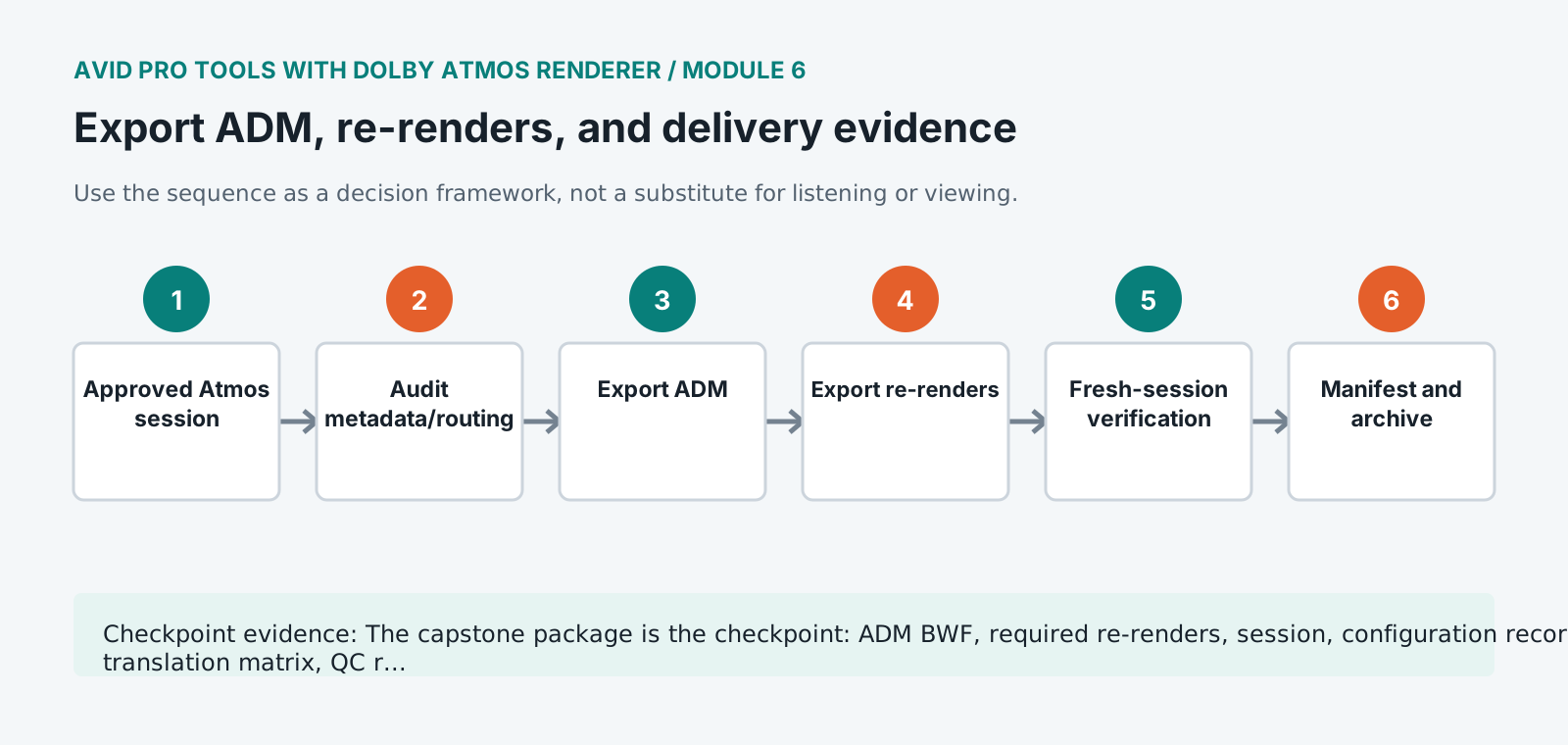
Export the ADM BWF using the approved range and a filename containing title, mix type, version, sample rate, and date.
- 5
Export required binaural/stereo and other re-renders from the same approved state and range.
- 6
Create a clean verification session, import or open the ADM, and compare duration, object count, programme metadata, audio, and section markers.
- 7
Measure and listen to delivered re-renders rather than relying only on live monitoring.
- 8
Generate checksums and complete the delivery manifest, configuration record, QC matrix, known-issues note, and approval record.
- 9
Copy the final session, ADM, re-renders, reports, and source rights information to the archive structure and test the package from a new path.
Independent challenge / 45-60 minutes
Prove the principle
Audit a prepared delivery containing the wrong programme range, stale binaural settings, a missing object, and a re-render from the prior version. Identify every fault from evidence.
Portfolio checkpoint
Evidence to retain
The capstone package is the checkpoint: ADM BWF, required re-renders, session, configuration record, translation matrix, QC report, and walkthrough.
Store this evidence in 01_ADMIN/checkpoints/module-6 and include it in the final decision log.
Failure modes
Diagnose before retrying
ADM re-import has missing elements
Compare object mapping, active paths, export range, mute/solo states, unsupported routing, and export log.
Re-render does not match live monitoring
Confirm source session version, renderer state, trim/downmix, re-render definition, monitor-only processing, and bounce selection.
Master tail is truncated
Extend the explicit export range for reverberation and object automation returns, then re-verify all deliverables.
Working vocabulary
Terms you must be able to explain
- ADM BWF
- A Broadcast Wave container carrying immersive audio and descriptive metadata.
- programme metadata
- Information identifying and organizing the content and its rendering behavior.
- re-import verification
- Testing an exported master by opening it in a fresh context.
- checksum
- A calculated value used to detect file changes or transfer corruption.
Primary sources
Verify current behavior
Lesson reviewed 2026-07-13. Verify menus and shortcuts against the lab release.
Failure in practice
Where this goes wrong
The deliverable is the master file rather than the session, and it has to be verified independently. Exporting and assuming success is how a truncated or misconfigured file reaches a distributor, and the check is playing the exported file back rather than trusting the export completed.
Re-renders are part of delivery rather than an optional extra. A stereo and a binaural version generated from the same master guarantee they match the immersive mix, and producing them separately later means three versions that drifted apart. Generate them together and keep them with the master.
Play the delivered master back from the delivered file. Rendering and verifying are separate steps, and the gap between them is where truncated and misconfigured deliverables live.