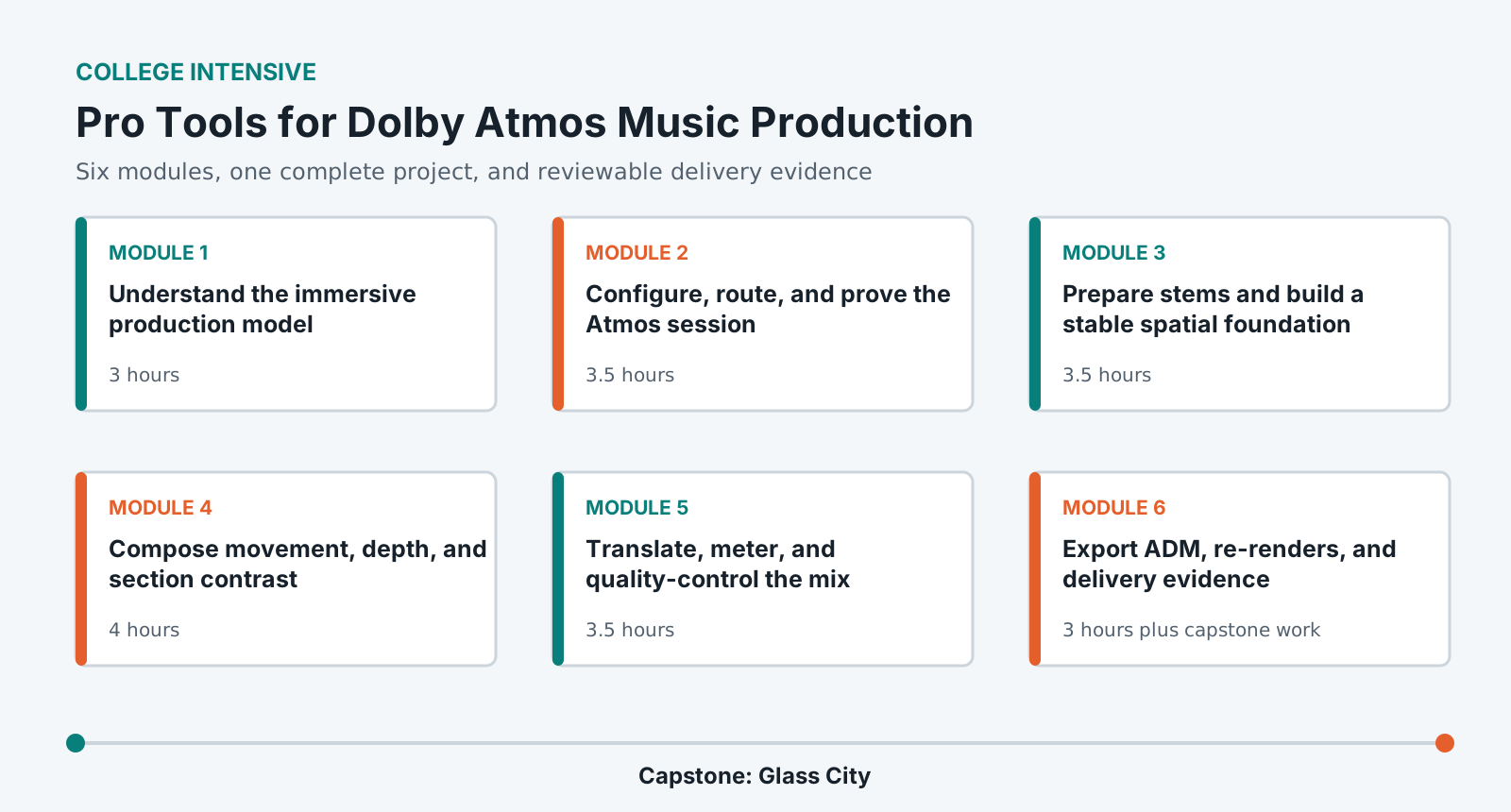
Learn immersive music as a translation discipline: configure the renderer, prepare stems, make defensible bed and object choices, automate a coherent three-dimensional image, check binaural and speaker playback, and deliver ADM BWF plus re-renders.
LevelBeginner to intermediate
Time26-30 hours
Structure6 modules + capstone
AssessmentPortfolio rubric
Completed outcome
Build and deliver a 3-4 minute Dolby Atmos music mix from supplied multitrack stems.
Configure and audit an Atmos session without breaking the lab monitor path.
Translate a stereo production into an intentional spatial arrangement.
Use movement, depth, height, and width without weakening musical focus.
Evaluate speaker, binaural, stereo, and mono consequences before delivery.
Export and verify an ADM BWF master and required re-renders.
Lab access and prerequisites
Pro Tools Studio or Ultimate with the supported internal Dolby Atmos renderer configuration.
A pre-calibrated institutional 7.1.4 room and approved binaural headphone monitoring path.
Basic stereo mixing concepts including gain, buses, automation, EQ, dynamics, and stems.
At least 30 GB of working storage. Students must not modify room calibration or monitor routing.
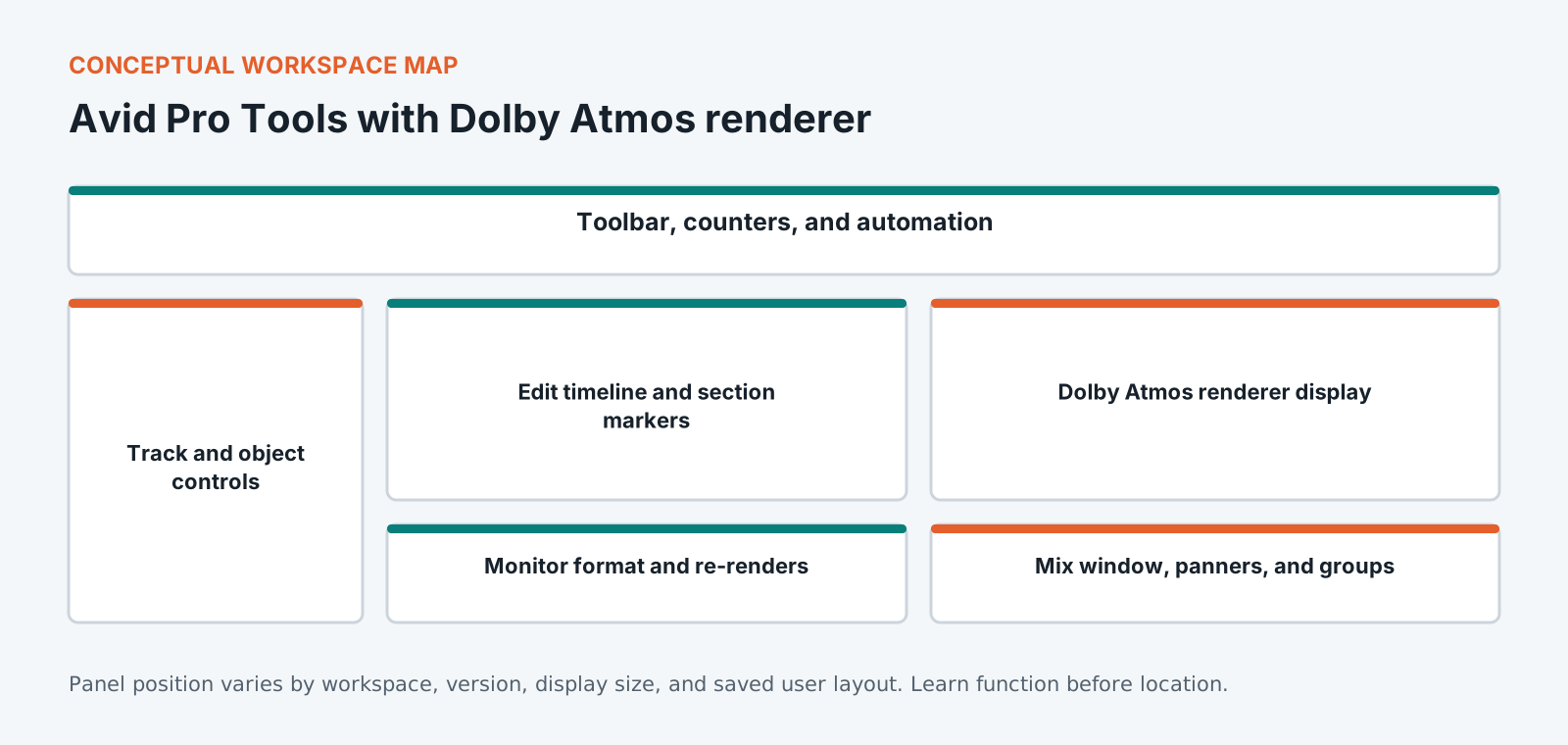
Know the workspace by function
This original diagram is intentionally version-neutral and does not imitate a proprietary application screenshot.
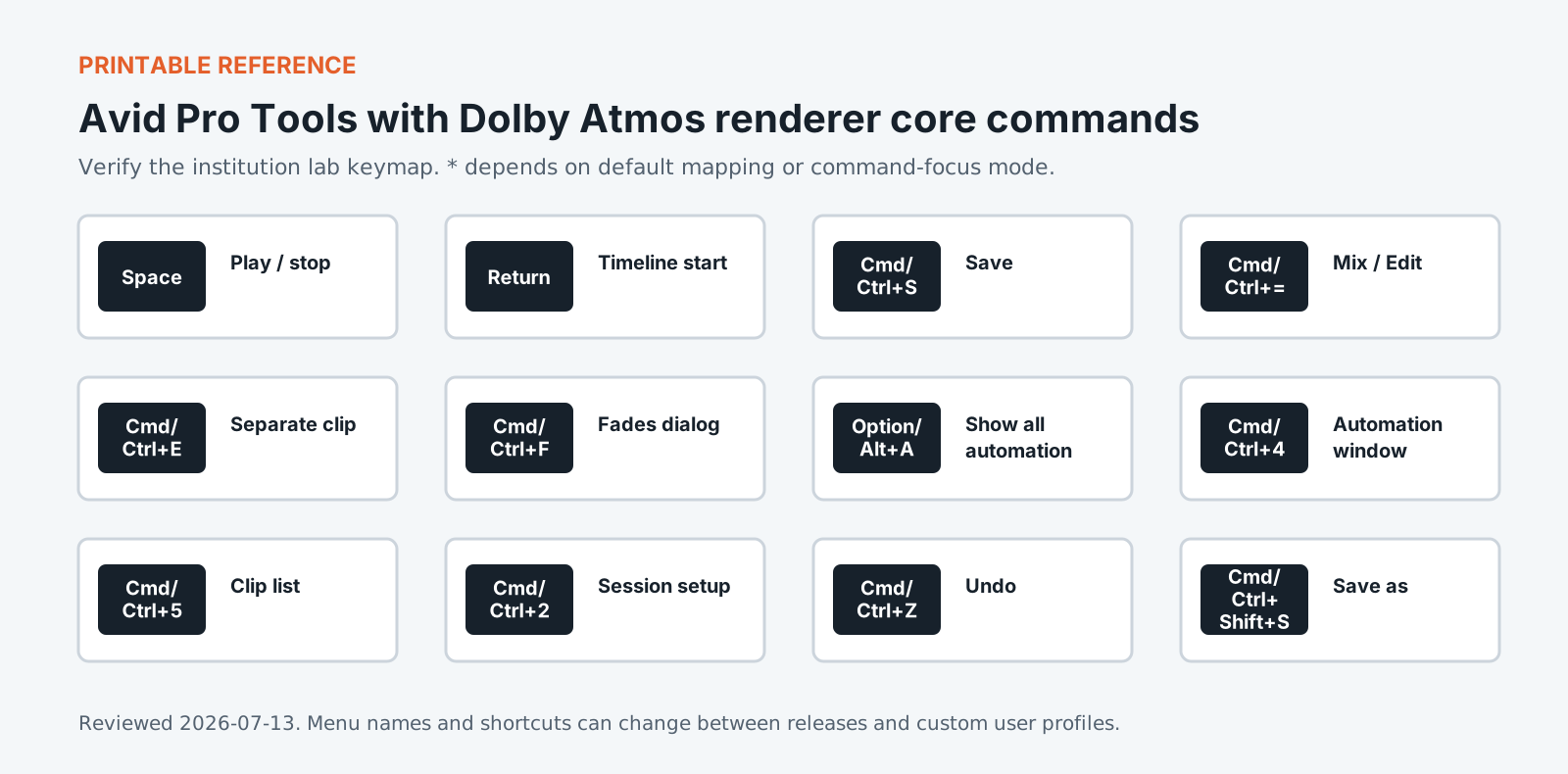
Version policy: concepts are version-neutral. Interface labels and shortcuts are verified against the institution-supported release and reviewed each academic term.
Required common orientation / 75 minutes
Professional Media Workflow Foundation
A reusable orientation to the habits that keep creative projects reproducible, reviewable, accessible, and safe to hand off.
Build a mental model of channel-based beds, object audio, metadata, renderer outputs, monitoring formats, and the difference between creative placement and consumer playback.
Trace audio and metadata from Pro Tools to final render.
Distinguish beds, objects, groups, and re-renders.
Describe what binaural monitoring can and cannot predict.
Use three-dimensional panning and automation as arrangement tools, shaping attention and contrast across sections without causing distraction or translation failures.
Automate position with musically meaningful timing.
Create section contrast using density, width, depth, and height.
Preserve focal stability while secondary elements move.
Evaluate the Atmos mix across speaker, binaural, stereo, and mono renderings while controlling loudness, true peak, masking, phase, and listener fatigue.
Run repeatable multi-format listening comparisons.
Identify renderer, arrangement, and processing causes of translation failures.
Document loudness and peak behavior for the master and re-renders.
Create the Atmos master and derived deliverables, inspect metadata and audio, reopen the package, and document enough evidence for a reliable handoff.
Export an ADM BWF with the required programme range.
Create named re-renders that match the delivery brief.
Verify the master by import, playback, metadata inspection, and documented QC.
Standardized coursework pack
Glass City Atmos stem pack
Lead vocal, backing vocals, drums, percussion, bass, guitars, keys, synths, ambience, effects, stereo reference, lyric sheet, arrangement map, mix notes, and ADM delivery brief. Approximately 18 GB after copying 48 kHz/24-bit consolidated stems.
Media access: the downloadable files define the required rights-cleared pack, checks, and evidence. Large application media must be distributed by the institution through its licensed learning or storage system.
What Avid Pro Tools with Dolby Atmos renderer asks of you
Mixing music in Dolby Atmos adds a decision to every element: does it stay in the bed, or does it become an object with a position of its own. Objects are limited, and spending them on material nobody localises wastes the format. This course pairs Pro Tools with the Atmos renderer and spends its time on this judgement rather than on the novelty of moving sound around a room. You will also meet the part nobody enjoys, which is the binaural and stereo fold-down. A mix sounding open in a treated room collapses on headphones, and most listeners will hear the fold-down rather than the original. Checking it is part of the work, not a step at the end.
Portfolio assessment
Capstone: Glass City
Translate a supplied stereo-oriented production into a coherent 3-4 minute Dolby Atmos music master with stable anchors, purposeful spatial contrast, and documented translation.
Submit
Pro Tools Atmos session with configuration record
ADM BWF master
Required binaural and stereo re-renders
Bed/object and motion decision log
Four-format translation and loudness report
Archive manifest and five-minute walkthrough
Constraints
Do not modify lab calibration or physical monitor routing.
Every object and motion choice must have a musical reason.
Preserve a usable reduced-format hierarchy.
Verify the ADM in a clean session before submission.
100-point portfolio rubric for Pro Tools for Dolby Atmos Music Production
Criterion
Weight
Creative and editorial judgment
25
Technical execution
25
Workflow organization
15
Application fluency
15
Delivery and quality control
15
Documentation and reflection
5
What counts as strong evidence under each criterion, and what sends it back for revision, is set out in full on the shared foundation. The same wording ships with this course as rubric.csv.
Read 21 September 2026
Sources
The vendor documents below were read. The course teaches menus and shortcuts, and software changes them between versions, so confirm a menu path against the vendor's current documentation before you rely on it. For the software documents only the title, version and date were read.
Pro Tools Reference Guide. The title page reads Pro Tools Reference Guide Version 2025.12, published by Avid Technology.
Pro Tools and Dolby Atmos Renderer FAQ. Avid Knowledge Base, last updated 28 April 2026. It says Pro Tools 2023.12 introduced a native Dolby Atmos renderer integration and that 2024.3 added further enhancements.
Dolby Atmos Music Creation 101. A series of short tutorial videos from Dolby covering how to get started, how to configure a studio and production workflow techniques.
Machine translation provided by Google Translate, on Google’s servers. We do not check these translations and they will get technical terms wrong. The English page is the authoritative one. Following a link sends this page’s address to Google. Your browser may also offer to translate this page itself, which keeps the request on your device.