By the end of this module
- Prepare phase-coherent stems from a common start.
- Choose beds or objects based on musical function.
- Establish a static immersive balance that works before automation.
Core knowledge
Principles before controls
A weak stereo mix does not become strong in space
Correct timing, noise, phase, gain, arrangement, and spectral conflicts before spatial placement adds complexity.
Anchors create orientation
Lead vocal, kick, snare, bass, or other focal elements need stable perceptual roles even when support elements widen or move.
Objects should earn independence
Use an object when individual position, movement, binaural behavior, or re-render control matters.
Static placement is a complete decision
An immersive mix may feel deep and enveloping without constant automation. Start with stable placement and add motion only for structure.
Guided build / approximately 90-120 minutes
Build it in the application
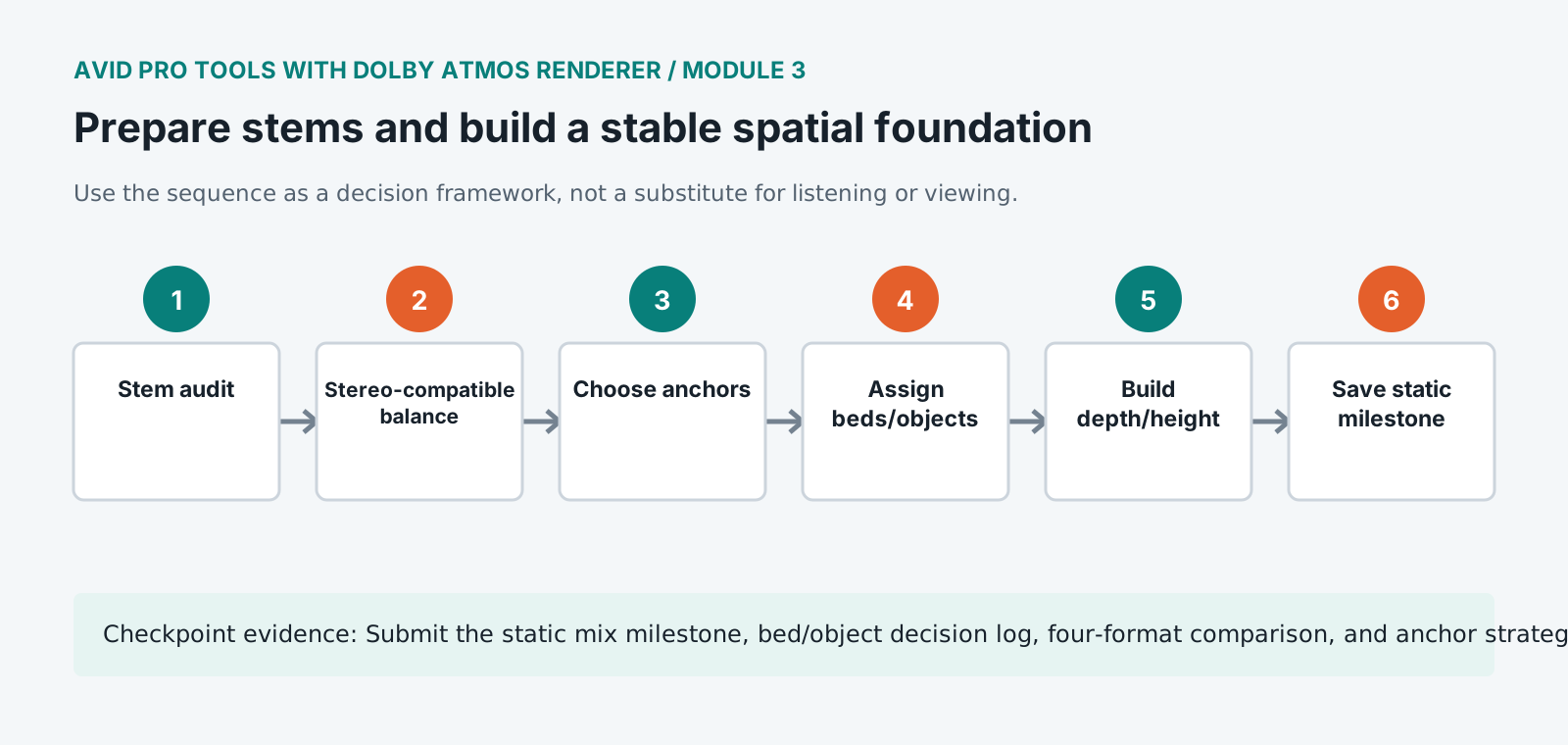
- 1
Audit stem starts, durations, channel formats, silence, noise, clipping, phase, and processing assumptions.
- 2
Build a stereo-compatible static balance using clip gain and submix levels before assigning depth or height.
- 3
Choose an anchor strategy for lead vocal, rhythm section, and principal harmonic element.
- 4
Place stable ensemble and shared ambience material in suitable bed or multichannel paths.
- 5
Promote only elements requiring independent localization or metadata to objects and document the reason.
- 6
Use front width, side/rear support, and restrained height to create depth while preserving a readable frontal image.
- 7
Check low-frequency and strongly correlated elements for stability through stereo and mono renders.
- 8
Compare the static Atmos balance with the stereo reference at matched loudness and revise missing musical relationships.
- 9
Save a STATIC milestone that remains available throughout later automation work.
Independent challenge / 45-60 minutes
Prove the principle
Build two static balances: conservative translation-first and enveloping listener-inside. Select one using evidence from 7.1.4, binaural, stereo, and mono.
Portfolio checkpoint
Evidence to retain
Submit the static mix milestone, bed/object decision log, four-format comparison, and anchor strategy diagram.
Store this evidence in 01_ADMIN/checkpoints/module-3 and include it in the final decision log.
Failure modes
Diagnose before retrying
The mix feels empty at the front
Restore strong frontal anchors and evaluate whether too many supporting elements were moved away simultaneously.
Stereo downmix becomes narrow or hollow
Inspect phase, decorrelated widening, surround contribution, and low-frequency routing.
Height feels detached from the song
Use shared timbre, ambience, or section logic and reduce isolated overhead novelty.
Working vocabulary
Terms you must be able to explain
- anchor
- A stable element that establishes focus or orientation.
- decorrelation
- A reduction in signal similarity used to create width, with possible downmix consequences.
- common start
- A shared timeline origin that keeps stems aligned.
- static balance
- A mix state created without time-varying panning or level automation.
Primary sources
Verify current behavior
Lesson reviewed 2026-07-13. Verify menus and shortcuts against the lab release.
Failure in practice
Where this goes wrong
Build the foundation before placing anything interesting. A stable centre and a coherent front image are what the rest hangs from, and starting with dramatic placement produces a mix that impresses briefly and has nowhere solid underneath. Bass and lead vocal decisions come first for the same reason they do in stereo.
Stems prepared for immersive work need to be genuinely independent. Material bounced with shared processing across several stems cannot be repositioned without the processing moving too, which removes the freedom the format exists to provide.
Play the foundation alone, with every moving element muted. If the static core sounds like a finished mix in the room, the spatial work has something to build on.
Decide what stays anchored before deciding what moves. A mix where everything is free to travel has no reference point, and the elements a listener uses to orient themselves, usually the lead vocal and the low end, are the ones that should stay where they are.