By the end of this module
- Create a session at the required sample rate and bit depth.
- Import audio without accidental conversion or duplication.
- Build a legible track, bus, marker, and folder structure.
Core knowledge
Principles before controls
Session settings are production decisions
Sample rate, bit depth, timebase, file type, and interleaving affect interchange and delivery. Derive them from the brief and source inventory.
Files and clips are not the same thing
A clip can reference part of an audio file without changing that file. Recognizing the distinction is the basis of nondestructive editing.
Routing should communicate intent
Track outputs, aux inputs, submixes, and the main path should reveal how dialogue, music, and effects become the final mix.
Versioning protects editorial options
Save milestones before major structural changes. A clear version name is faster and safer than relying on undo history.
Guided build / approximately 90-120 minutes
Build it in the application
- 1
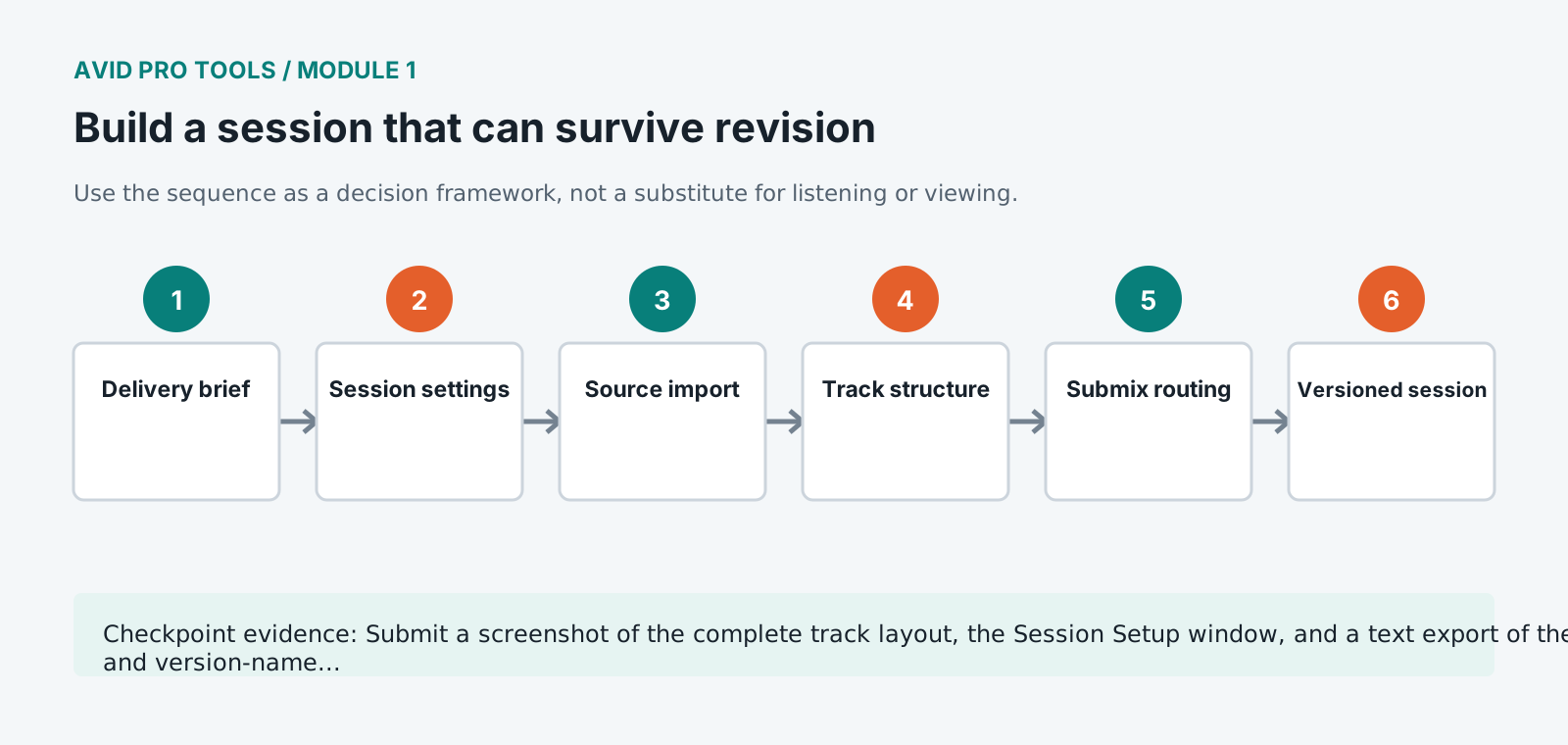
Read the delivery brief and write down sample rate, bit depth, channel layout, file type, loudness target, and required stems.
- 2
Copy the practice pack into the shared foundation folder structure and verify its manifest before launching Pro Tools.
- 3
Create a blank session using WAV, 24-bit, 48 kHz, interleaved audio, and a project location inside 03_PROJECT.
- 4
Open Session Setup and confirm the timebase and start time before importing any media.
- 5
Import source audio with Copy rather than Add so the session has a controlled Audio Files folder.
- 6
Create dialogue, host, music, effects, room-tone, and print tracks. Add dialogue, music, and effects aux submixes.
- 7
Name and color tracks by role, not by person or temporary clip name, then place section markers from the transcript.
- 8
Route every source through a named submix to the main output and test the path with solo, mute, and meter activity.
- 9
Save as title_EDIT_student_v01 and create a v02 milestone after the structure passes inspection.
Independent challenge / 45-60 minutes
Prove the principle
Rebuild the session from an empty template without looking at the demonstration. Compare routing, naming, and import choices against the supplied session map.
Portfolio checkpoint
Evidence to retain
Submit a screenshot of the complete track layout, the Session Setup window, and a text export of the routing and version-name rationale.
Store this evidence in 01_ADMIN/checkpoints/module-1 and include it in the final decision log.
Failure modes
Diagnose before retrying
Audio plays at the wrong speed or pitch
Stop and compare source and session sample rates. Re-import from the untouched source using the correct conversion choice.
Imported files are offline after moving computers
Use Copy on import or Save Copy In with all audio files. Avoid references to Downloads or removable temporary locations.
A track meters but cannot be heard
Trace input, inserts, sends, track output, aux input, aux output, monitor path, and hardware output in that order.
Working vocabulary
Terms you must be able to explain
- session
- The Pro Tools project document and its associated settings and media references.
- clip
- A reusable reference to all or part of a media file.
- timebase
- The ruler basis that determines whether material follows samples, timecode, or musical bars and beats.
- aux input
- A routing and processing track used for submixes, returns, and monitoring paths.
Primary sources
Verify current behavior
- Pro Tools Reference Guide
- Pro Tools documentation
Lesson reviewed 2026-07-13. Verify menus and shortcuts against the lab release.
Failure in practice
Where this goes wrong
Build the session expecting revision, because revision always arrives. Playlists preserving earlier versions of a track, consistent naming and a clear separation between working and delivered material cost a little discipline and save the situation where a client asks to go back to how it was last week.
Set the session up before importing anything. Sample rate, bit depth and start timecode chosen after material is already in place mean conversions, and conversions applied inconsistently across a session are the source of sync errors that appear later and take a long time to diagnose.
Reopen the session from a copy in a different location before doing real work. Sessions become unportable early and invisibly, and finding out now costs nothing.