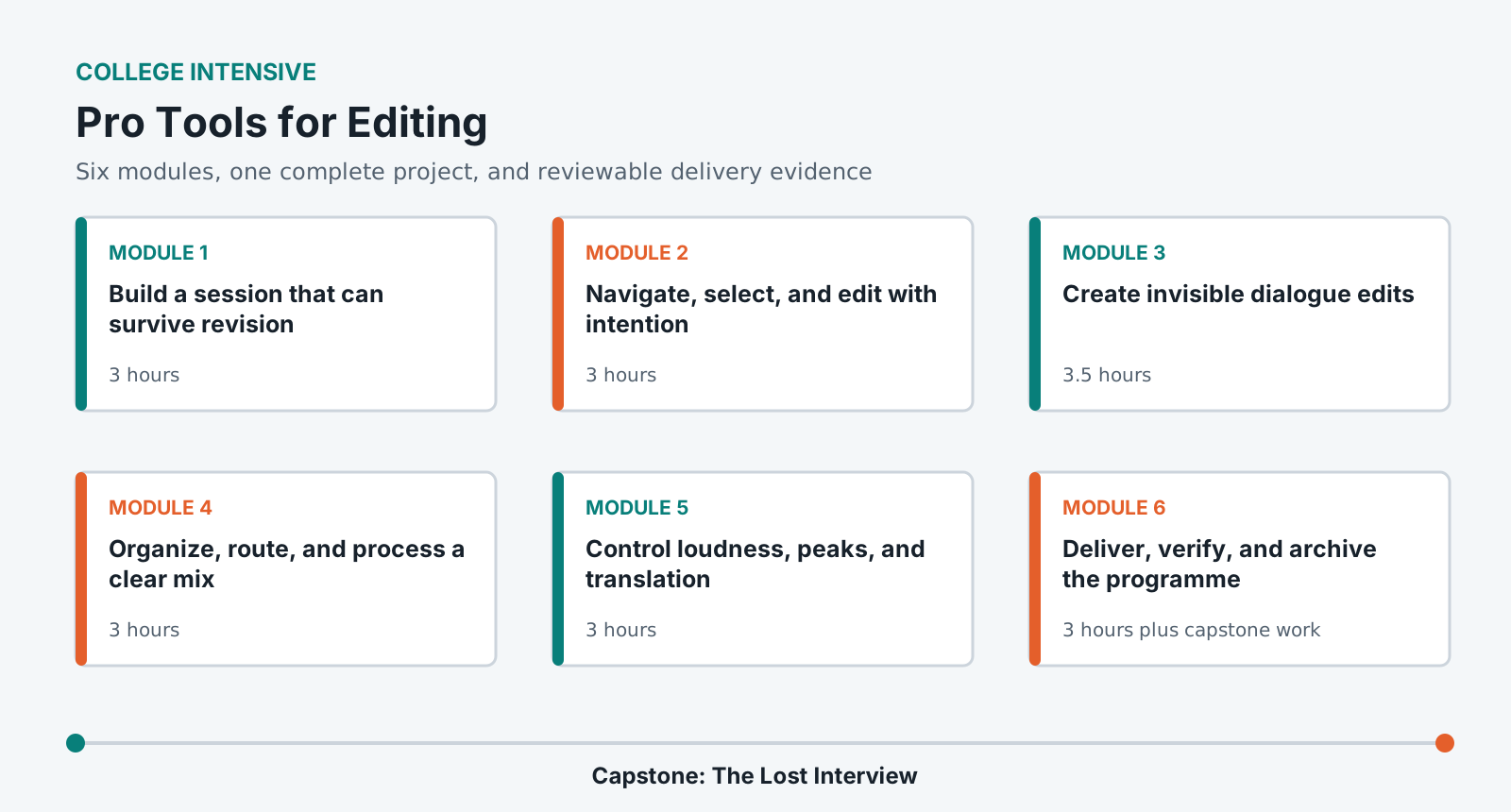
Learn Pro Tools as an editorial system: organize a session, make precise nondestructive edits, build continuity, route and automate a clear mix, and deliver a verified package.
LevelBeginner
Time24-28 hours
Structure6 modules + capstone
AssessmentPortfolio rubric
Completed outcome
Edit and deliver a polished 6-8 minute dialogue-led audio production from raw recordings.
What you will be able to do
Build a technically correct Pro Tools session from a delivery brief.
Edit dialogue using selections, modes, fades, clip gain, playlists, and room tone.
Organize tracks and routing so another editor can continue the work.
Use automation and restrained processing to preserve clarity and continuity.
Bounce, inspect, document, consolidate, and archive a finished programme.
Lab access and prerequisites
Current institution-supported Pro Tools Studio or Ultimate installation.
Closed-back headphones and an audio interface or approved lab monitoring path.
At least 15 GB of working storage and permission to write to the lab project drive.
No prior Pro Tools experience is required. Basic computer file handling is expected.
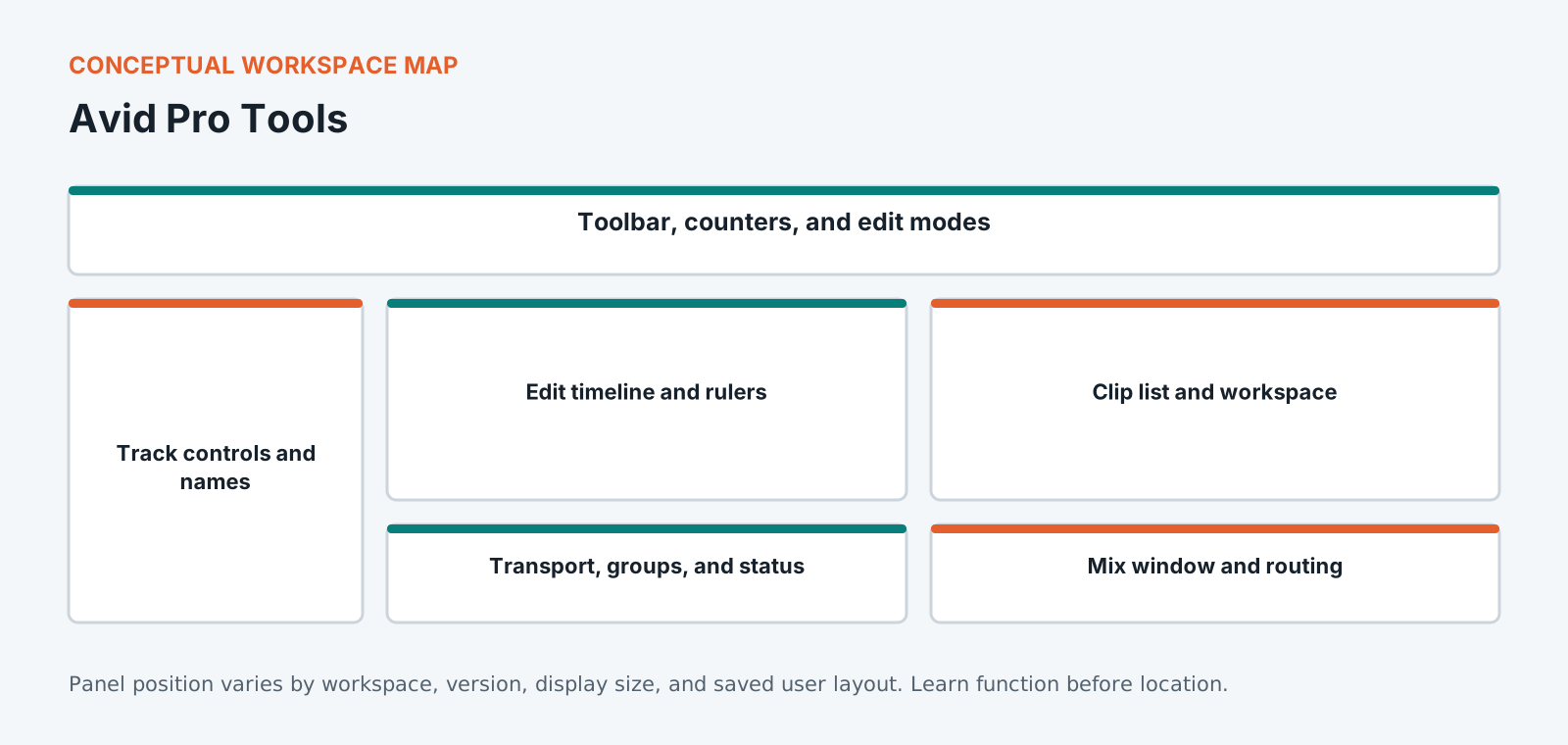
Know the workspace by function
This original diagram is intentionally version-neutral and does not imitate a proprietary application screenshot.
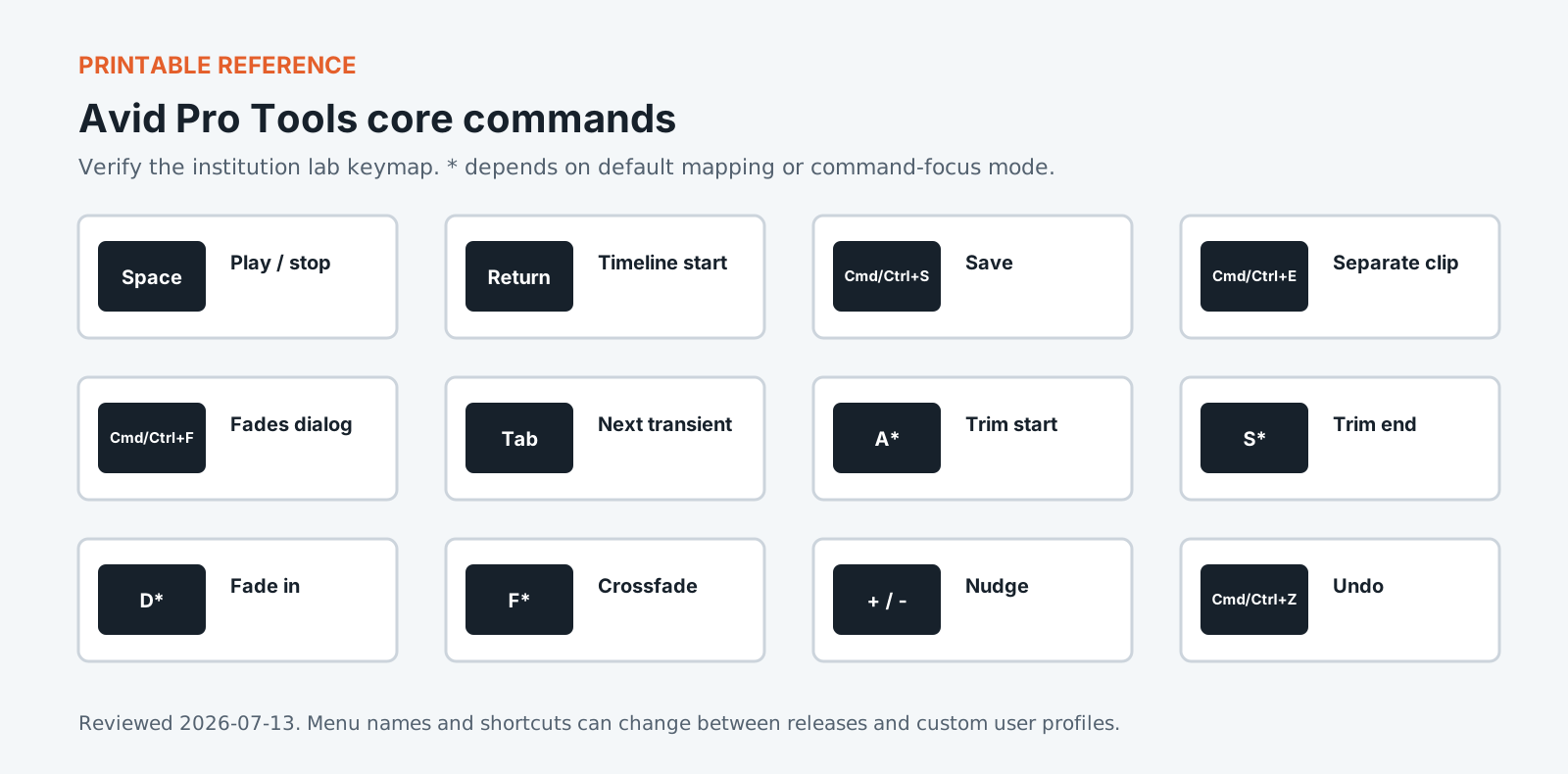
Version policy: concepts are version-neutral. Interface labels and shortcuts are verified against the institution-supported release and reviewed each academic term.
Required common orientation / 75 minutes
Professional Media Workflow Foundation
A reusable orientation to the habits that keep creative projects reproducible, reviewable, accessible, and safe to hand off.
Finish the project by creating masters and stems, inspecting the exported files, cleaning the session, and packaging enough evidence for handoff and archive.
Create correctly named masters and reconstructable stems.
Perform content and technical QC on exported files.
Consolidate and archive a session without missing media.
Standardized coursework pack
The Lost Interview editing pack
Dialogue takes, host links, room tone, wild lines, music stems, production notes, transcript, loudness brief, and intentional edit faults. Approximately 2 GB after copying the source WAV files.
Media access: the downloadable files define the required rights-cleared pack, checks, and evidence. Large application media must be distributed by the institution through its licensed learning or storage system.
Pro Tools is the room standard in post-production audio, and the reason is handover rather than features. A session built in one suite has to open in another with its media, routing and versions intact, and this expectation shapes how the application works. Playlists keep alternate takes attached to the track rather than scattered across a timeline. Clip gain sits apart from fader automation so a level decision made during editing survives the mix. This course treats the session file as the deliverable it is in professional work. You will spend as much effort on naming, consolidating and relinking as on the edits themselves, because an edit nobody else is able to open is unfinished work regardless of how it sounds.
Portfolio assessment
Capstone: The Lost Interview
Transform supplied raw dialogue, links, music, effects, and room tone into a coherent 6-8 minute programme that preserves speaker meaning and meets the supplied stereo delivery specification.
Submit
Native Pro Tools session with copied audio
48 kHz/24-bit stereo WAV master
Dialogue, music, and effects stems
Edit decision log and removed-claim log
Measurement and three-system translation report
Archive manifest and five-minute walkthrough
Constraints
Do not use noise reduction to conceal unresolved edits.
Do not reorder claims in a way that changes meaning.
Keep all final paths reconstructable from the supplied stems.
Complete one blind handoff test before submission.
100-point portfolio rubric for Pro Tools for Editing
Criterion
Weight
Creative and editorial judgment
25
Technical execution
25
Workflow organization
15
Application fluency
15
Delivery and quality control
15
Documentation and reflection
5
What counts as strong evidence under each criterion, and what sends it back for revision, is set out in full on the shared foundation. The same wording ships with this course as rubric.csv.
Read 21 September 2026
Sources
The vendor documents below were read. The course teaches menus and shortcuts, and software changes them between versions, so confirm a menu path against the vendor's current documentation before you rely on it. For the software documents only the title, version and date were read.
Pro Tools Reference Guide. The title page reads Pro Tools Reference Guide Version 2025.12, published by Avid Technology.
Pro Tools documentation. Avid's Pro Tools learn and support page returned an error when checked, so it is named here and not linked.
Machine translation provided by Google Translate, on Google’s servers. We do not check these translations and they will get technical terms wrong. The English page is the authoritative one. Following a link sends this page’s address to Google. Your browser may also offer to translate this page itself, which keeps the request on your device.