By the end of this module
- Build transparent dialogue, music, and effects submixes.
- Use automation to solve programme changes.
- Apply EQ and compression only after identifying a specific problem.
Core knowledge
Principles before controls
Balance is the first processor
Fader level, clip gain, arrangement, and mute decisions often solve more than an insert.
Submixes create control and evidence
Role-based auxes make it possible to monitor, meter, print, and deliver stems consistently.
Automation represents decisions over time
Write deliberate changes for entrances, exits, emphasis, and transitions rather than setting one static balance.
Processing should have an audible purpose
Level-match bypass comparisons and remove any processor that does not improve the stated problem.
Guided build / approximately 90-120 minutes
Build it in the application
- 1
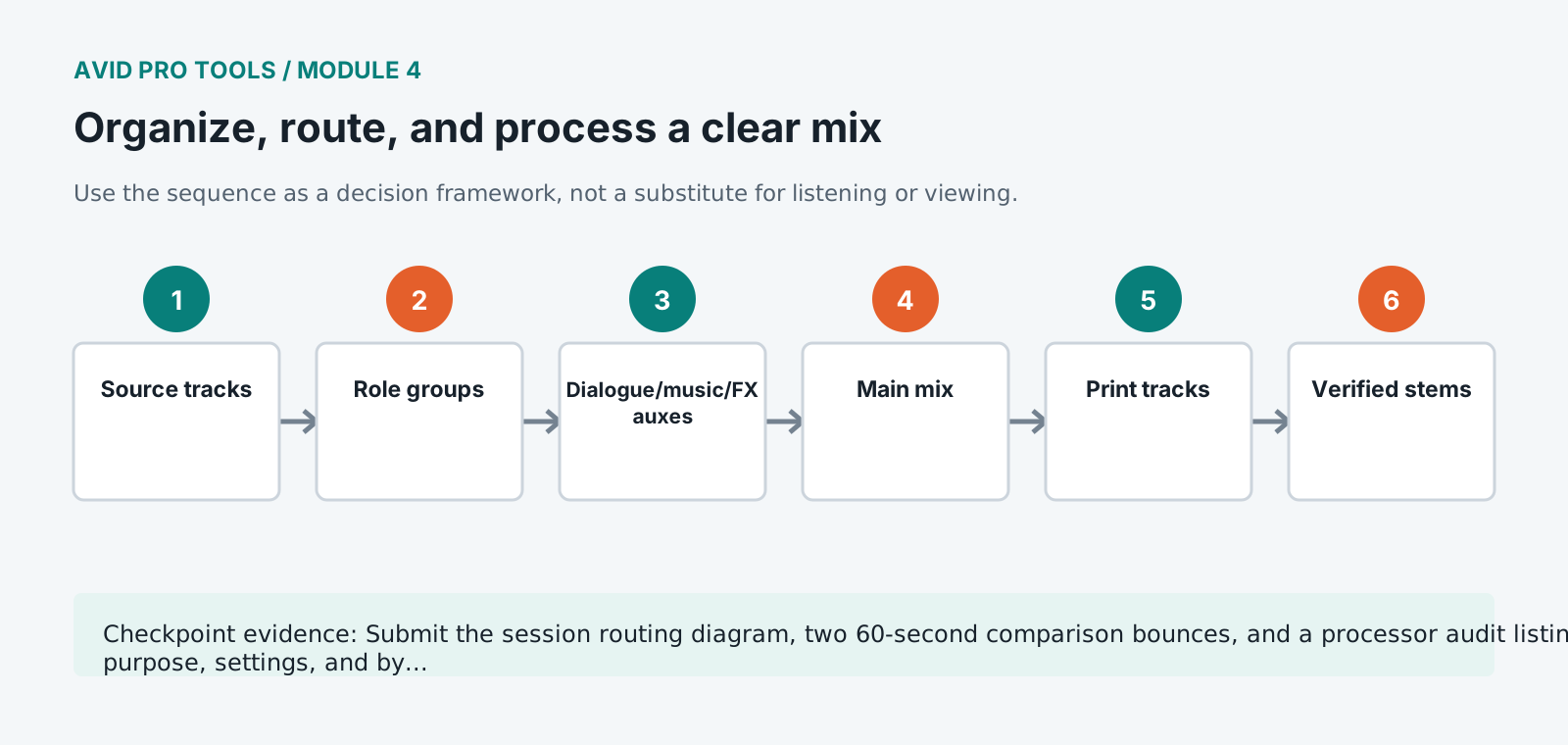
Clean the track list, remove unused duplicates, commit final names, and place tracks in dialogue, music, effects, and print order.
- 2
Create edit groups for related clips and mix groups only where linked controls will remain useful.
- 3
Route source tracks to role-based auxes and the auxes to the main mix. Reserve sends for shared effects and alternate feeds.
- 4
Set an initial static balance at a fixed monitor level, beginning with dialogue and adding music and effects around it.
- 5
Use high-pass filtering or narrow corrective EQ only where listening and spectrum evidence identify a problem.
- 6
Apply gentle dialogue compression after clip gain has stabilized phrases. Level-match bypass before deciding to keep it.
- 7
Automate music and effects around speech using breakpoints and preview passes rather than excessive compression.
- 8
Print dialogue, music, effects, and full-mix paths to named audio tracks and verify that each stem reconstructs the mix.
Independent challenge / 45-60 minutes
Prove the principle
Create two mix versions: editorially transparent and intentionally dramatic. Keep routing identical and explain the automation decisions that create the difference.
Portfolio checkpoint
Evidence to retain
Submit the session routing diagram, two 60-second comparison bounces, and a processor audit listing purpose, settings, and bypass result.
Store this evidence in 01_ADMIN/checkpoints/module-4 and include it in the final decision log.
Failure modes
Diagnose before retrying
The mix gets louder when stems are combined
Check duplicate routing, sends feeding the main bus, and whether printed stems are being monitored alongside live paths.
Automation is ignored
Verify automation mode, parameter enable state, suspension controls, and whether clip gain is being confused with volume automation.
Compression pumps on room noise
Return to clip gain and edit continuity, reduce the detector's workload, and use slower or gentler settings.
Working vocabulary
Terms you must be able to explain
- submix
- A combined signal path for a role such as dialogue, music, or effects.
- send
- A parallel routing control that feeds another path while preserving the main output.
- automation mode
- The rule controlling how parameter changes are read or written over time.
- gain staging
- Managing signal levels through consecutive stages to preserve headroom and predictable processing.
Primary sources
Verify current behavior
- Pro Tools Reference Guide
- Pro Tools documentation
Lesson reviewed 2026-07-13. Verify menus and shortcuts against the lab release.
Failure in practice
Where this goes wrong
Route before you process. Deciding which material shares a bus, and putting shared processing there rather than on individual tracks, means one adjustment instead of twelve and a mix that stays coherent when something changes. Sessions processed track by track become unmaintainable at exactly the point they get complicated.
Organisation is a mixing tool rather than housekeeping. Consistent track order, colour and naming let you find the thing you want to change while you are still hearing the problem, and a disorganised session means the thought is gone by the time you locate the fader.
Solo each bus in turn and check it makes sense alone. A routing structure where every group is coherent by itself is one that stays workable when the mix gets complicated.