By the end of this module
- Choose edit points that preserve meaning and performance.
- Construct click-free boundaries and continuous backgrounds.
- Use clip gain before dynamics processing to control phrase-level variation.
Core knowledge
Principles before controls
Performance comes before waveform neatness
Choose takes for meaning, intention, timing, and emotional continuity. Waveforms help locate options but do not judge a performance.
Background continuity reveals edits
Room tone, microphone noise, and reverberation must remain plausible across cuts. Silence is often more conspicuous than noise.
Fades solve boundaries, not stories
A crossfade can smooth a transition, but it cannot repair contradictory cadence, perspective, or ambience.
Clip gain is editorial gain
Use clip gain to establish stable phrase relationships before compressors and limiters react to the programme.
Guided build / approximately 90-120 minutes
Build it in the application
- 1
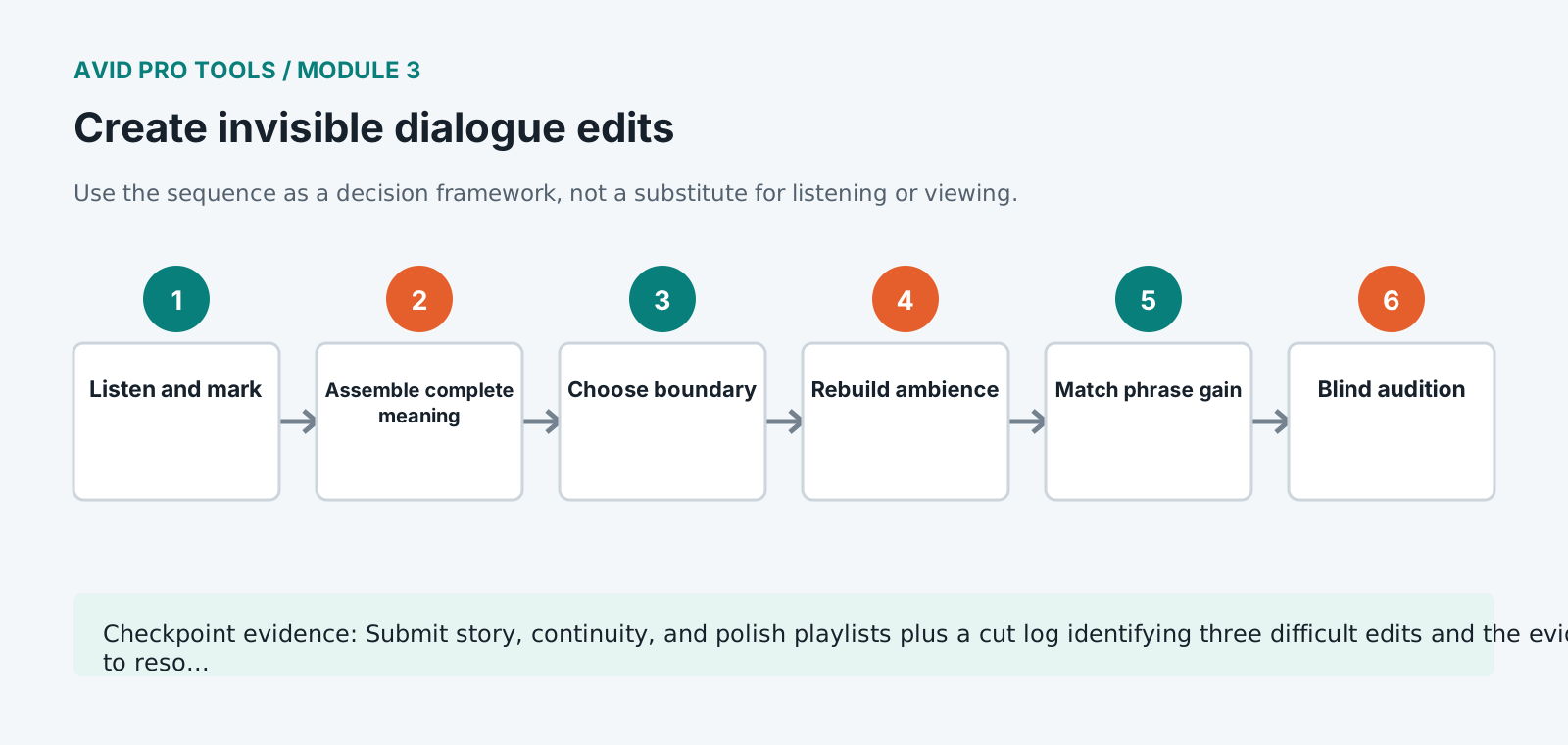
Listen to all interview takes without editing and mark complete, alternate, damaged, and preferred passages.
- 2
Create a selects playlist and assemble the strongest complete account before removing repetition or hesitation.
- 3
Cut between words at stable ambience or within sustained sounds. Avoid cutting breaths in ways that alter intention.
- 4
Add short equal-power or equal-gain fades according to the boundary and audition with headphones at normal level.
- 5
Build continuous room tone on a dedicated track, using varied sections so repeated noise patterns do not become audible.
- 6
Preserve or replace breaths intentionally and keep pauses long enough for comprehension and natural thought.
- 7
Use clip gain to match adjacent phrases, then compare against the unadjusted playlist at matched monitor level.
- 8
Listen once without watching the screen and mark every point that calls attention to the edit.
- 9
Run a second pass on small speakers and repair edits that disappear on headphones but fail in open playback.
Independent challenge / 45-60 minutes
Prove the principle
Reduce a 12-minute interview assembly to 6-8 minutes without changing the speaker's meaning. Keep a cut log for every removed claim or reordered idea.
Portfolio checkpoint
Evidence to retain
Submit story, continuity, and polish playlists plus a cut log identifying three difficult edits and the evidence used to resolve them.
Store this evidence in 01_ADMIN/checkpoints/module-3 and include it in the final decision log.
Failure modes
Diagnose before retrying
A click remains after adding a fade
Move the boundary away from a transient or DC offset, lengthen the fade slightly, and inspect both sides at sample level.
Room tone sounds looped
Use longer varied sections, alternate sources, and crossfade boundaries outside prominent events.
Words sound rushed after removing pauses
Restore cognitive and breath space. Judge syntax and performance rather than optimizing duration alone.
Working vocabulary
Terms you must be able to explain
- room tone
- The characteristic background sound of a recording location and microphone position.
- playlist
- An alternate sequence of clips on a track, commonly used for takes and edit versions.
- crossfade
- An overlap in which one clip fades out while another fades in.
- clip gain
- Gain stored with a clip and applied before most mixer processing.
Primary sources
Verify current behavior
- Pro Tools Reference Guide
- Pro Tools documentation
Lesson reviewed 2026-07-13. Verify menus and shortcuts against the lab release.
Failure in practice
Where this goes wrong
Room tone is what makes a dialogue edit invisible. Cutting between takes recorded moments apart still produces an audible change if the background stops and starts, and a continuous layer of the room underneath removes the joins. Record it on location, because it cannot be convincingly recreated.
Crossfade length is a judgement rather than a default. Short fades preserve consonants and can click, long fades smooth the join and blur speech. Placing the edit at a natural boundary in the performance matters more than the fade, and a well-placed cut needs very little fade at all.
Listen to the edited dialogue with your eyes closed. Removing the picture takes away the context your brain uses to excuse a join, and every remaining edit you notice is one to smooth.