By the end of this module
- Synchronize camera and production sound with independent evidence.
- Create usable groups and subclips with stable naming.
- Connect script, continuity, and performance notes to editorial sources.
Core knowledge
Principles before controls
Sync needs two forms of evidence
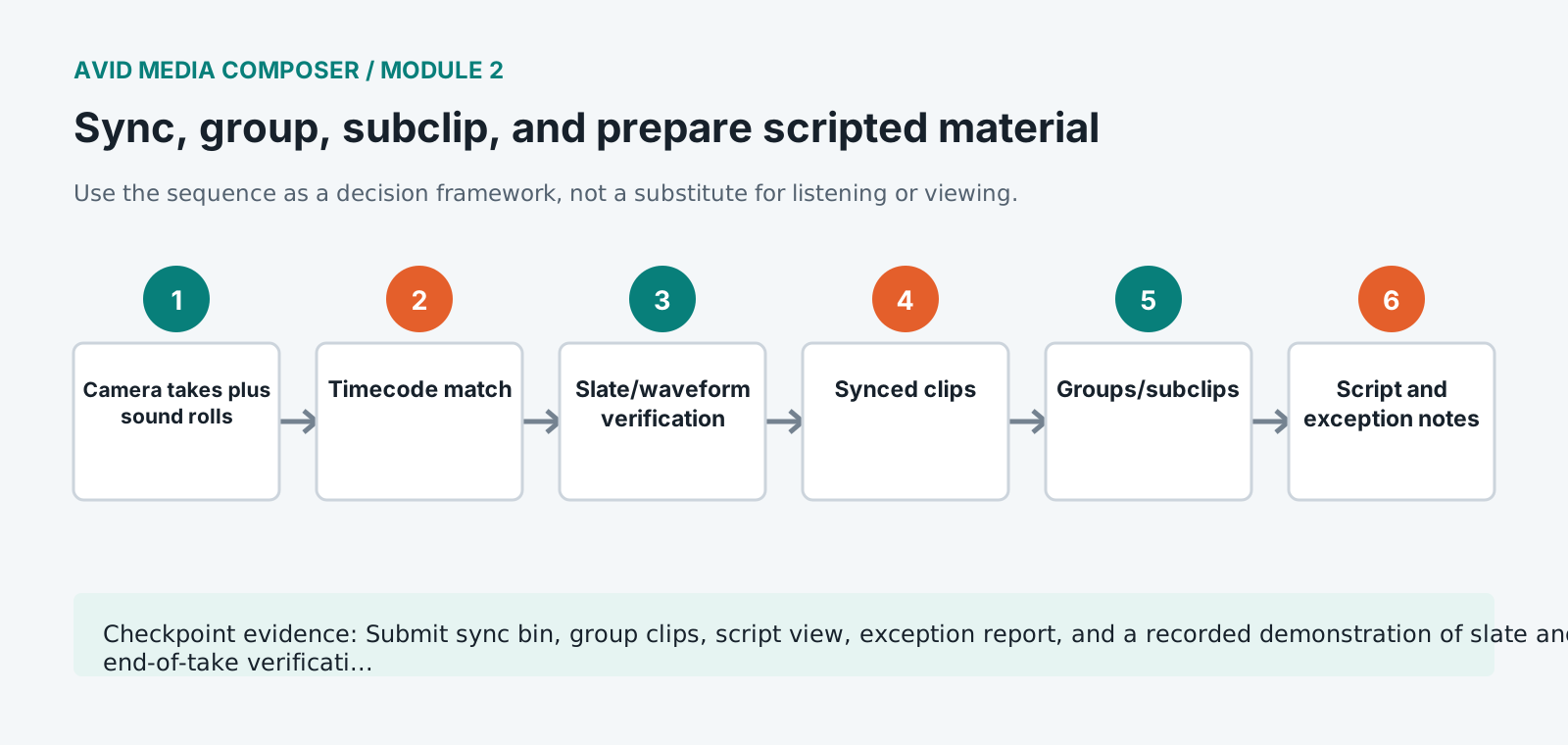
Timecode can automate placement, but slate closure, visible action, waveform, camera scratch, and drift checks verify the result.
Groups preserve camera options
Multicamera or multigroup structures should keep source angles, production sound, and metadata available without flattening prematurely.
Subclips should serve editorial thinking
Scene, setup, take, line, action, and select subclips can accelerate work, but source masters and handles must remain available.
The script is a navigation system
Lined pages, continuity notes, circled takes, pickups, resets, and performance notes connect production intent to actual dailies.
Guided build / approximately 90-120 minutes
Build it in the application
- 1
Compare camera and sound reports, reconcile missing or contradictory slate information, and mark unresolved items.
- 2
Sync a take by matching production timecode, then verify slate closure and waveform against camera scratch audio.
- 3
Sync a second take without matching timecode using slate frame and waveform evidence, recording the offset method.
- 4
Check beginning and end of long takes for drift and diagnose rate, clock, or source problems before applying a workaround.
- 5
Build synchronized subclips or AutoSync results with production sound channel names preserved.
- 6
Create a group clip for the multicamera setup using the approved sync method and verify every angle and audio mapping.
- 7
Name clips consistently by scene, slate/setup, take, camera where needed, and status without destroying source names.
- 8
Add script, continuity, circled-take, line, and quality notes in columns and Script Integration or the approved script workflow.
- 9
Screen representative sync and group material and export a sync exception report.
Independent challenge / 45-60 minutes
Prove the principle
Prepare a scene containing jam-synced cameras, one manually slated pickup, a drifting recorder file, and a mislabeled take. Preserve evidence for every resolution.
Portfolio checkpoint
Evidence to retain
Submit sync bin, group clips, script view, exception report, and a recorded demonstration of slate and end-of-take verification.
Store this evidence in 01_ADMIN/checkpoints/module-2 and include it in the final decision log.
Failure modes
Diagnose before retrying
Sync is correct at slate but drifts later
Check actual sample/frame rates, variable-rate sources, clocking, pull settings, and whether the wrong source version was used.
Production channels disappear in group clips
Review AutoSync/group audio choices, source channel mapping, track count, and group update method.
Subclip names break conform metadata
Keep source master metadata intact and place editorial naming in the appropriate clip-name or custom fields without rewriting reel/source identity.
Working vocabulary
Terms you must be able to explain
- AutoSync
- A process combining picture and sound sources into synchronized editorial clips.
- group clip
- A synchronized source containing multiple camera angles or related tracks.
- slate
- Recorded production identification and a visual/audible synchronization event.
- circled take
- A take identified during production as preferred, not automatically the editorial choice.
Primary sources
Verify current behavior
Lesson reviewed 2026-07-13. Verify menus and shortcuts against the lab release.
Failure in practice
Where this goes wrong
Syncing by timecode is reliable only when the timecode was reliable. Cameras and recorders drift apart across a day unless they were jammed regularly, so a batch sync that looks correct at the start of a roll can be frames out by the end. Spot-check the tail of each roll rather than the head.
Group clips are worth building even for scenes shot with two cameras. The benefit is not the multicam display. It is that every angle of a moment lives behind one selection, so switching angles later costs nothing. Editors who skip this on small scenes end up rebuilding it when a note asks for a different angle.
Play the tail of every synced roll rather than the head. Drift accumulates through a take, so a sync that looks correct at the start and has separated by the end is the failure this check exists to catch.