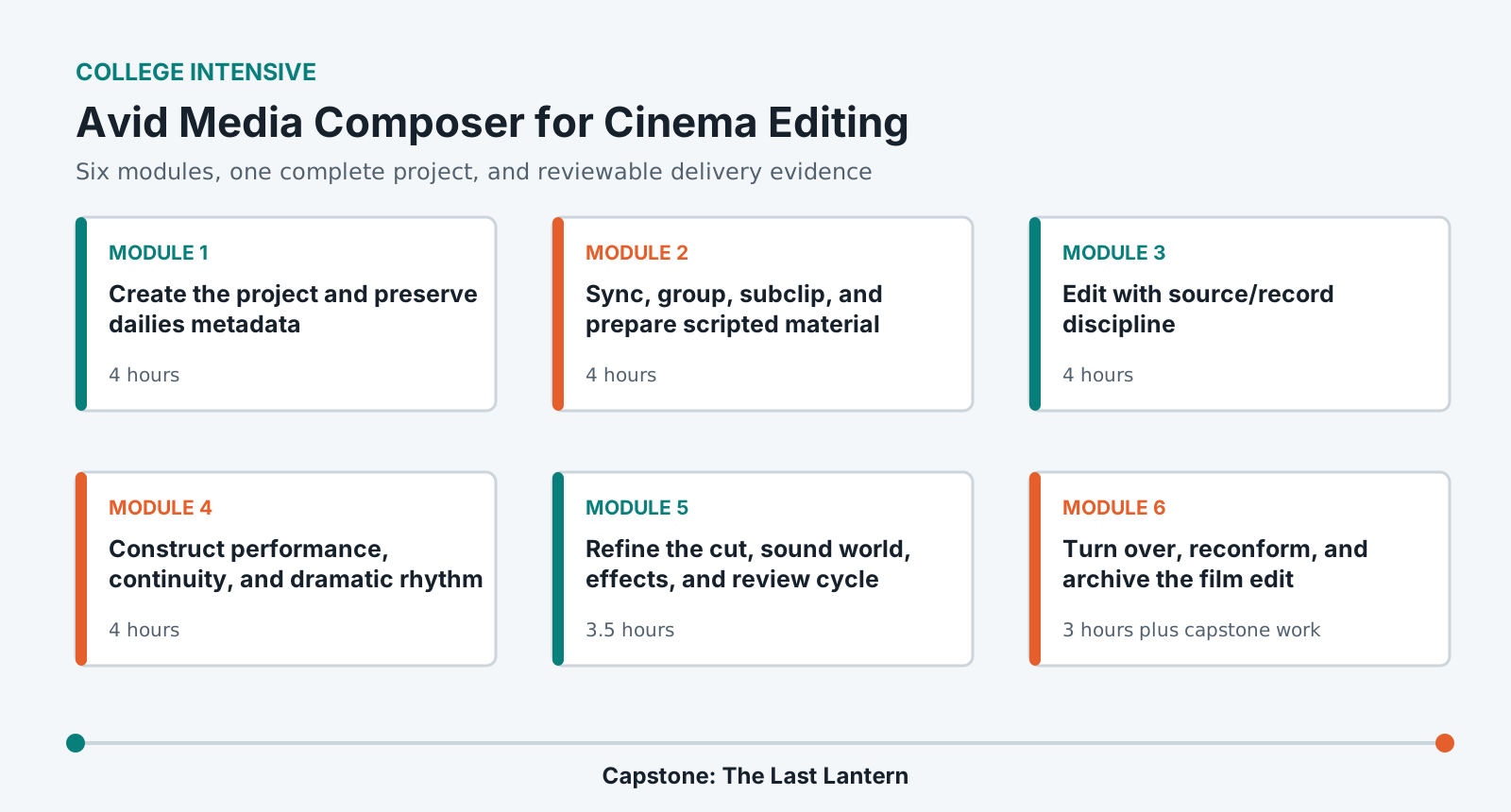
Learn Media Composer through the scripted cinema pipeline: project formats, dailies, metadata, sync, source/record editing, trim, performance construction, scene refinement, screenings, turnovers, conform evidence, and archive.
LevelBeginner
Time27-30 hours
Structure6 modules + capstone
AssessmentPortfolio rubric
Completed outcome
Organize dailies and complete a 4-6 minute dramatic short-film sequence with an assistant-editor log and offline-to-online turnover.
What you will be able to do
Prepare an Avid project and dailies workflow from a post-production plan.
Preserve metadata while linking, transcoding, syncing, grouping, and subclipping.
Edit efficiently using source/record, track selection, keyboard, and Trim Mode.
Construct performance, continuity, point of view, rhythm, and scene progression.
Prepare a traceable turnover and archive that can reconnect to camera originals.
Lab access and prerequisites
Current institution-supported Avid Media Composer 2025.x or later tested release.
Approved project storage and at least 120 GB for camera originals, editorial media, renders, and turnovers.
Closed-back headphones and an institution-approved Rec. 709 viewing path.
No prior Media Composer experience is required.
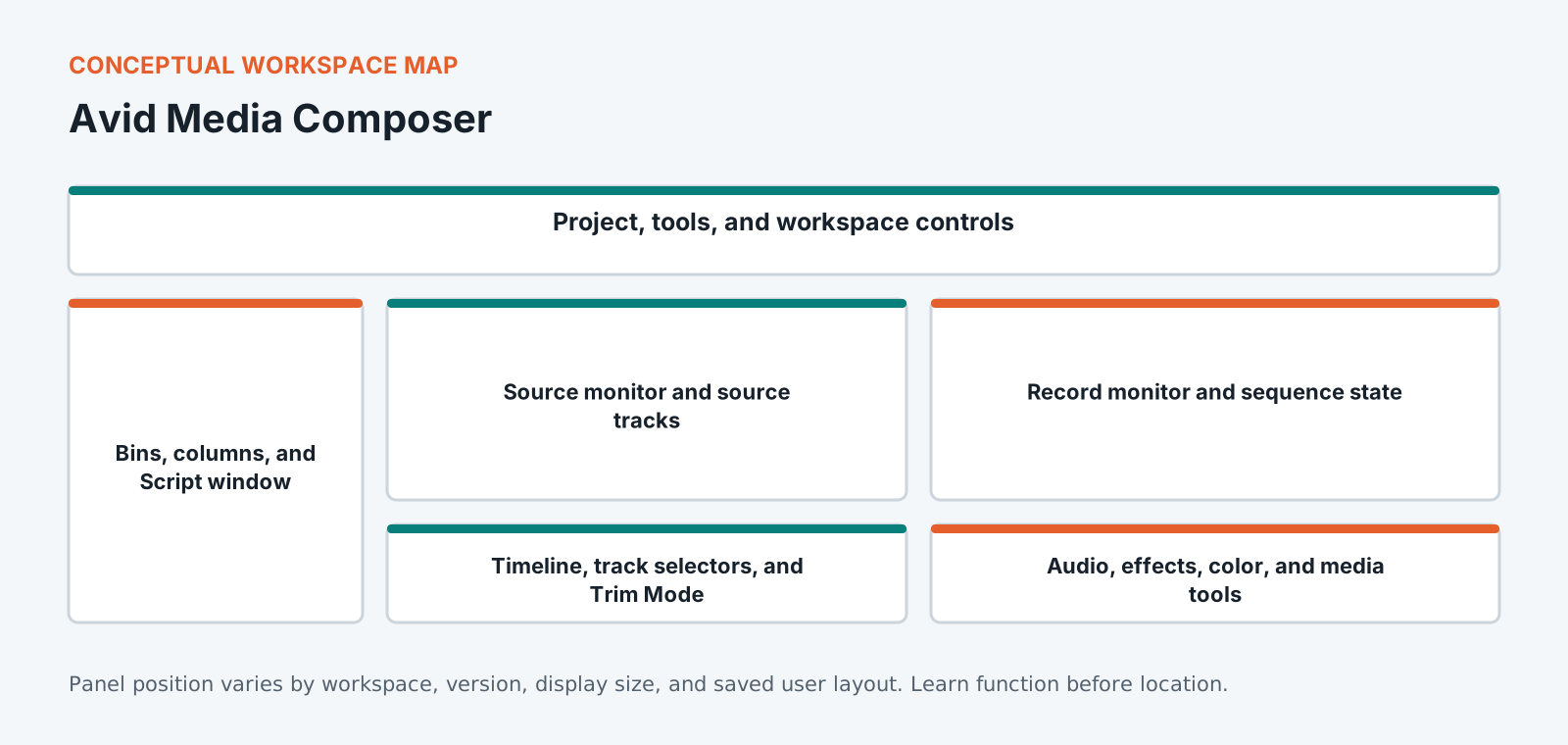
Know the workspace by function
This original diagram is intentionally version-neutral and does not imitate a proprietary application screenshot.
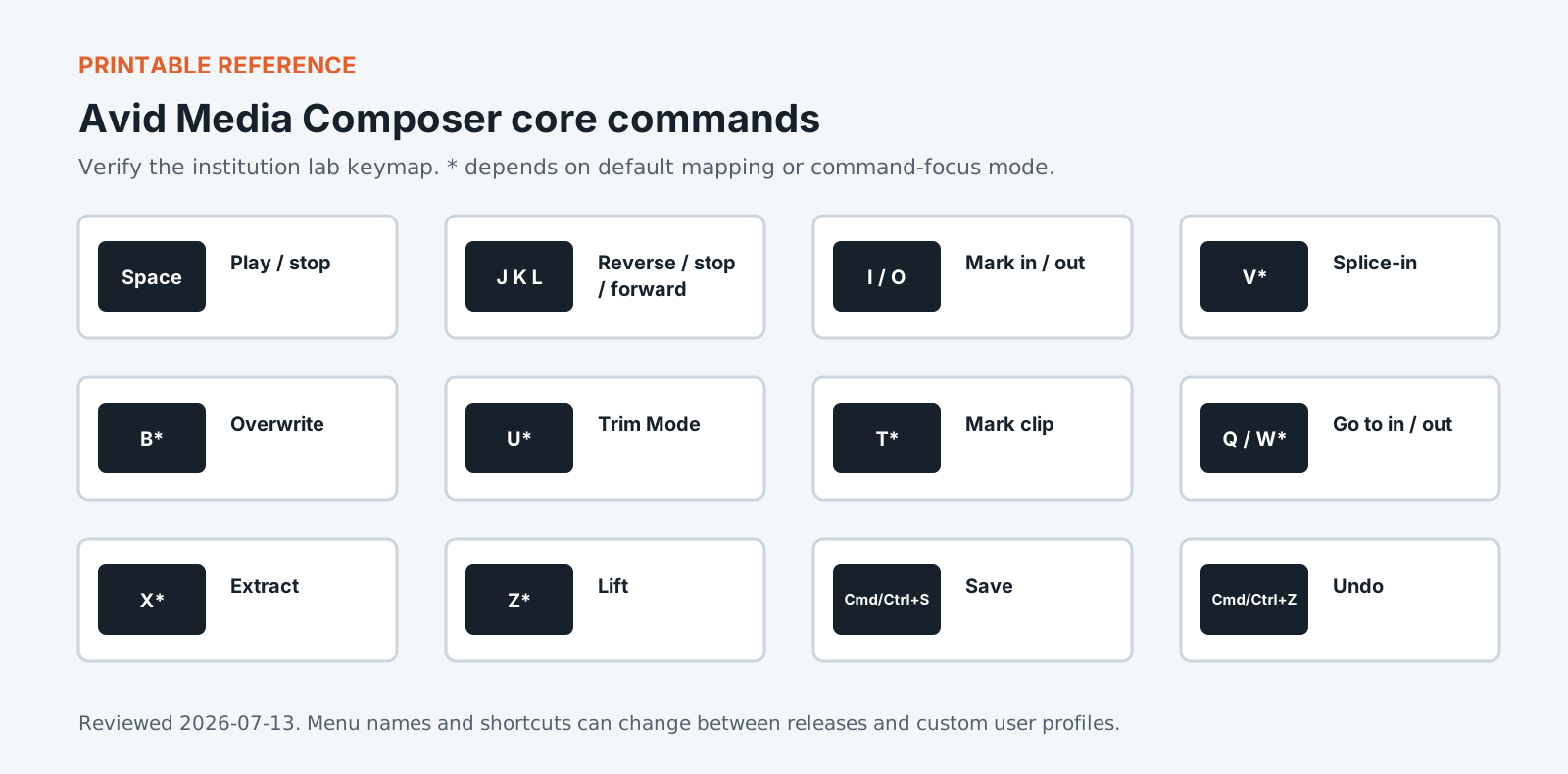
Version policy: concepts are version-neutral. Interface labels and shortcuts are verified against the institution-supported release and reviewed each academic term.
Required common orientation / 75 minutes
Professional Media Workflow Foundation
A reusable orientation to the habits that keep creative projects reproducible, reviewable, accessible, and safe to hand off.
Build the project from camera, sound, editorial, finishing, and delivery requirements; link and transcode dailies while keeping the metadata needed for conform.
Choose project format and raster from the post plan.
Link and transcode media without losing source identity.
Build bins, views, columns, and media storage that support assistant and editor work.
Turn picture and production sound into reliable editorial sources using slate evidence, timecode, waveforms, sync maps, groups, subclips, script notes, and quality checks.
Synchronize camera and production sound with independent evidence.
Create usable groups and subclips with stable naming.
Connect script, continuity, and performance notes to editorial sources.
Learn the Composer model, keyboard operation, patching, track selection, insert/overwrite, match frame, marking, and sequence construction through a first scene assembly.
Navigate bins, Source monitor, Record monitor, timeline, and command palette efficiently.
Perform controlled three-point insert and overwrite edits.
Maintain sync and track intent while building an assembly.
Move from working scene to reviewable cut using temporary sound, titles, effects, VFX placeholders, screening versions, notes, and disciplined revision.
Create a coherent temporary sound and picture presentation.
Track VFX and editorial effects without hiding source intent.
Run a review and revision cycle with traceable versions.
Prepare picture, sound, VFX, music, reference, and metadata turnovers from the approved offline, then prove that editorial decisions can reconnect to sources.
Clean and duplicate the approved sequence for each turnover.
Export traceable picture and sound interchange packages.
Test relink/reconform evidence and create a usable archive.
Standardized coursework pack
The Last Lantern cinema dailies pack
Camera-original extracts, sound rolls, dailies transcodes, LUT notes, slates, script and lined-script pages, continuity notes, camera reports, sound reports, scene brief, temp music, VFX plates, and turnover specification. Approximately 105 GB including originals, DNx editorial media, renders, exports, and turnover copies.
Media access: the downloadable files define the required rights-cleared pack, checks, and evidence. Large application media must be distributed by the institution through its licensed learning or storage system.
Media Composer keeps its place in feature cutting rooms for reasons looking like inconveniences from the outside. Media is managed rather than linked casually, bins are a database rather than a folder, and the application is strict about what it will let you do. On a project running eighteen months with several editors and tens of thousands of clips, strictness is the feature. This course works the way a cutting room does: organising material so a scene stays findable months later, building and revising sequences without losing earlier versions, and preparing a turnover another department is able to act on. The editing itself is the smaller half. Most of the course is about staying in control of a project too large to hold in your head.
Portfolio assessment
Capstone: The Last Lantern
Prepare dailies and edit a 4-6 minute dramatic scene in which a character's apparent objective changes, then deliver a traceable offline-to-online package.
Submit
Organized Media Composer project and dailies bins
Approved scene and labeled screening reference
Sync, metadata, script, and assistant-editor reports
Archive manifest, change log, and five-minute walkthrough
Constraints
Preserve source metadata required for conform.
Use production performance and point of view before temporary music.
Document every effect or reframe requiring finishing attention.
Test the turnover and archive with a blind recipient.
100-point portfolio rubric for Avid Media Composer for Cinema Editing
Criterion
Weight
Creative and editorial judgment
25
Technical execution
25
Workflow organization
15
Application fluency
15
Delivery and quality control
15
Documentation and reflection
5
What counts as strong evidence under each criterion, and what sends it back for revision, is set out in full on the shared foundation. The same wording ships with this course as rubric.csv.
Read 21 September 2026
Sources
The vendor documents below were read. The course teaches menus and shortcuts, and software changes them between versions, so confirm a menu path against the vendor's current documentation before you rely on it. For the software documents only the title, version and date were read.
Media Composer 2025 documentation. Avid Knowledge Base, last updated 27 August 2026. It lists the documents for Media Composer 2025, including the v2025.x Editing Guide shown as updated 23 April 2026.
Machine translation provided by Google Translate, on Google’s servers. We do not check these translations and they will get technical terms wrong. The English page is the authoritative one. Following a link sends this page’s address to Google. Your browser may also offer to translate this page itself, which keeps the request on your device.