By the end of this module
- Choose takes and shot size based on dramatic function.
- Use dual-roller and single-roller trims precisely.
- Build continuity that supports rather than overrules performance.
Core knowledge
Principles before controls
Performance selection is relational
A strong line reading depends on the listening shot, prior beat, pause, reaction, and subsequent action.
Point of view is constructed
Shot order, size, duration, eyeline, sound, and withheld information determine whose experience organizes the scene.
Continuity serves comprehension
Screen direction, action match, eyeline, geography, props, and performance state matter, but an intentional break can be stronger than a lifeless match.
Trim is where scenes become precise
Dual-roller changes the boundary between shots. Single-roller changes one side and sequence duration. Dynamic trim turns listening into frame-level decision.
Guided build / approximately 90-120 minutes
Build it in the application
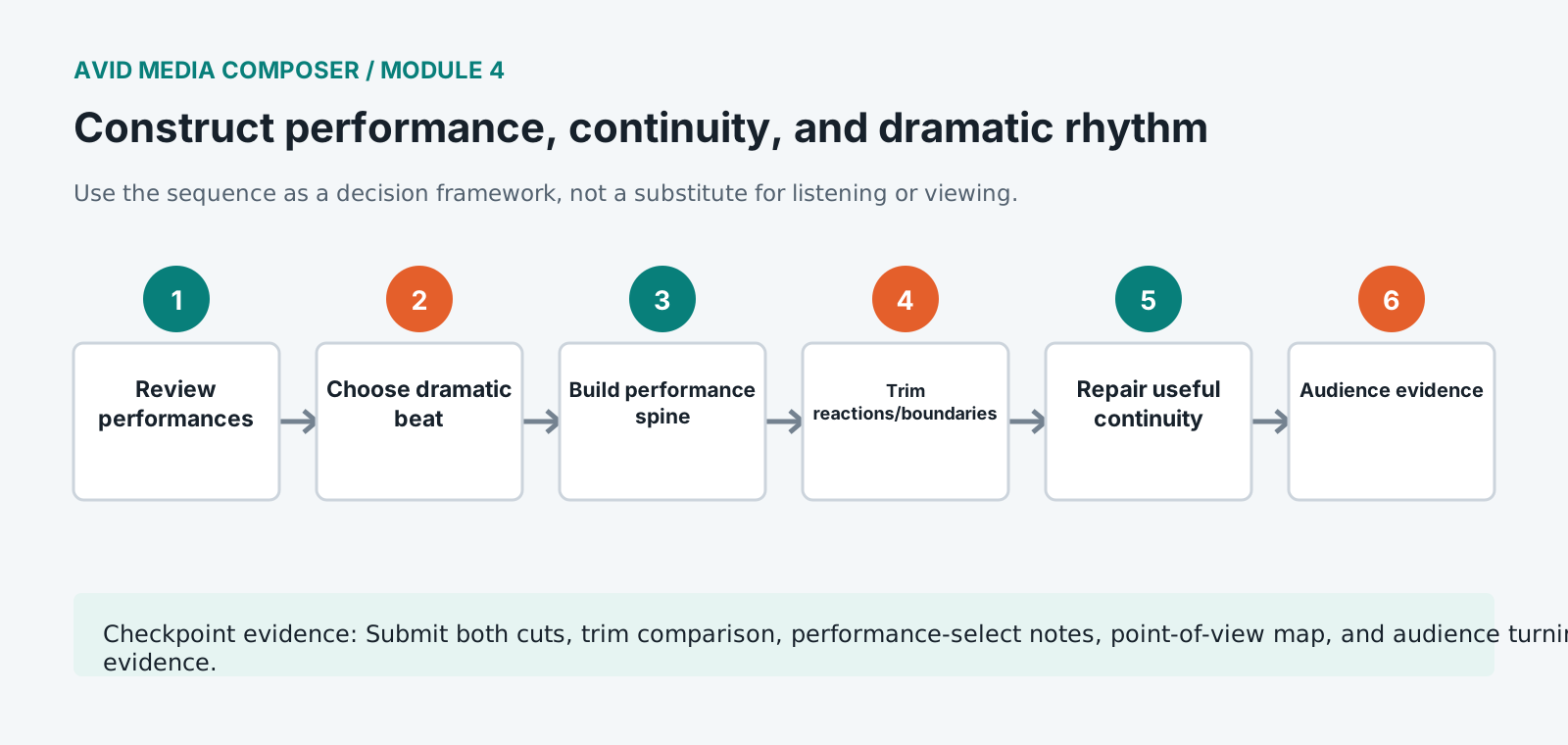
- 1
Watch all scene takes in script order and mark performance strengths, listening behavior, physical continuity, and technical limitations.
- 2
Choose a performance spine and identify the exact dramatic beat where the scene changes direction.
- 3
Build a complete performance-first cut before repairing visual continuity with inserts or alternate angles.
- 4
Enter Trim Mode at each boundary and compare outgoing/incoming performance using loop and JKL dynamic trim.
- 5
Use dual-roller trims to change emphasis without changing duration, then single-roller trims where pacing requires structural time change.
- 6
Shape point of view by deciding when to show speaker, listener, object, space, or withheld reaction.
- 7
Repair action and eyeline continuity only where the break distracts from story; document one intentional discontinuity.
- 8
Use production sound and room continuity to carry picture trims and preserve performance breaths.
- 9
Screen without pausing, collect written audience descriptions of the turning point, and revise any mismatch.
Independent challenge / 45-60 minutes
Prove the principle
Create actor-centered and suspense-centered cuts of the same scene. Use shot timing and point of view rather than music to create the distinction.
Portfolio checkpoint
Evidence to retain
Submit both cuts, trim comparison, performance-select notes, point-of-view map, and audience turning-point evidence.
Store this evidence in 01_ADMIN/checkpoints/module-4 and include it in the final decision log.
Failure modes
Diagnose before retrying
Every cut feels visible
Return to performance intention, reaction timing, sound continuity, and shot motivation rather than adding dissolves.
Continuity is perfect but scene feels flat
Prioritize dramatic beat, point of view, silence, and strongest performance over exhaustive matching.
Trim Mode affects the wrong side
Check selected rollers, active tracks, sync locks, linked selection, and whether asymmetric trim is enabled.
Working vocabulary
Terms you must be able to explain
- dual-roller trim
- A trim moving a shared edit point without changing total sequence duration.
- single-roller trim
- A trim changing one side of an edit and usually sequence duration.
- performance spine
- The principal take or performance arc supporting a scene assembly.
- point of view
- The perceptual and dramatic perspective organized by editorial choices.
Primary sources
Verify current behavior
Lesson reviewed 2026-07-13. Verify menus and shortcuts against the lab release.
Failure in practice
Where this goes wrong
Cutting on the best performance and cutting on the best continuity are usually different edits, and performance nearly always wins. Audiences forgive a cup that changed hands and do not forgive a line that feels false. Noting the continuity break rather than avoiding it is the professional habit, because visual effects or a cutaway can hide it later.
Rhythm is set by shot length relative to its neighbours rather than by absolute duration. A four second shot feels long after a run of one second shots and brief after a run of eight. Editing a scene while watching only the clip you are trimming is how a sequence ends up rhythmically flat despite every individual cut being defensible.
Watch the scene at double speed once. Pacing problems become obvious at speed in a way they resist at normal playback, because the shape of the scene is visible rather than the content of each shot.