By the end of this module
- Navigate bins, Source monitor, Record monitor, timeline, and command palette efficiently.
- Perform controlled three-point insert and overwrite edits.
- Maintain sync and track intent while building an assembly.
Core knowledge
Principles before controls
Source/record separates material from story
The Source monitor prepares what may enter. The Record monitor and timeline define the evolving sequence.
Splice-in and overwrite express different structural intent
Splice-in changes sequence duration; overwrite replaces an existing range. Use each deliberately.
Track patching is a routing decision
Source track selectors, record track selectors, sync locks, monitoring, and active tracks determine what enters and what moves.
Keyboard fluency protects attention
Mark, play, JKL, step, go-to, splice, overwrite, match frame, find bin, and trim commands keep focus on performance.
Guided build / approximately 90-120 minutes
Build it in the application
- 1
Load one take into Source and map Composer, timeline, track controls, position indicator, timecode displays, and command palette.
- 2
Create a scene assembly sequence with approved start timecode, track layout, filler policy, and naming.
- 3
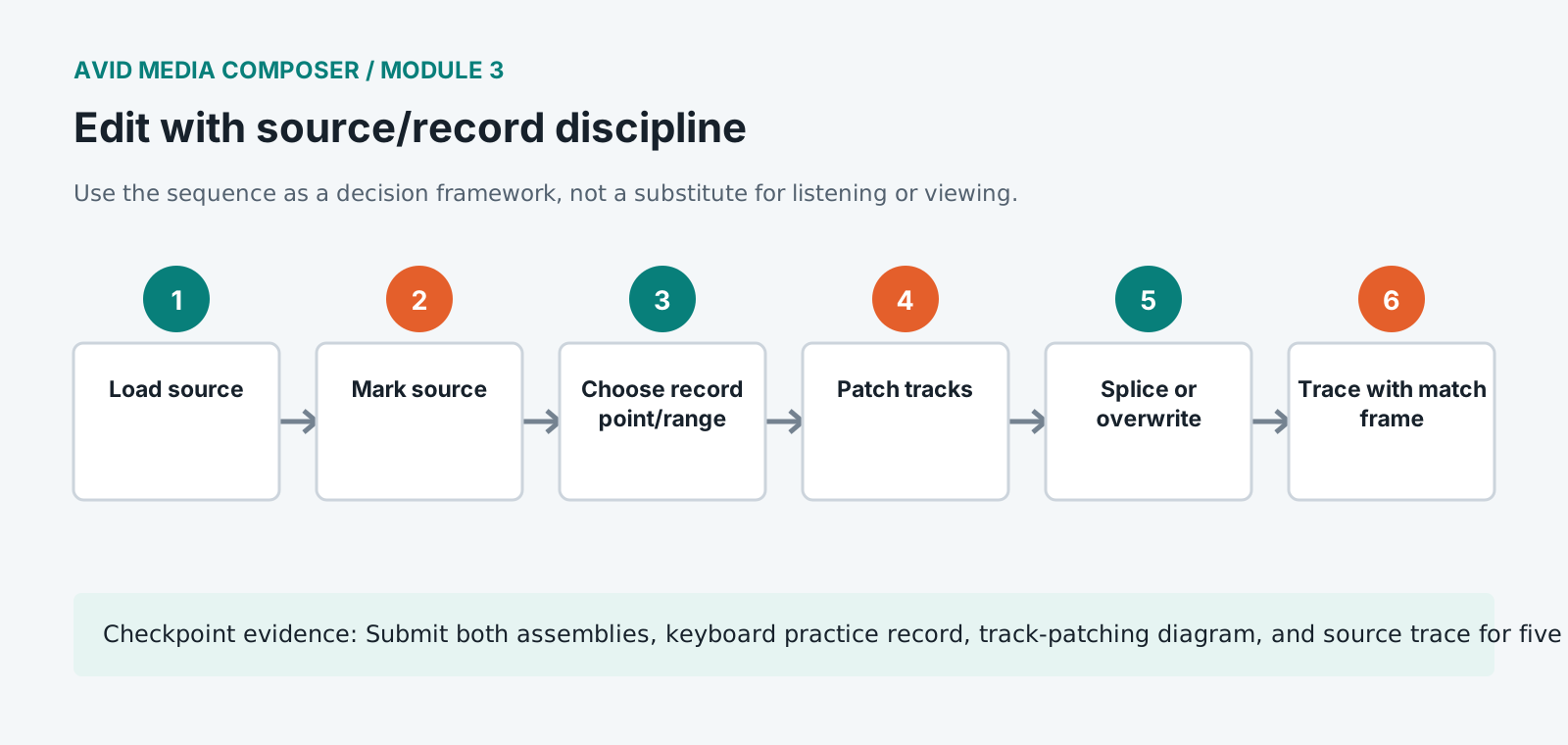
Mark source in/out around a complete action, set a record position, patch tracks, and splice the shot into the sequence.
- 4
Overwrite a reaction into a defined sequence range while preserving production audio intentionally.
- 5
Use JKL at variable speed, mark on the fly, go to in/out, clear marks, match frame, and find bin to trace every edit back to source.
- 6
Build the first complete scene pass using wide/master coverage as a performance spine before adding close coverage.
- 7
Use sync locks and linked selection consciously while moving picture, production sound, and temporary effects.
- 8
Add timeline locators for performance alternatives, continuity risks, missing coverage, sound needs, and factual production notes.
- 9
Duplicate ASSEMBLY_v01 before beginning a second editorial approach.
Independent challenge / 45-60 minutes
Prove the principle
Build the same 90-second scene with splice-dominant and overwrite-dominant strategies. Compare how each affects sequence structure and track control.
Portfolio checkpoint
Evidence to retain
Submit both assemblies, keyboard practice record, track-patching diagram, and source trace for five edits.
Store this evidence in 01_ADMIN/checkpoints/module-3 and include it in the final decision log.
Failure modes
Diagnose before retrying
Edit goes to the wrong record tracks
Inspect source/record selectors, active tracks, sync locks, and whether the loaded source contains expected channels.
Sequence duration changes unexpectedly
Confirm whether Splice-In, Extract, Lift, Overwrite, or filler was used and what marks defined the operation.
Match frame opens unexpected media
Check selected track, position, nested content, group/source relationship, and whether the sequence references a subclip or render.
Working vocabulary
Terms you must be able to explain
- splice-in
- An edit that inserts source material and moves later sequence content.
- overwrite
- An edit replacing material over a fixed sequence duration.
- filler
- Timeline space represented without source picture or sound media.
- match frame
- A command locating the source frame corresponding to the current sequence position.
Primary sources
Verify current behavior
Lesson reviewed 2026-07-13. Verify menus and shortcuts against the lab release.
Failure in practice
Where this goes wrong
Three-point editing feels restrictive until it becomes automatic, and then it is what makes an edit fast. Marking two points in the source and one in the record tells the system exactly what you intend, which removes a whole class of accidental overwrites. Dragging clips onto a timeline by hand is what produces sync drift on a long sequence.
Keep sync locked unless you are deliberately breaking it. Most sync problems come from an edit made with lock disabled, discovered several hours of work later when a line no longer matches a mouth. The lock exists precisely because the error is invisible at the moment it is made.
Run the sequence once with the picture hidden and only the audio playing. Sync errors and rhythm problems are both easier to hear than to see, and the pass takes as long as the cut does.