By the end of this module
- Create a coherent temporary sound and picture presentation.
- Track VFX and editorial effects without hiding source intent.
- Run a review and revision cycle with traceable versions.
Core knowledge
Principles before controls
Temporary work should clarify intent
Temp sound, music, grade, titles, and effects help reviewers understand timing and tone but must be labeled so they are not mistaken for final assets.
Sound changes picture perception
Production dialogue, room tone, perspective, effects, ambience, silence, and music alter pace and continuity; build them as editorial layers.
Effects need source traceability
Resizes, reframes, speed changes, stabilizers, composites, and VFX placeholders must retain enough metadata and notes for finishing.
Notes require interpretation
Separate the problem a reviewer observes from the proposed solution, then test a revision against the underlying intention.
Guided build / approximately 90-120 minutes
Build it in the application
- 1
Duplicate the approved scene to ROUGH_CUT_v01 and create a review change log.
- 2
Clean production dialogue boundaries, build room tone, add essential actions and perspective cues, and preserve separate sound roles.
- 3
Add temp music only after the scene works without it. Document source, rights, start, end, and intended function.
- 4
Create temporary titles and cards using consistent typography and safe placement, clearly marking TEMP where appropriate.
- 5
Build VFX placeholders or editorial effects on duplicated segments and record source clip, frame range, description, and version.
- 6
Export a watermarked review file with sequence name, version, date, timecode, and temporary-status notes.
- 7
Conduct a screening in which viewers first describe story, point of view, turning point, confusion, and emotional progression before offering solutions.
- 8
Group notes by story, performance, continuity, pace, sound, effects, and technical issue; prioritize by impact and evidence.
- 9
Revise in a new version and keep a before/after sequence showing how each accepted note was addressed.
Independent challenge / 45-60 minutes
Prove the principle
Resolve a conflicting review: one viewer finds the scene slow, another lacks context. Create a revision that addresses the underlying information and attention problem without simply shortening everything.
Portfolio checkpoint
Evidence to retain
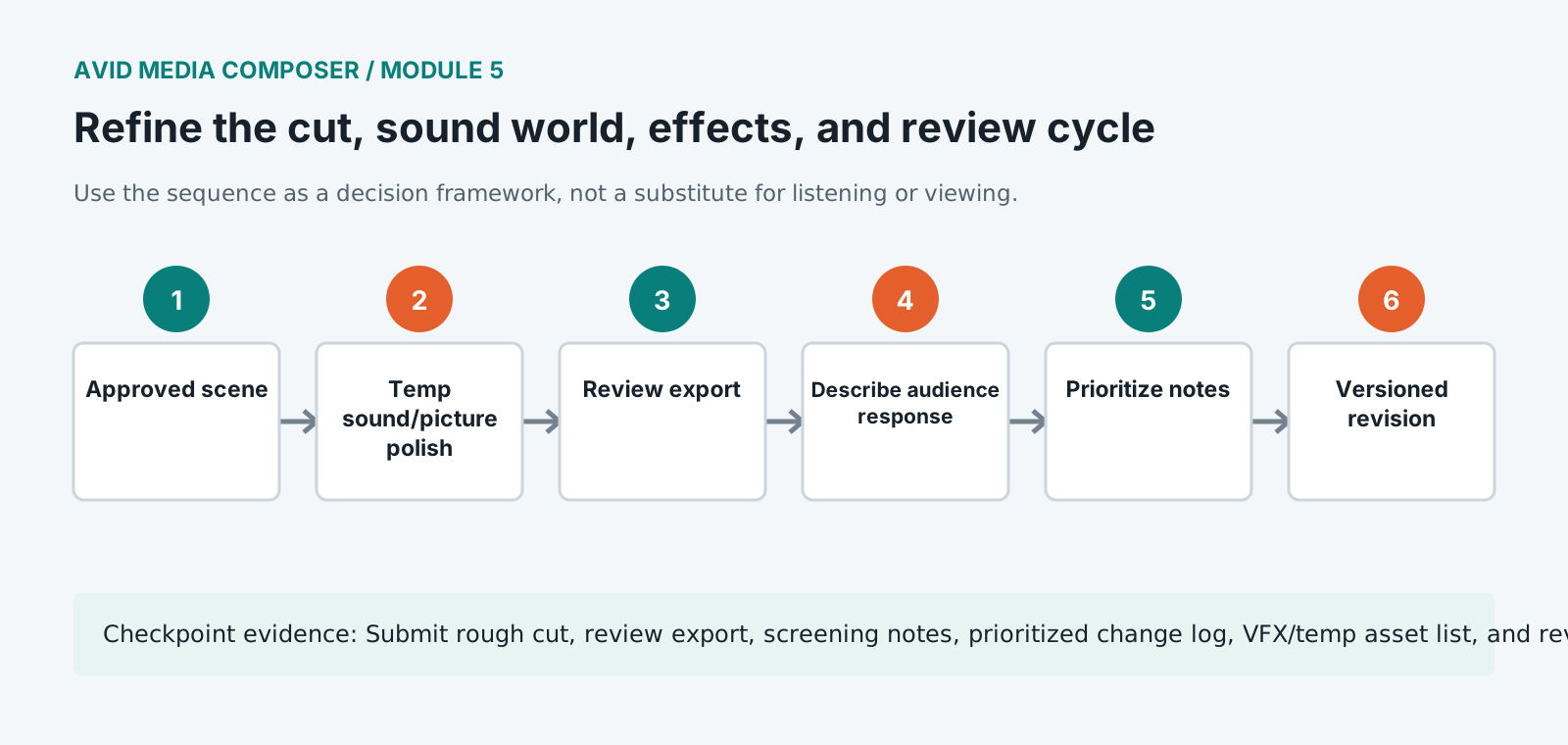
Submit rough cut, review export, screening notes, prioritized change log, VFX/temp asset list, and revised cut.
Store this evidence in 01_ADMIN/checkpoints/module-5 and include it in the final decision log.
Failure modes
Diagnose before retrying
Temp music dictates every cut
Mute it, restore scene performance and internal sound rhythm, then reintroduce music only where it adds a specific function.
Reviewers comment on unfinished distractions
Raise the temporary presentation to a clear review threshold or label known issues and frame the review question explicitly.
VFX turnover loses original framing
Preserve source references, handles, transform data, timewarp information, and clean plates in the effect record.
Working vocabulary
Terms you must be able to explain
- temp
- A provisional asset used to communicate editorial intent before final creation or licensing.
- VFX placeholder
- An editorial representation of a future visual effect.
- change log
- A version-specific record of requested, accepted, rejected, and completed revisions.
- screening copy
- A review export labeled with sufficient version and status information.
Primary sources
Verify current behavior
Lesson reviewed 2026-07-13. Verify menus and shortcuts against the lab release.
Failure in practice
Where this goes wrong
Temp sound shapes decisions more than editors expect. A scene cut against temporary music inherits that music's pace, and replacing it later frequently reveals that the picture was built around something that no longer exists. Cutting at least one pass without it shows you what the images are doing on their own.
Review notes need a single owner and a single list. Feedback arriving by message, email and conversation gets partially implemented and partially forgotten, and the resulting argument about what was agreed costs more than the changes did. One document, timecoded, updated as items are addressed.
Screen the cut for somebody who has not seen it. Every question they ask afterwards marks a place where the edit assumed knowledge it did not supply, and their questions are more useful than their opinions.