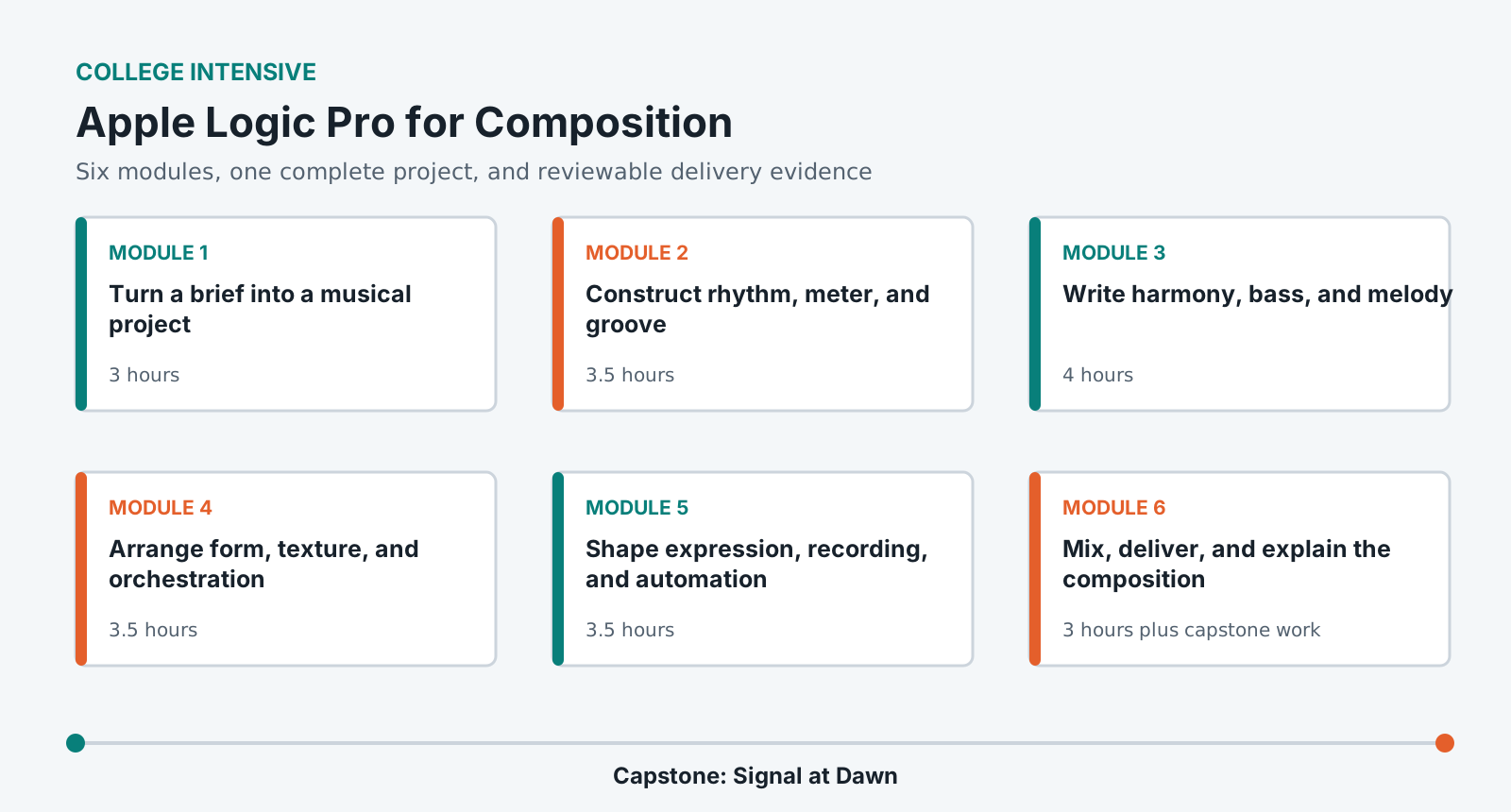
Learn composition and Logic together: turn a brief into musical constraints, build rhythm, harmony, melody, texture, form, expression, and a clear mix, then deliver a reproducible project and stems.
LevelBeginner
Time24-28 hours
Structure6 modules + capstone
AssessmentPortfolio rubric
Completed outcome
Compose, arrange, mix, and export a 2-3 minute original piece responding to a creative brief.
What you will be able to do
Translate a creative brief into tempo, meter, tonal, formal, and timbral decisions.
Create and edit MIDI and audio regions in Logic.
Develop rhythm, harmony, melody, and texture into a complete form.
Use orchestration, automation, and mixing to communicate structure.
Export a stereo master, stems, project copy, and concise composition notes.
Lab access and prerequisites
Current Logic Pro on an institution-managed Mac.
MIDI keyboard recommended but not required. Musical Typing is supported.
Headphones or lab monitors and at least 12 GB of free project storage.
No notation, keyboard, or prior DAW knowledge is required.
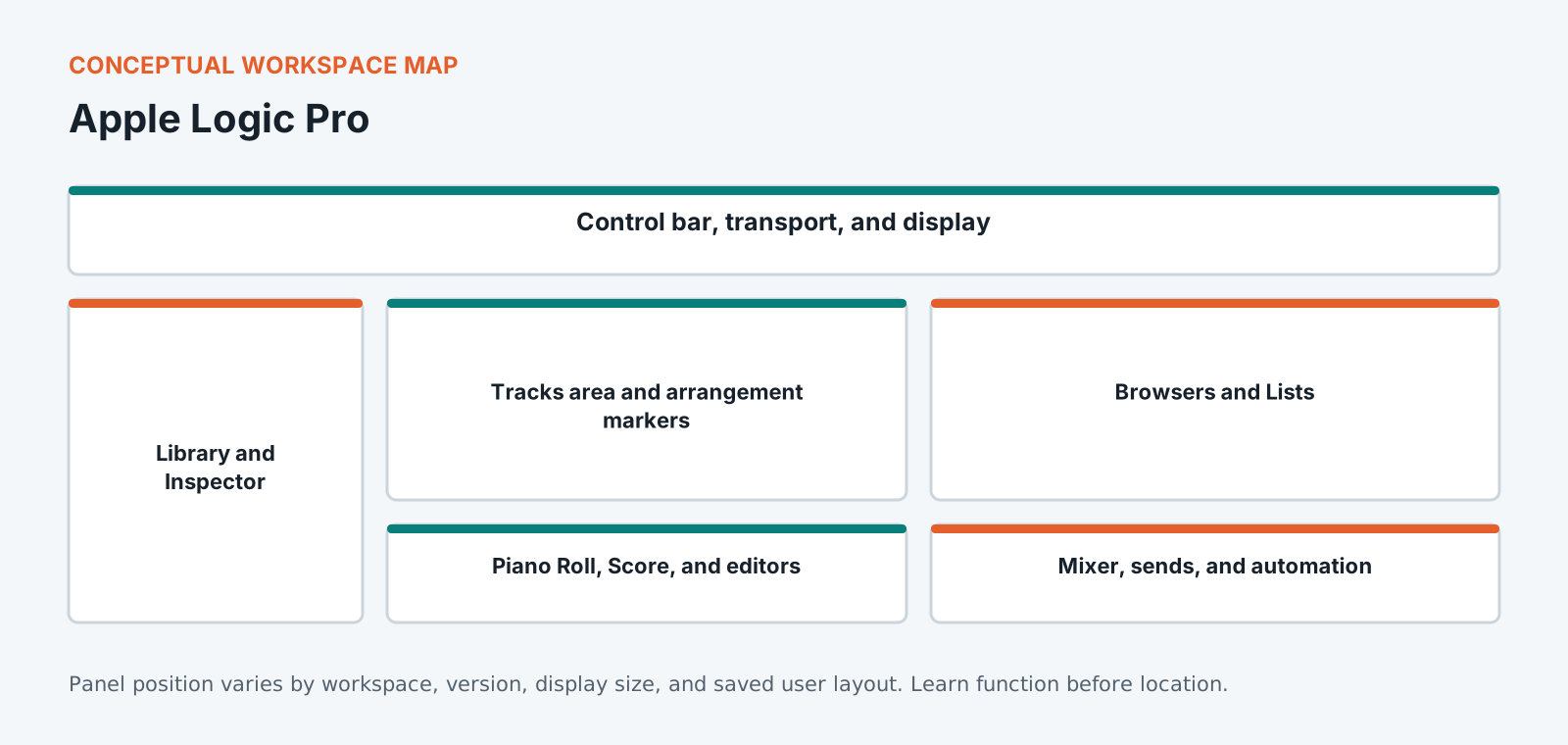
Know the workspace by function
This original diagram is intentionally version-neutral and does not imitate a proprietary application screenshot.
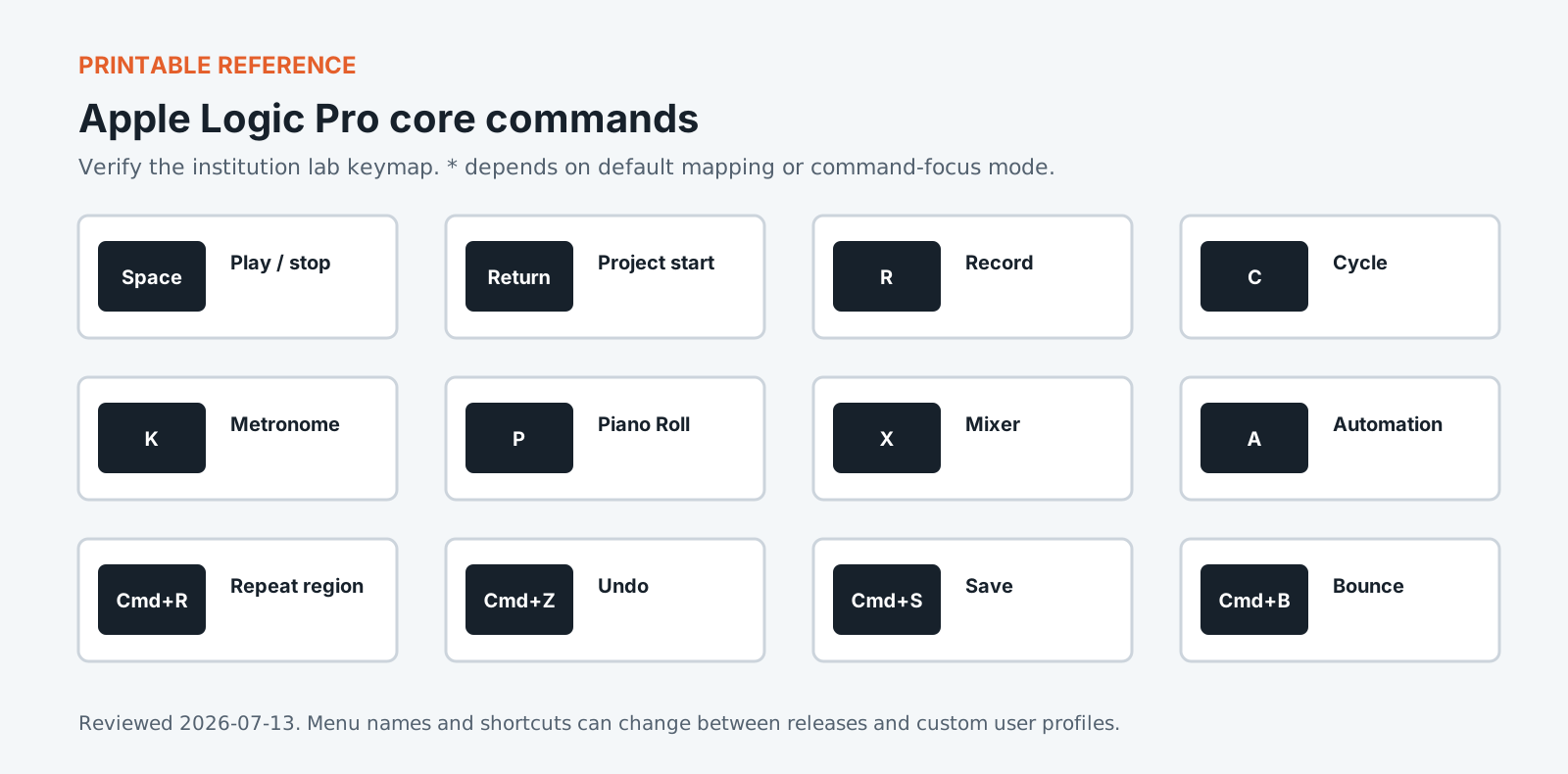
Version policy: concepts are version-neutral. Interface labels and shortcuts are verified against the institution-supported release and reviewed each academic term.
Required common orientation / 75 minutes
Professional Media Workflow Foundation
A reusable orientation to the habits that keep creative projects reproducible, reviewable, accessible, and safe to hand off.
Create a balanced stereo presentation, export reconstructable stems, verify the files, and document how the composition answers its brief.
Mix for musical hierarchy and translation.
Export a master and aligned role-based stems.
Package a clean Logic project with composition and QC notes.
Standardized coursework pack
Signal at Dawn composition brief
Narrative brief, reference mood words, timing map, optional field recordings, percussion one-shots, motif cards, delivery specification, and rights record. Approximately 3 GB including optional audio resources and rendered stems.
Media access: the downloadable files define the required rights-cleared pack, checks, and evidence. Large application media must be distributed by the institution through its licensed learning or storage system.
Logic Pro ships with a large library of instruments and loops, which is its strength and the trap this course is built around. Writing to a preset produces music sounding like the preset, and the shortest route to a finished piece is rarely the route to one worth finishing. The modules work on arrangement decisions: what the section before a chorus has to do, where to take something away rather than add, and how a part earns its place. Logic's own tooling supports this well once you stop treating it as a sound browser. You will use the scoring and automation sides of the application to serve an arrangement you decided on first, rather than letting the library decide for you.
Portfolio assessment
Capstone: Signal at Dawn
Compose a 2-3 minute original work that moves from uncertainty to resolved forward motion using a limited palette and a clearly audible formal transformation.
Submit
Organized Logic Pro project with all assets
48 kHz/24-bit stereo WAV master
Aligned role-based stems
Form, harmony, motif, and orchestration map
Composition decision log and blind-listener revision note
QC report and five-minute walkthrough
Constraints
Use no more than six principal sound sources before the final mix.
Develop at least one original motif across three formal contexts.
Include one recorded or designed texture with documented rights.
Do not use mastering processing to conceal arrangement problems.
100-point portfolio rubric for Apple Logic Pro for Composition
Criterion
Weight
Creative and editorial judgment
25
Technical execution
25
Workflow organization
15
Application fluency
15
Delivery and quality control
15
Documentation and reflection
5
What counts as strong evidence under each criterion, and what sends it back for revision, is set out in full on the shared foundation. The same wording ships with this course as rubric.csv.
Read 21 September 2026
Sources
The vendor documents below were read. The course teaches menus and shortcuts, and software changes them between versions, so confirm a menu path against the vendor's current documentation before you rely on it. For the software documents only the title, version and date were read.
Machine translation provided by Google Translate, on Google’s servers. We do not check these translations and they will get technical terms wrong. The English page is the authoritative one. Following a link sends this page’s address to Google. Your browser may also offer to translate this page itself, which keeps the request on your device.